
주요 콘텐츠로 건너뛰기
수리 커뮤니티 가입 - 계정 만들기

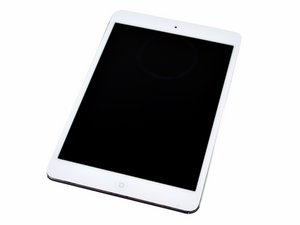
7.9 inch display / Model A1432 / Available in black or white / Announced October 23rd, 2012 / 16, 32, or 64 GB capacity

Home button not working

I just replaced screen with digitizer, and Home button works to turn on screen but when I touch it to close an app it shoots me back to The lock screen like I’ve touched the top button and I have to re login. It works when the screen isn’t seated in place. As soon as I push it in place it doesn’t work again. Digitizer is properly hooked up. I don’t know what to do!

답변되었습니다! 답변 보기 저도 같은 문제가 있습니다

좋은 질문입니까?

점수 0
댓글 달기

답변 1개

선택된 해법

The iPad mini has a few gotcha’s…

It is prone to ghost touching when the digitizer isn’t top quality. Usually this can be remedied by putting some anti-static tape, such as Kapton tape, over the Home Button flex that runs along the bottom edge of the digitizer. The other problem is you may have kinked the the flex the wrong way. It’s supposed to fold towards the inside of the device.

이 답변이 도움이 되었나요?

점수 1
댓글 달기

답변을 추가하세요

mjo83 영원히 감사할 것입니다.
조회 통계:

지난 24시간: 0

지난 7일: 0

지난 30일: 3

전체 시간: 82
