
주요 콘텐츠로 건너뛰기
수리 커뮤니티 가입 - 계정 만들기

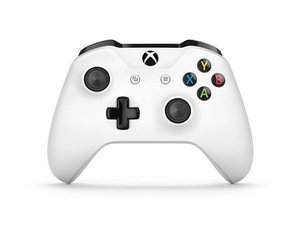
Xbox One controller was introduced in 2016 with the launch of the Xbox One S and adds Bluetooth support for Windows 10/11. This controller fixes many of the design flaws found on the Model 1537/1697 controllers and is much more reliable. This controller has been replaced with the improved Model 1914 controller.

Xbox button not powering on controller

I just got a new Xbox one controller v2, but it won't turn on when I press the Xbox button.

When I connect the USB cable it starts and works just fine, I can even remove the cable once the controller is up and running and it maintains its connection to my Xbox. But as soon as I turn it of I need the USB cable to "jump start" the controller again.

The Xbox button and everything works as intended after I turned on the controller (with the cable), it just doesn't work as an "on switch" for the controller.

It is updated to the latest firmware and I've tried different batteries.

이 질문에 답하기 저도 같은 문제가 있습니다

좋은 질문입니까?

점수 0

댓글 1개:

I have this problem but my controller won't turn on at all

댓글 달기

답변 1개

Try a new controller. If it happens with that controller only, replace it.

이 답변이 도움이 되었나요?

점수 0

댓글 1개:

Thanks. The problem is just with this controller. But since the button works after I turned it on it seems like a software problem that could possibly be fixed (by a smarter person than me) without needig to replace it. Perhaps

댓글 달기

답변을 추가하세요

Marcus 영원히 감사할 것입니다.
조회 통계:

지난 24시간: 0

지난 7일: 3

지난 30일: 13

전체 시간: 4,668