
주요 콘텐츠로 건너뛰기
수리 커뮤니티 가입 - 계정 만들기

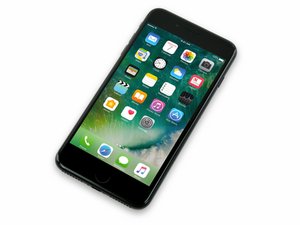
2016년 9월 16일 출시. Model A1661, A1784, 또는 A1785. 32, 128 또는 256 GB 환경 설정 / 로즈 골드, 금색, 은색, 검정색, 칠흑색 및 (Product)빨간색으로 제공됩니다.

Microphone doesn’t work sometimes

I make a call and sometimes the person on the other end can’t hear me but I turn on speaker phone and then They can hear me. Doesn’t do it all the time tho. Phone has had some work done to it screen replaced and camera replaced

답변되었습니다! 답변 보기 저도 같은 문제가 있습니다

좋은 질문입니까?

점수 0
댓글 달기

답변 1개

선택된 해법

It sounds like the lower microphone is not working.

There are 3 microphones in the iPhone.

https://support.apple.com/en-us/HT203792

  • The bottom microphone is for Voice Memo and phone calls. The other microphones serve as error cancellation
  • The (top) front microphone is used for FaceTime calls, Siri and selfie videos with the front camera (FCAM). The top back microphone serves as error cancellation
  • The (top) back microphone is used for videos with the rear camera (RCAM). The top front microphone serves as error cancellation

Make sure you update your device to the latest version of iOS and then try to isolate which microphone is not working properly by trying each individual microphone with the related apps above. Check the microphone port holes for dust and debris which could be attenuating the sound.

It may be the microphone on the Lightning Flex, which you can replace yourself by following this guide. If the issue affects more than one microphone, then it could be the Audio Codec IC on the logic board. Anything at the logic board level will require micro-soldering so you would need to find a repair shop that offers those services.

이 답변이 도움이 되었나요?

점수 2
댓글 달기

답변을 추가하세요

Jonas Seese 영원히 감사할 것입니다.
조회 통계:

지난 24시간: 3

지난 7일: 7

지난 30일: 28

전체 시간: 1,454
