
주요 콘텐츠로 건너뛰기
수리 커뮤니티 가입 - 계정 만들기

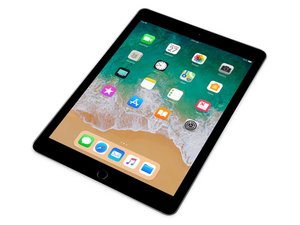
Wi-Fi 및 셀룰러 버전, 32GB 또는 128GB 저장 용량으로 제공되는 6세대 Apple iPad의 수리 안내서, 분해 정보, 문제해결 정보입니다. 2018년 3월에 출시되었습니다. 모델 번호 A1893 및 A1954로 식별할 수 있습니다. 9.7형 Retina 디스플레이와 64비트 A10 Fusion 칩이 특징입니다.

Home Button doesn't work after iPad 6 screen replacement

I have been repairing electronics for years. Never had any issues with iPads until recently, home buttons stop working after digitizer replacement. There is no damage to the home button or the cable or anywhere. Anyone else having this problem?

Or have found a solution?

이 질문에 답하기 저도 같은 문제가 있습니다

좋은 질문입니까?

점수 3
댓글 달기

답변 2개

It could just be an alignment issue, is the metal part of the home button bracket (which is the contact for the button) aligned with the center receiver of the home button?

이 답변이 도움이 되었나요?

점수 0

댓글 2개:

No, it even makes the clicking sound and everything. Even when I install a new button, still doesn't work.

The clicking sound is not an indicator of anything. Try to align it better with the bracket. I had this issue as well last week.

댓글 달기

Look at the back of the home button. There should be a tiny black dot in the center of the switch. If all you see is amber that dot has fallen of and the switch will not work when installed.

이 답변이 도움이 되었나요?

점수 0
댓글 달기

답변을 추가하세요

minnabeezy 영원히 감사할 것입니다.
조회 통계:

지난 24시간: 1

지난 7일: 3

지난 30일: 11

전체 시간: 1,296
