
주요 콘텐츠로 건너뛰기

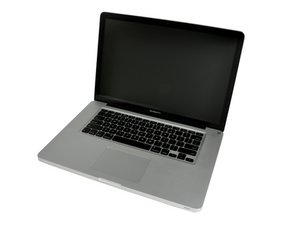
2012년 6월 출시 / Core i7 프로세서 Turbo Boost 포함 / 최대 1 GB DDR5 비디오 RAM

Replace fuses on one-wire circuit - but where are they?

I have obviously broken one or more of the fuses in the one wire cirquit to the magsafe on my Macbook Pro 15” mid 2012. There is a guide for replaceing these on a 2009 model, but the T1 and T2 fuses are not located in the same spot on the 2012 model. Is there some guide or image displaying the location?

And where can I get those fuses - MOSFETs?

답변되었습니다! 답변 보기 저도 같은 문제가 있습니다

좋은 질문입니까?

점수 0
댓글 1개

@hallbir post some good pictures of the components that you believe are obviously broken. Post those and the location on the board with your question. That way we can see what you see. T1 and T2 will not be fuses.

기존 질문에 이미지 추가하기

댓글 달기

답변 2개

선택된 해법

Reference with the logic board model number and not the model of the MacBook, the number will be 820-3330 for your model and the label is located generally at the bottom right of the board (top-side).

Check boardview and schematics for 820-3330 which you can find on the internet.

On the MagSafe DC Power Jack circuit (also known as one-wire circuit) there is a component that commonly gets blown from the use of knock-off (aftermarket) chargers which is U6900. Replacing the chip will fix the problem if that is the case.

U6900 is north-west of the keyboard connector as seen here:

Block Image

이 답변이 도움이 되었나요?

점수 0

댓글 2개:

@benjamen50 Lets table this as I suspect he's just throwing things out.

Good point, as in most cases replacing fuses may just lead to them blowing up again if there is a short circuit present on either pads on where the fuse sits.

댓글 달기

There is only one Fuse on the power leg of the MagSafe connection on the logic board. There is no fuse(s) in the One-Wire sense line. The connection goes directly to U6900 for over voltage protection of the charging of the battery.

Let’s start again what are your symptoms with your system?

Review the MagSafe connector on your charger as well as the cord if either or worn or damages this could burn out some of the components on your logic board.

이 답변이 도움이 되었나요?

점수 0
댓글 달기

답변을 추가하세요

Hallvard Birkeland 영원히 감사할 것입니다.
조회 통계:

지난 24시간: 0

지난 7일: 1

지난 30일: 10

전체 시간: 341
