주요 콘텐츠로 건너뛰기
수리 커뮤니티 가입 - 계정 만들기

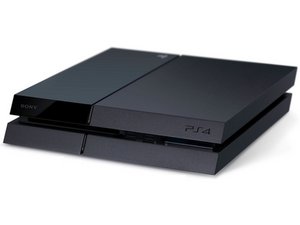
A television game console produced by Sony Computer Entertainment, also known as PS4. First announced February 20, 2013 and released November 15, 2013.

Copy version 1.00 stuck

Hello, i bought a couple of ps4 games disc and all off them are not playing. Some of them stuck up saying “preparing" and for how many hours its still 0%. On the other hand, the other disc says “copy applications version 1.00”. And its stayed 0% for many hours. I check the data of each disc and its only kbs instead of gbs. I went to the store i bought the disc ,they told me its original and the problem was the ps4 system and not their disc. Additionally, i also tried finding solution on youtube. I tried restarting, updating the system, rebuilding , cleaning the disc etc, but still it doesnt work.

Im so helpless and frustrated. Thats why i look for a support group for psp users that can help me. And i really hope anyone from this website can help me.

Plssss.

Thanks

이 질문에 답하기 저도 같은 문제가 있습니다

좋은 질문입니까?

점수 0
댓글 달기

답변 1개

가장 유용한 답변

Blu-ray laser which reads the discs needs to be replaced. For this repair I recommend taking to a reputable console repair store to get the laser replaced.

Note that for getting this replaced e.g if you are going to do the repair make sure you always use the original blu-ray drive board that came with the PS4, any other drive boards will make the blu-ray drive non-functional.

PlayStation 4 SAA-001 Motherboard & Paired Optical Drive

PlayStation 4 Optical Drive Replacement

Replace a corroded, damaged, or malfunctioning motherboard and its paired optical drive. This SAA-001 motherboard and paired optical drive are compatible with a model CUH-10XXA PlayStation 4 console. Heat sinks are not included. 이미지

제품

PlayStation 4 SAA-001 Motherboard & Paired Optical Drive

$168.99

이 답변이 도움이 되었나요?

점수 1

댓글 2개:

I bought the ps4 for about a week now. How come it has a problem on the motherboard?

If the PS4 is only a week old better to return it for warranty.

I've haven't run into this exact issue before and with the troubleshooting you've done software wise it's highly likely this is a hardware fault.

The last thing to do before going for warranty is option 7 linked here for re-initializing the PS4. Make sure to read the steps carefully:

https://support.playstation.com/s/articl...

댓글 달기

답변을 추가하세요

ghagha moy 영원히 감사할 것입니다.
조회 통계:

지난 24시간: 0

지난 7일: 1

지난 30일: 20

전체 시간: 4,999