주요 콘텐츠로 건너뛰기
수리 커뮤니티 가입 - 계정 만들기

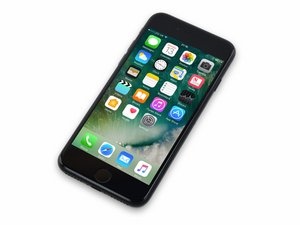
2016년 9월 16일 출시. Model 1660, 1778. GSM 또는 CDMA / 32, 128 또는 256 GB / 로즈 골드, 금색, 은색, 검정색, 칠흑색으로 제공됩니다.

Home Button not working after screen replacement.

Hi all,

first post here!

I’m having some trouble with a screen replacement I did.

I bought a used genuine iPhone 7 screen from eBay, replaced the screen and my home button won’t respond whatsoever, it doesn’t bring up the assistive touch until I activated it through settings, and TouchID fails.

So, I did the obvious and put my old screen back on, and I could click the home button and it worked fine. ( I would keep the screen if it wasn’t glitching and the LCD wasn’t smashed *sigh*)

I contacted the seller, he said to restore the phone, but it didn’t work either.

Any advice?

답변되었습니다! 답변 보기 저도 같은 문제가 있습니다

좋은 질문입니까?

점수 1
댓글 달기

답변 3개

선택된 해법

Did you transfer over the original home button to the replacement screen? This must be done otherwise any pre-installed home button just fills the hole and has no other function.

If you did transfer the home button, then keep reading…

The iPhone 7/8 series have a very inconvenient bend on the Home Button flex. It’s really easy to tear the flex, either near the logic board connector or at the 90 degree bend before it sneaks underneath the LCD heat shield. You have to be careful when you lift the screen off the first time but also anytime the flexes are connected and you have the device open.

The other area that is easily damaged is the connector on the Home Button itself and the opposite connector on the short flex that runs underneath the heat shield.

The long and short of it is that there are multiple failure points. You will need to carefully inspect the Home Button and flex to see if there is any damage. Magnification here will help.  Look for tears to the flex or any physical signs of damage. You should also check the connector to insure none of the pins are damage or that there isn’t any debris.

Unfortunately, there is no real DIY way to fix a Home Button, only Apple can replace it.

이 답변이 도움이 되었나요?

점수 2

댓글 1개:

Hi,

as i said, I transferred the original button over to the genuine used screen, and the button didn’t work. I then connected up the original screen and the home button worked, but I can’t use the screen because it’s destroyed.

I will check the connection on the on the screen and see if there’s any debris.

I’m 100% sure the home button isn’t damaged because it works on the original screen.

댓글 달기

You may have an aftermarket screen that has the homebutton cable defective if nothing is wrong with it and works on the original cracked screen. I suggest warrantying it or getting another one from another seller.

이 답변이 도움이 되었나요?

점수 1

댓글 3개:

The thing is, it’s an original screen, do you think if I find a refurbished original screen it’ll work?

@envythenv Unless there's a physical damage, as @bichnga mentioned in his answer it would be more likely an aftermarket screen may present such issue rather than an original one. Have you checked the Apple logo is present on the screen you received ?

Yes, there is an Apple logo on the cables and the back of the screen.

I’ve inspected the connectors and I don’t see any damage at all, but maybe something due to the connectors.

I’ll try a new screen and keep you guys updated!

댓글 달기

Almost certainly the replacement screen has a damaged home button extension cable. This can be replaced by replacing the backlight (requies soldering 4 pins) or just replacing the 3D Touch panel (which has the home button extension cable integrated to it) which is attached to the metal panel on the back of the backlight. To remove either the backlight or the 3D touch panel you need to heat up the glue around the edges of the LCD. Note that the home button extension cable is replaceable (it’s replaced every time you replace the screen), the home button and its directly attached cable itself is not (it’s coded to the logic board by Apple).

이 답변이 도움이 되었나요?

점수 1
댓글 달기

답변을 추가하세요

Niks 영원히 감사할 것입니다.
조회 통계:

지난 24시간: 0

지난 7일: 2

지난 30일: 7

전체 시간: 2,314


