주요 콘텐츠로 건너뛰기

6MB 공유 L3 캐시 2.4GHz, 2.7GHz, 또는 2.8GHz 쿼드-코어 Intel Core i7 프로세서 (Turbo Boost 최대 3.8GHz).

Graphics card not showing up causing no backlight

Hello,

a little while ago my Earl 2013 MBP the back light stopped working upon investigation I believe it’s a 1.5GB Nvidia 660m doesn’t show up at all in the system there is no kernal panics the only issue is the backlight it’s temperamental

이 질문에 답하기 저도 같은 문제가 있습니다

좋은 질문입니까?

점수 0

댓글 2개:

This series came in two configs with and without a discreet GPU, AMD GPU (DG) vs intergraded Intel graphics engine only (IG)

IG Models: MacBookPro11,2

DG Models: MacBookPro11,3

So lets not get lost on the different graphics this series offers as that doesn't involve the backlight.

Thank you Dan for getting back to me I will check it in a moment

댓글 달기

답변 1개

Most likely you have some corrosion damage either on the logic board display connector

Block Image

Or within the displays connection (very difficult to get to)

Block Image

Follow this guide to at least checkout your logic board connection MacBook Pro 15" Retina Display Early 2013 Display Assembly Replacement Follow Steps 1 through 4 to disconnect the battery, then jump down to Step 11. How does the contacts and solder joints look? Post some clear pics if you’ve not sure 기존 질문에 이미지 추가하기.

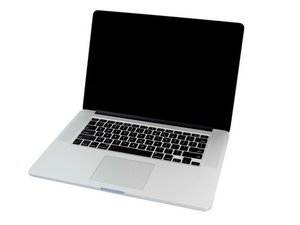
MacBook Pro 15" Retina Display Early 2013 Display Assembly 이미지

안내서

MacBook Pro 15" Retina Display Early 2013 Display Assembly Replacement

난이도:

어려움

1 - 2 hours

iFixit 이미지

안내서

기존 질문에 이미지 추가하기

난이도:

매우 쉬움

2 - 5 minutes

이 답변이 도움이 되었나요?

점수 0

댓글 2개:

Hey Dan I have done extensive checking for corrosion and there is none as for the other connector it’s all secure and no problems there

@peach production - Plug in an external monitor with either the HDMI or Thunderbolt ports. Is that display working without a problem?

댓글 달기

답변을 추가하세요

peach production 영원히 감사할 것입니다.
조회 통계:

지난 24시간: 0

지난 7일: 1

지난 30일: 4

전체 시간: 128
