
주요 콘텐츠로 건너뛰기
수리 커뮤니티 가입 - 계정 만들기

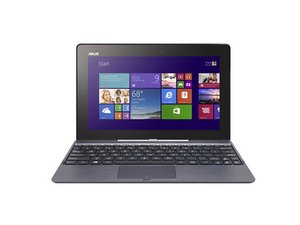
Asus Transformer Book T100TA 수리 정보. 2013년경 출시. 모델 번호: T100TA .

My device won’t power on.

Hi, my ASUS T100TA won’t power on, When plugged in, LED slowly blinks orange/amber.

I hard discharged the battery, removed the tape on the POWER button and plugged it in and… LED still slowly blinks orange/amber.

답변되었습니다! 답변 보기 저도 같은 문제가 있습니다

좋은 질문입니까?

점수 0
댓글 2개

NOTE: My laptop/tablet was actually a ASUS Transformer T102HA. But since it didn’t exist it the repair tutorials, I picked the device that was the closest to my computer. Instead of showing a green light, it shows a white one. My computer is 5 years old and 6.6% of my computer’s battery is degraded, which means it can only hold 29 138mWh instead of the rated 31 200mWh. But is 93.4% battery health low? When my battery needs remplacing, maybe I will do a tutorial about how to replace a battery of a T102HA.

مرحباً، جهاز asus t100ta الخاص بي لا يعمل، وعند توصيله بالكهرباء، يومض مؤشر led ببطء باللون الأبيض أربع مرات

هل من حل

댓글 달기

답변 1개

선택된 해법

When the LED is green the battery charge is between 95% and 100% and the AC power is on. The orange/amber LED indicates that the battery power is below 95%, and the AC power is on. Without the charger plugged in an orange/amber blinking shows the battery charge is below 10% and needs a charge.

However, if your laptop battery percentage is above 10% and the LED keeps blinking orange/amber it may mean the battery needs replacing.

Lithium-ion cells age the moment they leave the factory, plus the ~500 cycles they can do (to 80% capacity considered EOL). That means the batteries in the long termed stored laptop will be degraded, even without having been cycled or used.

이 답변이 도움이 되었나요?

점수 2

댓글 6개:

Oh, also, I found out that I didn’t properly hard discharge the battery. When I left it for a night, the battery was completely dead and when I removed the tape that was holding the POWER button to the on position and I plugged in, this time the light was still orange/amber but was no longer slowly blinking. Now after this, the computer now worked. I will remplace the battery when BatteryBar shows a high percentage of battery degradation.

But still, thanks.

Update: BatteryBar is showing 84% battery health (I think) but it’s not the worst! My iPad 6th Gen, which I got it on Christmas 2018, has 1931 battery cycles which equals only 61% battery health!!!

Hi @steven062010

For a 5 year old computer 84% is pretty good.battery health.

It’s because i rarely use it compared to my iPad. I always plug the charger when using it. I switched to a pretty old HP Spectre Pro x360 G2 laptop, it has a mostly brand new battery, since it was never used for some years.

댓글 1개 더보기

댓글 달기

답변을 추가하세요

Steven062010 영원히 감사할 것입니다.
조회 통계:

지난 24시간: 3

지난 7일: 18

지난 30일: 75

전체 시간: 8,418