주요 콘텐츠로 건너뛰기

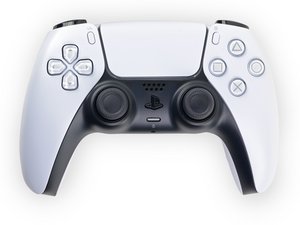
Repair guides, disassembly, and troubleshooting information for the first generation Sony PlayStation 5 DualSense controller, successor to the DualShock series. Identified by model number CFI-ZCT1W and motherboard model BDM-010.

L2 Button constant on even if not pushed

Hello,

i changed the two rings around the L3 button which caused stick drift , after getting all stuff together my L2 Button is like always enabled even if im not pushing it at all. How can i fix this ? Thanks

이 질문에 답하기 저도 같은 문제가 있습니다

좋은 질문입니까?

점수 2
댓글 달기

답변 4개

가장 유용한 답변

Try taking the controller apart again and then push the L2 button then release. If that doesn't work ,try replacing the trigger button. Hope this helps!

Diode

이 답변이 도움이 되었나요?

점수 1

댓글 3개:

tested some stuff and the L2 is even activated after i removed the left L1 and L2 unit from motherboard. So its something with the board i assume.

@Toni Montana Seems that way. All right. I don't know if I can help you in any other way. Sorry.

its a problem with the blue flat cable that connects the unit to the main board… try straightening the metals at the tip… worked for me

댓글 달기

Usually it happens when the board is loose. There's one screw that atach the board to the controller shell. Open the controller again and Make sure you've tightened it.

이 답변이 도움이 되었나요?

점수 1

댓글 1개:

I had the same issue and Younes is correct. The L1/L2/R1/R2 buttons are in same circuit as all the other buttons. Underneath the circuit board is a pad with 16 connections that needs to make contact with circuit board. That pad was out of alignment on my controller and I was having the same issue with the R2 button. Realigning the pad and tightening down the circuit board fixed the issue.

댓글 달기

when I had close to the same problem, I had to replace the spring on the side of the trigger. Also, I completely disassembled and clean the adaptive trigger with contact cleaner bw-100, but the spring was my real problem.

이 답변이 도움이 되었나요?

점수 0
댓글 달기

The small white ribbon cable that connects the trigger rumble pack to the board if you look very closely at the blue tab end you'll notice the gold connection lines, these are very thin and can bend easily, get a new ribbon cable or try to straighten it and trial and error it until it works (keep the casing off and try a game like astrobot until it's satisfactory)

이 답변이 도움이 되었나요?

점수 0
댓글 달기

답변을 추가하세요

Toni Montana 영원히 감사할 것입니다.
조회 통계:

지난 24시간: 9

지난 7일: 76

지난 30일: 445

전체 시간: 19,979
