주요 콘텐츠로 건너뛰기

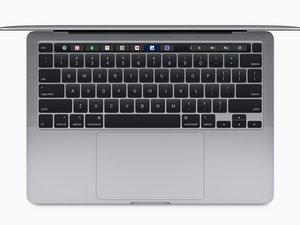
Released in November 2020, the 13" MacBook Pro features Apple's Arm-based M1 SoC with both an 8-core CPU and 8-core GPU. (Model A2338 / EMC 3578 with two Thunderbolt 3 ports)

MacBook Pro won’t turn on after battery disconnection

hello

i have a 2020 m1 macbook pro. i disconnected the battery and reconnected it, and now my macbook will only turn on when connect to the power adapter. also the fax runs on max when it’s on. could it be that i haven’t reconnected the battery correctly?

이 질문에 답하기 저도 같은 문제가 있습니다

좋은 질문입니까?

점수 3
댓글 13개

Restart your system and press the D key to enter into the system’s onboard diagnostics, let us know what the erro message is.

@danj sadly i can’t get into diagnostics

@Majd D

For a apple silicon Mac you need to press/hold command(CMD ⌘) + D at start up/restart

That should get you into the diognostics:-)

@hellomacos - Yep! Had Intel on my mind. Thanks for catching that.

@danj

No problem

It happens to me all the time XD

Thanks:-)

댓글 8개 더보기

댓글 달기

답변 1개

가장 유용한 답변

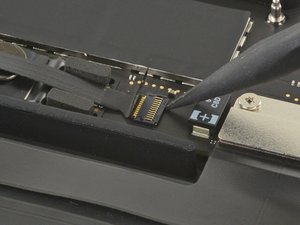
This sounds to me like the battery data cable is not connected quite properly, or your battery is faulty. This is pretty typical of a sensor not communicating toThe MacBook Pro Battery has 2 battery connections. The first is the small cable and the second is the large T5 screw, which forces the actual power connections. I would verify the cable is seated properly on both ends, and that the little latch holding it in place is present, and closed.

Block Image

이 답변이 도움이 되었나요?

점수 2

댓글 3개:

that’s what i was thinking. but after making sure it’s connected dozens of times i’m not convinced i short circuited it :(

Hi! Could you tell me how you solved it?

In my case the data cable got damaged during disassembly, I ordered a replacement and that fixed it.

댓글 달기

답변을 추가하세요

Yyy 영원히 감사할 것입니다.
조회 통계:

지난 24시간: 1

지난 7일: 7

지난 30일: 28

전체 시간: 1,365