
주요 콘텐츠로 건너뛰기

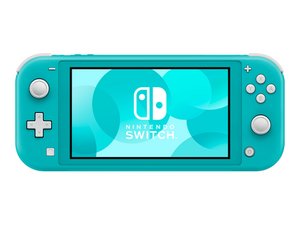
조이콘 컨트롤러와 약간 더 작은 스크린이 통합된 보다 합리적인 가격의 순수 핸드헬드 버전의 Nintendo Switch의 게임 콘솔입니다. 2019년 9월 20일 출시.

Fan connected = no boot; fan disconnected = works as usual

I’ve just gotten my hands on a replacement fan to swap the original out which had a broken ribbon cable for this component. On testing the Switch without fan it boots as usual (which it had failed to do with the snapped fan cable seated), but on trying to power on with the new fan installed it behaves just as when the original broken component was in place…

I’ve tested it again in removing the new fan, and it does indeed boot again so long as the fan is not connected. What’s likely to be going wrong beyond what initially was taken to be a fairly straightforward fan replacement?

이 질문에 답하기 저도 같은 문제가 있습니다

좋은 질문입니까?

점수 0
댓글 달기

답변 3개

My guess would be that having the fan connected introduces a short somewhere, maybe in the connector?

이 답변이 도움이 되었나요?

점수 0

댓글 1개:

I gathered it was something like that – it seems to be somewhat isolated, at least! What I’m wondering now is if it’s feasible to replace just the connector or would the whole motherboard need to be swapped?

댓글 달기

@sybyl double check the new fan. Make sure that it is identical and see if the connections terminate identical. I would definitely try a different fan first. You did not tell us if you had trouble with that when you had the old fan installed, or how the cable on the old fan snap. There is always a chance it may have damaged the board connector. Check those contacts and make sure it all matches without touching etc.

이 답변이 도움이 되었나요?

점수 0

댓글 2개:

The old cable snapped during a shell replacement – the relevant guide advised to disconnect the ribbon cable without unscrewing and removing the fan which was a mistake of course with how tiny the hole to feed the cable through is! The new fan seems to be the exact same model, though I will see about getting it swapped out by the parts seller to ensure it’s not a coincidental fault with this new part. As asked above, would it be feasible to just replace the board connector if the issue resides there?

@sybyl yes it is feasible if you can prove that it is the connector. Use your multimeter and check the contacts to see if there is a short in the connector.you wont need to replace the complete motherboard.

댓글 달기

This is interesting. I just had a similar problem, but in reverse.

I changed the shell and once putting back together the SLite I made a hole in the fan ribon cable. So, fan dead.

Anyhow, I tried to switch on the Lite -with no fan connected- and oh suprise, dead screen, but I still could hear the clikly sound in the menu, but no image. So there was still hope.

So I ordered a new screen and a new fan. After replacing the fan only, the screen went back alive.

So my theory is that the system unstress the system cuting the image when the fan is disconnected or dead. In order to avoid killing the cpu and all the rest.

이 답변이 도움이 되었나요?

점수 0
댓글 달기

답변을 추가하세요

Sibéal 영원히 감사할 것입니다.
조회 통계:

지난 24시간: 0

지난 7일: 5

지난 30일: 18

전체 시간: 380