
주요 콘텐츠로 건너뛰기

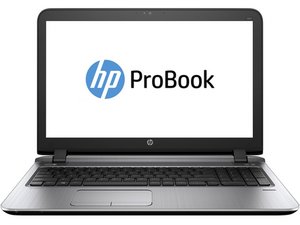
The HP ProBook line of business laptops was released in April 2009, aiming to be a lower cost to HP's EliteBook lineup.

How to replace HP ProBook 450 audio speakers

My PC doesn't not produce any sound I have troubleshoot every software issue I can think of but yet no sound, I have been using headphones and Bluetooth speakers to watch movies. So, I think the speakers are bad

이 질문에 답하기 저도 같은 문제가 있습니다

좋은 질문입니까?

점수 1
댓글 2개

Hi @njang,

What model Probook 450 is it, G1, G2, G3, ........ G10 etc?

댓글 달기

답변 2개

가장 유용한 답변

Replacing the speakers on an HP ProBook 450 is definitely an option if you've exhausted software troubleshooting. Here's how to get you started:

Before you begin:

  • Back up your data!
  • Turn off your laptop and unplug it from the power outlet.

Finding a guide:

There are resources available online that can guide you through the replacement process specific to your HP ProBook 450 model. Here is a option:

  • iFixit: iFixit offers a repair guide for the HP ProBook 450 G4 speaker replacement. While the exact steps might vary slightly depending on your model, it should give you a good overall idea of the process. here is the link - HP ProBook 450 G4 Speaker Replacement

이 답변이 도움이 되었나요?

점수 2

댓글 3개:

@shohagcell79861 excellent answer

@oldturkey03 Thank you so much 😍

댓글 달기

Hi @njang

Here's the maintenance and service guide for the laptop.

Go to p.56 to view the procedure to remove/replace the speaker assembly.

Search online for L00838-001 to find suppliers of the speakers

이 답변이 도움이 되었나요?

점수 1
댓글 달기

답변을 추가하세요

Njang 영원히 감사할 것입니다.
조회 통계:

지난 24시간: 0

지난 7일: 6

지난 30일: 18

전체 시간: 248
