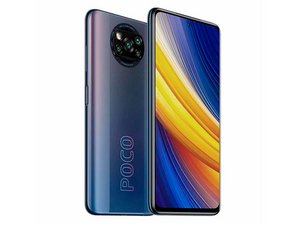
Stuck poco logo, after switching ram expansion
When I wanted to disable the ram expansion, it told me to restart the phone.
But when I restarted it, it got stuck on the Poco logo.
좋은 질문입니까?
점수
0

When I wanted to disable the ram expansion, it told me to restart the phone.
But when I restarted it, it got stuck on the Poco logo.
좋은 질문입니까?

평판: 837.1k
 1.3k
1.3k
 942
942
 2.4k
2.4k
@fernandojo41187 you did not tell us what kind of RAM expansion. Sounds to me like your Poco is frozen due to a firmware mismatch based on the RAM amount. You could try a factory reset but you will lose all your data. See if you can do this
1. Turn off the phone by holding the Power button
2. Press and hold the Volume Down button for about 2-3 seconds
3. While still holding this key press the Power Button for a short while and release keys
4. Then choose, Recovery by using to navigate Volume Down, and to confirm Volume Up
5. Now you see an Android logo press and hold Vol Up for a while
6. While still holding the Volume Up button, press and release the Power button
7. Press Volume Down to choose wipe data/factory reset, and push the Power button to confirm
8. Select "Yes--delete all user data". Use Volume Down button to scroll and Power button to select
9. Now, To restart the phone, select reboot system now.
But stop at wiping data but try a reboot. Otherwise you will have to do it and lose your data.
이 답변이 도움이 되었나요?

지난 24시간: 0
지난 7일: 8
지난 30일: 34
전체 시간: 271
