주요 콘텐츠로 건너뛰기
수리 커뮤니티 가입 - 계정 만들기

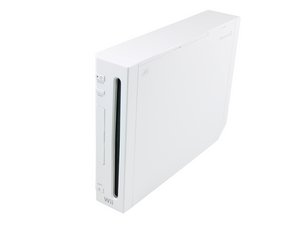
2006년 11월 북미에서 출시된 Wii는 인터넷 연결을 직접 지원하는 닌텐도 최초의 가정용 콘솔로, 온라인 게임과 Wii 숍 채널을 통해 게임 및 미디어 애플리케이션의 디지털 유통을 모두 지원했습니다.

System Files Are Corrupt

I've gotten into fixing consoles and recently came across two wii's that were broken. One of them I was able to get up and running pretty fast, the other one however is uh, questionable. It's got the dreaded "System Files Are Corrupted" screen, and normally I would be able to access different settings to attempt to fix it. But the previous owner has seemed to try to fix it with a factory reset, sending the wii back to its factory default, and as soon as I try to set it up the screen flashes a little, and then just prompts me with the Corrupted file screen. Even when trying to boot to matienence I get the same issue. So I'm wondering if somewhere out in the wii nerd/homebrewing world if there is a piece of 3rd party software or a random button assignment that would give me some kind of access to any type of settings to try to fix it.

이 질문에 답하기 저도 같은 문제가 있습니다

좋은 질문입니까?

점수 1
댓글 달기

답변 1개

가장 유용한 답변

Hi Jackson!

Please try the following procedure:

Turn on the Wii, now press and hold the reset button imediately after you turned it on. Hold the reset button and hopefully you will get a new screen now “Priiloader”. Stop pressing the reset button.

From here you should boot to the “Home Menu”. You can also adjust the following setting: “auto-boot, to the original Wii home menu”. Please do this, now you should be able to access the Wii again.

Please let us know how it goes!

이 답변이 도움이 되었나요?

점수 1

댓글 4개:

Hi! Unfortunately this did not work, as it just boots to the regular screen and does the Corrupted screen again, is there any other way? Please let me know.

Ah, then Priiloader wasn’t installed at all :(. Is the SD card still there? Or is there no SD card at all? If not, then I’m afraid it’s bricked... You do need to replace the NAND at that moment. Unfortunate it's very difficult to replace it and you need another broken (donor) motherboard with a different issue. The other option left is to replace the motherboard for a working one. This is way easier, but more expensive. The drive it's PCB does not need to be transferred.

This actually works for me since I got the same error with or without SD card and I was able to get a game reading and I'm playing it right now with no errors, thank you!

My pleasure! Have fun gaming Ezra :)!

댓글 달기

답변을 추가하세요

Jackson Byard 영원히 감사할 것입니다.
조회 통계:

지난 24시간: 3

지난 7일: 37

지난 30일: 130

전체 시간: 1,419
