주요 콘텐츠로 건너뛰기

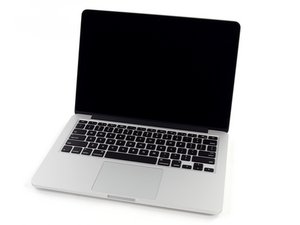
모델 A1502 / 4MB 공유 L3 캐시 2.6 GHz (Turbo Boost 최대 3.1 GHz) 또는 2.8 GHz (Turbo Boost 최대 3.3 GHz) 듀얼-코어 Intel Core i7 프로세서.

MBP wont turn on after logic board maintenance

I've removed the logic board of my MBP 13 retina mid 2014 to do some maintenance from dust. I've now assembled it back in place, and I'm unable to turn on the MBP. I've tried by removng the battery connector and to use only the magsafe, it will stay on amber color, but pressing the power button will do nothing. I've then tried connect the battery back and reset the SMC, the macook magsafe light will become green for a wile and back on amber.

Is there any other operation I can try to do? I'm looking at the connections on the logic board and all is correctly connected. The MBP was ok before I remove the logic board, any idea?

Update (11/13/24)

Here are the pictures

Block Image
Block Image
Block Image
Block Image

Update (03/20/25)

@danj here is a picture of the screen. The panel is on I think ?

Block Image
이 질문에 답하기 저도 같은 문제가 있습니다

좋은 질문입니까?

점수 0
댓글 달기

답변 1개

I would focus in on the keyboard cable connection as that tends to be an easy miss! I use a small strip of electricians tape to create a pull tab so I can grasp the ribbon cable to push it into the ZIF connector fully and squarely, then carefully fold the latch down so the ribbon cable is electrically connected.

이 답변이 도움이 되었나요?

점수 0

댓글 37개:

I need to check for this, but if SMC reset work can the keyboard be excluded?

@ziobru - You would have to ask🤦!


The keyboard has two states, SBI and Apple enhanced. What you are seeing is the SBI function not the running keyboard function. It’s likely some of the lines are working but not all of them.

@danj ok, thank you. I will do a check. The keyboard cables are near the battery? Can you link to a picture?

I've checked the connectors and all seems in place. The magsafe will stay on amber :(

댓글 32개 더보기

댓글 달기

답변을 추가하세요

B1P 영원히 감사할 것입니다.
조회 통계:

지난 24시간: 0

지난 7일: 2

지난 30일: 10

전체 시간: 188
