주요 콘텐츠로 건너뛰기
수리 커뮤니티 가입 - 계정 만들기

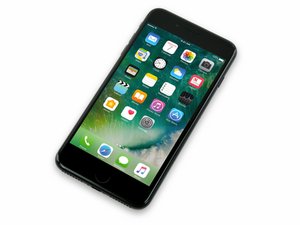
2016년 9월 16일 출시. Model A1661, A1784, 또는 A1785. 32, 128 또는 256 GB 환경 설정 / 로즈 골드, 금색, 은색, 검정색, 칠흑색 및 (Product)빨간색으로 제공됩니다.

iPhone 7 Plus home button replacement

I just purchased this home button, but in reading comments it sounds like even with a proper replacement the home button still will not work. I don’t care about Touch ID. I just want the function of my home button back.

  1. Will this item do the trick on iPhone 7 Plus?
  2. If I do the replacement correctly and it still doesn’t work, what do I look at next?
  3. This happened during a battery replacement and I think maybe too much alcohol or rough treatment getting the battery out was the culprit.

#

Block Image
이 질문에 답하기 저도 같은 문제가 있습니다

좋은 질문입니까?

점수 0
댓글 2개

I posted the home button I bought

@chrissy95 it won’t work.

댓글 달기

답변 2개

가장 유용한 답변

You forgot to say you purchased what home button.

If it's OEM, it will not work at all, you need the 3rd party modded home button to restore button functionality.

이 답변이 도움이 되었나요?

점수 1
댓글 달기

Hi Chrissy,

I've run into the same situation with replacing a home button on a 7 plus, and this button should work fine for the home button function. One thing to note is that on current versions of iOS, for some reason it insists on installing the assistive touch virtual home button, presumably because it detects that the original home button is no longer installed. I don't think we've found a workaround to keep it from doing that yet, so be prepared for it to appear on its own.

Other than that, the aftermarket buttons I've used all generally seem to work fine, of course with the caveat that Touch ID will no longer work, as you already know.

Not sure why Tom is saying the button won't work, as it's the one iFixit sells as a replacement for the iPhone 7 plus, but I'm pretty sure it will.

If it doesn't work, it could be an issue with the connection between the screen and the motherboard; if one of those cables is damaged that could cause the home button (& Touch ID) to stop working.

Regardless, I'd suggest you go ahead and replace the button first and see what happens. If you still have problems, come on back and let us know and we'll see if we can figure out what your next step should be.

이 답변이 도움이 되었나요?

점수 1

댓글 3개:

Yes, I’m wondering if I could have damaged the cable that connects the screen to the board. Is there any easy repair or replacement of that cable? I can’t see any damage there. One mistake I think I made was using too much alcohol too loosen battery (and 70% at that) rookie mistake. I’ve replaced the lightning charge port twice over the years and the battery twice. Frankly, I’m feeling a little gun-shy and I’m afraid to open up the phone again when everything else is working. Is it possible the alcohol could have shorted the button or something else in that area of the phone? Thanks

@chrissy95 Generally we don't see a lot of problems with phones exposed to high grade (over 90%) rubbing/isopropyl alcohol. There have been a few cases where we've see an LCD or OLED display itself be affected, but in many of those the problem went away after the alcohol dried. So no, it's not likely that it was a fault with using alcohol.

Unfortunately the connection from the button to the screen goes through the display, and that cable isn't separately replaceable. So if it was a case where that flex was damaged, you'd have to replace the whole screen.

I think I’m looking at a full screen replacement. I don’t think my original home button is really damaged. I can see the cable is showing signs of stress/cracking. Hoping if I swap my original home to a new screen, all might be well again. For now phone works, except for home button. Hoping to get a new 16 plus in a few days and once that gets set up, I might try the screen/home button replacement. Thank you so much for your positive encouragement.

댓글 달기

답변을 추가하세요

Chrissy95 영원히 감사할 것입니다.
조회 통계:

지난 24시간: 2

지난 7일: 5

지난 30일: 14

전체 시간: 250