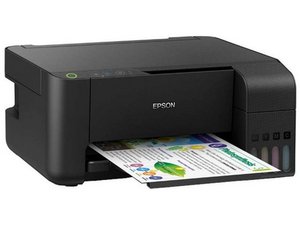

My printer doesn't turn on.
I've already replaced the power supply but the problem remains. Is there a possibility the main board is faulty or do I have to check something else?
좋은 질문입니까?
점수
2
평판: 35
 1
1
I've already replaced the power supply but the problem remains. Is there a possibility the main board is faulty or do I have to check something else?
좋은 질문입니까?
평판: 106.4k
463
 359
359
 191
191
I'm assuming you checked the connections and all of that, so the next thing I would do is check for a pinout on the power supply (the last Epson I had was an NX415, which I believe had it on the supply). Take note of that power supply pinout, and get a multimeter (even a basic Walamrt meter will work here). Look for something like this, a $20-30 meter will suffice.
I use a Southwire, but I work on enough devices with higher voltages that I need a reputable meter like a Southwire, Klein Tools or Fluke.
Plug it into the printer just in case there's a signal wire. I don't believe this is a thing with Epson power supplies, but if it is, you will need to plug it into the motherboard OR jump it. It's easier to do it connected to the motherboard. If there's no immediate ground, you can use your household ground in a pinch, but please try to find an LV ground on the board or something else to avoid as many issues as possible. It will probably work, but I don't like using a household ground when it's avoidable (and it usually is). If the voltages are exact (or marginally higher) then the supply is rated for, you have a motherboard issue or something else is off like the control panel. You might get lucky and find it's the control panel wire, but very often a bad board.
이 답변이 도움이 되었나요?
지난 24시간: 1
지난 7일: 8
지난 30일: 41
전체 시간: 869


댓글 1개
@maddog571998 sounds like a main board issue but lets see if our printer guru @nick has a better suggestion
oldturkey03 의