주요 콘텐츠로 건너뛰기

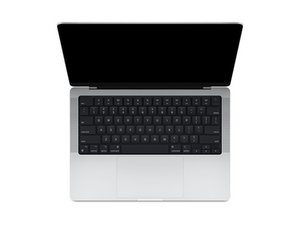
Apple이 설계한 M1 Pro 및 M1 Max SoC를 탑재하고 올해 10월에 출시된 14인치 MacBook Pro에 대한 수리 안내서 및 분해 정보입니다. 모델 A2442.

Why is my MacBook not turning on?

Macbook not turning on. MagSafe charging LED not showing and usb c charging does not seems to work.

Left connected to dock with power delivery via usb c for 24-36 hours and when I came back it doesn't want to turn on

이 질문에 답하기 저도 같은 문제가 있습니다

좋은 질문입니까?

점수 0

댓글 10개:

Are you sure the charger and USB-C cable are working? Is the MagSafe connector contacts clean and the MagSafe cable is not damaged?

What is the make and model of the charger?

And lastly can you plug a USB-C power meter in line with the charger so we can see the voltages.

@danj

1) The USB C charger is working as it charges my samsung s24u ultra.

2) The MagSafe cable looks clean and the contacts don't seem to be damaged.

3) The charger is the NOVOO USB-C Charger 100W

4) I have not currently got a USB-C power meter, I will have a look at getting one. Is there a particular model you suggest or is any fine?

@danj

Thanks, I'll let you know the results as soon as I get my hands on it

@danj

Hi, got the results,

Top left usbc port:

5.08975V

0.01200A

0.06118W

Bottom left usb c port:

5.09750V

0.01650A

0.08411W

Right Usb c port-

no results, was just off so I assume no power

댓글 5개 더보기

댓글 달기

답변 2개

Just give it a try, unplug all accessories and hold the power button for 10 seconds. Then, connect the MagSafe or USB-C charger directly to power (avoid dock). Try SMC reset: press Shift + Control + Option + Power for 10 seconds. Wait a minute, reconnect the charger, and attempt to power on again.

이 답변이 도움이 되었나요?

점수 0

댓글 1개:

@rashmimand95190

That did not work, I will be proceeding to remove the right usb c port cable from the logic board and see if that fixes it

댓글 달기

@muhaimeenali - If you are trying to see if the port is the problem (following my last comment above) then yes you'll want to reconnect the battery with the port in question disconnected from the logic board. Placing the system on its side like an open book so the bottom is not pressed on. See if the system comes alive. If not you have a deeper logic board issue. If it does then replacing the port should get you going! Good luck.

이 답변이 도움이 되었나요?

점수 0

댓글 5개:

Hi @danj

The usb c port was not the issue so must be a deeper issue in the logic board like you said. I will be taking it to a reputable Mac repair shop to get it fixed.

However, I'd like to ask how much would be a rough estimate on the maximum cost of this repair.

@muhaimeenali - Hard to tell… it depends on what is damaged. It could be a simple capacitor or an IC is blown. If the PCB is damaged from the failure (it might be on the backside which is hidden) that could get expensive or the tech is a parts swapper not fixing boards.

@danj - Got the board fixed and they repair shop said they replaced 3 charge IC's, 1 audio IC as well as various caps and resistors around the IC's.

I originally used a NOVOO 100W USB C Charger to charge this device, however I have been recommended to stay away from this. I would still like to have a dock to use with my Mac and was thinking if the Kensington SD5700T would be suitable and safe to use as I would not like to do have to run into this issue again.

@muhaimeenali - yes sadly it can often require more than one ports repair. I just use Apples chargers so I can't offer a recommendation here on that. But I can tell you often it's not the chargers fault! The root issue is your AC power. Here the ground of the outlet/s or the main breaker panel are not corrected wired. It's also possible the buildings ground is not proper either wired or worn out. And lastly you could have a bad device leaking power to the ground service.

I recommend you get a simple go/no go outlet tester to check your outlets, or use a good meter to test the lines. Even still a surge or lightning can also damage things. I strongly recommend Good UPS for your computer gear. I have two and I even have a third to protect my TV gear.

Happy to hear your system is on the mend! Don't forget to score and accept the Answer. Thanks!

@danj thanks for the feedback and all you're help, I'll look into those options to save myself from any more expensive repairs 😅

댓글 달기

답변을 추가하세요

Muhaimeen Ali 영원히 감사할 것입니다.
조회 통계:

지난 24시간: 0

지난 7일: 11

지난 30일: 102

전체 시간: 102
