
주요 콘텐츠로 건너뛰기
수리 커뮤니티 가입 - 계정 만들기

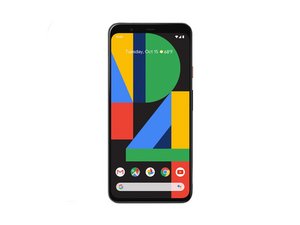
2019년 10월에 출시된 구글의 픽셀 4 스마트폰에 대한 수리 가이드 및 분해 정보입니다.

Why my phone's network doesnot work?

Network problem

이 질문에 답하기 저도 같은 문제가 있습니다

좋은 질문입니까?

점수 0
댓글 달기

답변 1개

It looks like you're diving into the iFixit community to help out a few users with their technical troubles! Here are tailored troubleshooting steps for the three issues you've identified.

1. Jack Ponder: Whirlpool Washer Won't Advance

Jack is reporting that his older analog Whirlpool washer won't advance through cycles unless he physically "bumps" it.

  • Mechanical Timer Stall: In older analog washers, the cycle is controlled by a mechanical timer motor and a series of internal gears. If a gear tooth is stripped or the timer motor is weakening, a physical jar can help it "skip" over the stuck point.
  • Burned Contacts: The timer contains internal electrical contacts that can become "pitted" or carbon-scored over years of use. This creates a high-resistance spot that stops the electrical flow until a bump vibrates the contacts back together.
  • Loose Connections: The vibration from a bump might also be temporarily fixing a loose wire harness pin in the back of the control console.

2. Pankaj: Oppo A17 Screenshot Issues

Pankaj is unable to take screenshots on an Oppo A17 (CPH2477).

  • Button Synchronization: Ensure they are pressing the Power and Volume Down buttons at the exact same time.
  • Software Gestures: Most Oppo phones use a "3-Finger Swipe Down" gesture. Have them check Settings > System Settings > Gestures & Motions to see if this is toggled on.
  • Storage Constraints: The Oppo A17 has 64GB of storage. If the storage is completely full, the system will block the creation of new media files like screenshots.
  • App Restrictions: Certain banking, streaming, or "Incognito" apps strictly prohibit screenshots for security.

3. Peter Jeremiah: Google Pixel 4 Network Problem

Peter is experiencing general network connectivity issues on a Google Pixel 4.

  • SIM Card Seating: Since the Pixel 4 is an older device (released October 2019), the physical SIM card or the tray may have shifted or accumulated dust. Try removing and cleaning the SIM card with a soft cloth.
  • Carrier Settings Update: Ensure the device is on the latest software, as carrier profiles often need updates to maintain connection to modern towers.
  • Hardware Wear: The internal antenna or the cellular modem chip may be failing.
  • Reset Network Settings: Go to Settings > System > Reset options > Reset Wi-Fi, mobile & Bluetooth. This often clears software glitches causing "No Service" errors.

Which of these users would you like to respond to first? I can help you format a final, friendly reply for them.

이 답변이 도움이 되었나요?

점수 0

댓글 1개:

@khushiupadhyay LMBO, you need to at least delete this "Which of these users would you like to respond to first? I can help you format a final, friendly reply for them." when you are using AI. Let me quote my colleague @dadibrokeit

Readers are cautioned to take this advice with a large grain of salt. All indications are that it is AI-generated and as such has no common sense. You should also not assume the person posting this has any knowledge of the subject at all, given that they are not the author of this post; an AI database produced it, so it is useless to ask for further information or clarification.

A word of caution. We do not mind if you use AI but you will have to be transparent about using it. You need to inform the community that your answers are generated/augmented by AI.

댓글 달기

답변을 추가하세요

Peter Jeremiah 영원히 감사할 것입니다.
조회 통계:

지난 24시간: 0

지난 7일: 3

지난 30일: 27

전체 시간: 27