인기 포럼 질문
질문하기질문이 없습니다. 가장 먼저 질문해보세요!
배경
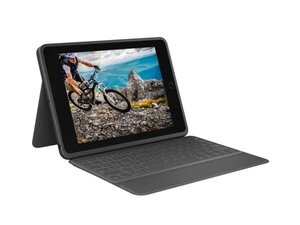
Secure Seal Keyboard는 Logitech Rugged Combo 태블릿 키보드 케이스와 함께 사용하도록 설계된 밀폐형 방수 키보드 모듈입니다. 강화 폴리카보네이트와 고무 소재의 테두리 보호 장치와 같은 내구성 강한 재질로 제작되었으며, 액체 유입과 먼지를 방지하는 밀폐형 키 멤브레인을 갖추고 있습니다. 주요 특징으로는 강력한 보호 성능, Rugged Combo 케이스를 위한 통합 부착 인터페이스, 교실 및 현장에서 사용하기 좋은 슬림한 프로필 등이 있습니다. 이 디자인은 모바일 및 교육 환경을 위한 내구성과 정비 편의성을 강조합니다.
식별
Logitech Secure Seal Keyboard는 모델 번호(M/N Y-B0009)로 식별할 수 있습니다. 모델 라벨은 기기 밑면에 있습니다. 기기의 일련 번호(S/N)도 같은 라벨의 근처에 표시되어 있습니다.
사양
- 폼 팩터: Rugged Combo 시리즈용 탈착식 키보드 모듈
- 호환성: Logitech Rugged Combo 및 Rugged Combo 2 키보드 케이스용으로 설계됨(정확한 iPad 세대 호환성은 Logitech 지원 페이지를 참조)
- 키 스위치 유형: 밀폐형 실리콘 돔 / 멤브레인 방식(방수)
- 키 스위치 제조사: 독자 규격 / 공개되지 않음
- 방수 및 방진 보호: 밀폐형 방수 키보드 멤브레인(제조사 등급: 생활 방수; 구체적인 IP 등급은 공개되지 않음)
- 섀시 재질: 고무/TPU 테두리 보호 장치가 포함된 강화 폴리카보네이트 셸
- 연결 인터페이스: Rugged Combo 케이스에 대한 독자적인 기계적 부착 방식(호스트 케이스에 포고 핀/커넥터 연결; 단독 Bluetooth 키보드가 아님)
- 전원: 호스트 케이스/iPad 커넥터를 통해 전원 공급; 별도의 내장 배터리 없음
- 마운트 / 힌지: 조절 가능한 킥스탠드 지지대를 갖춘 Rugged Combo 케이스용 통합 힌지 마운트
- 제조사: Logitech
- 제조사 부품 번호: Secure Seal 키보드 어셈블리의 부품 번호는 별도로 공개되지 않음; Rugged Combo 제품 목록 및 Logitech 지원 페이지 참조
문제해결
수리와 관련된 일반적인 결함으로는 응답하지 않거나 눌린 상태로 고정된 키(주로 액체 유입이나 이물질로 인해 발생), 호스트 케이스와의 통신을 방해하는 마모되거나 더러워진 포고 핀 또는 커넥터, 충격으로 인한 힌지/마운트 파손 등이 있습니다. 키보드를 케이스에서 분리한 후 밀폐형 멤브레인과 포고 핀의 오염 여부를 육안으로 검사하고, 멀티미터를 사용하여 키의 연속성을 테스트하며, 기계적 부착 지점의 손상 여부를 확인하여 진단하세요.
추가적인 문제해결 지원이 필요하면 다음을 방문하세요: 제품 지원, 제조사 보증 확인 및 호환성 문의는 Logitech 지원(support.logi.com)에 연락하세요.
추가 정보
제조사 보증
Logitech의 제한적 하드웨어 제조사 보증이 적용되며, 기간 및 조건은 지역에 따라 다릅니다. 자세한 내용은 Logitech 제조사 보증 페이지를 확인하세요.

