주요 콘텐츠로 건너뛰기
수리 커뮤니티 가입 - 계정 만들기

3DO FZ-1 Disassembly Guide

필요한 것

  1. 3DO FZ-1 Disassembly Guide, Lets Begin!: 1 단계, 이미지 3개 중 1개 3DO FZ-1 Disassembly Guide, Lets Begin!: 1 단계, 이미지 3개 중 2개 3DO FZ-1 Disassembly Guide, Lets Begin!: 1 단계, 이미지 3개 중 3개
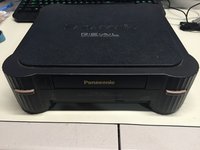
    • Here we have the front view of the FZ-1 3DO.

    • Note the ports on the back of the unit. The FZ-1 comes with RF, S-Video, and Composite Outputs, as well as a expansion port on the back of the unit.

    • A larger 2nd expansion slot can be found on the right side of the unit.

    댓글 쓰기

  2. 3DO FZ-1 Disassembly Guide, Outer Casing: 2 단계, 이미지 1개 중 1개
    • Flip the unit over, so that the bottom side of the case is facing up towards you, exposing the four screws casing screws.

    • Remove the four #2 Phillips Screws from the casing.

    • After the screws are removed, flip the unit back over while holding the top and bottom pieces of the case together.

    댓글 쓰기

  3. 3DO FZ-1 Disassembly Guide, Top Casing: 3 단계, 이미지 1개 중 1개
    • Remove the top portion of the case to expose the internal components.

    댓글 쓰기

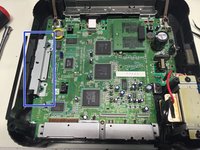
  4. 3DO FZ-1 Disassembly Guide, Disc Drive: 4 단계, 이미지 3개 중 1개 3DO FZ-1 Disassembly Guide, Disc Drive: 4 단계, 이미지 3개 중 2개 3DO FZ-1 Disassembly Guide, Disc Drive: 4 단계, 이미지 3개 중 3개
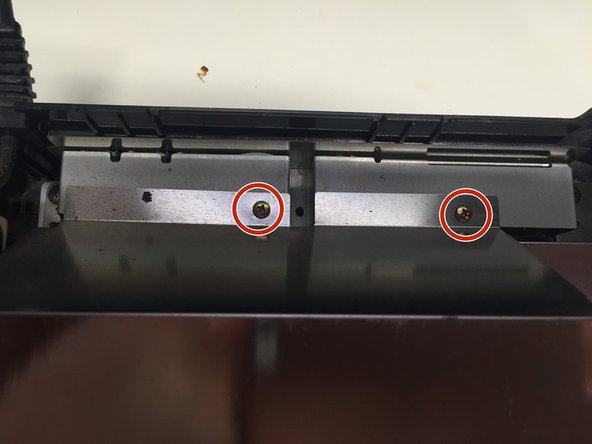
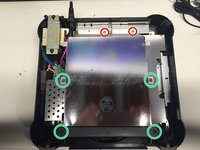
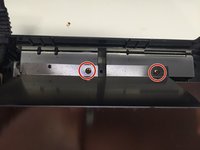
    • Remove the 2 #1 Phillips Screws from the back of the Disc Drive Shield.

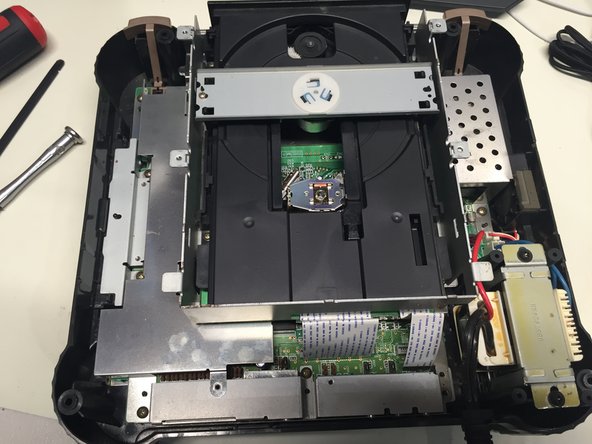
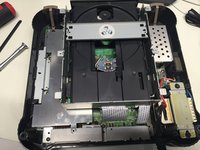
    • Using a Spudger, carefully pry up the four metal tabs to remove the disc drive cover.

    • Remove the 4 #2 Phillips Screws.

    • Remove the disc drive shield, and the two bars you just unscrewed.

    댓글 쓰기

  5. 3DO FZ-1 Disassembly Guide: 5 단계, 이미지 1개 중 1개
    • Remove the 5 #1 Phillips Screws holding the CD Drive to the motherboard.

    • Carefully unplug the two ribbon cables connecting the CD drive to the motherboard.

    • You can now safely remove the CD drive from the case.

    댓글 쓰기

  6. 3DO FZ-1 Disassembly Guide: 6 단계, 이미지 2개 중 1개 3DO FZ-1 Disassembly Guide: 6 단계, 이미지 2개 중 2개
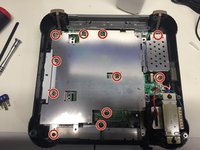
    • Remove the 11 #1 Phillips Screws connecting the metal shield to the motherboard.

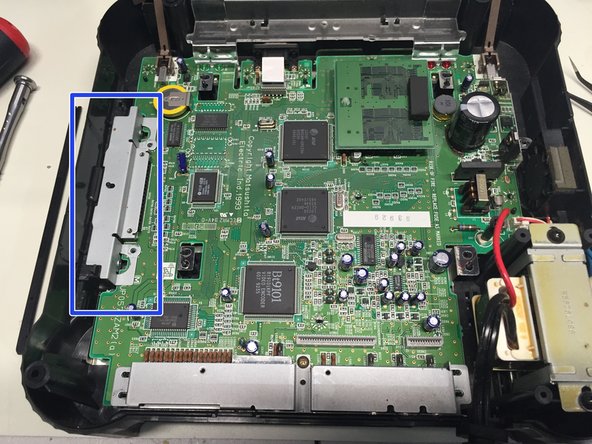
    • Remove the metal shield.

    • Remove the metal cover from the expansion port.

    댓글 쓰기

  7. 3DO FZ-1 Disassembly Guide: 7 단계, 이미지 1개 중 1개
    • Remove the #1 Phillips Screw from back port cover, and then remove the cover.

    댓글 쓰기

  8. 3DO FZ-1 Disassembly Guide: 8 단계, 이미지 2개 중 1개 3DO FZ-1 Disassembly Guide: 8 단계, 이미지 2개 중 2개
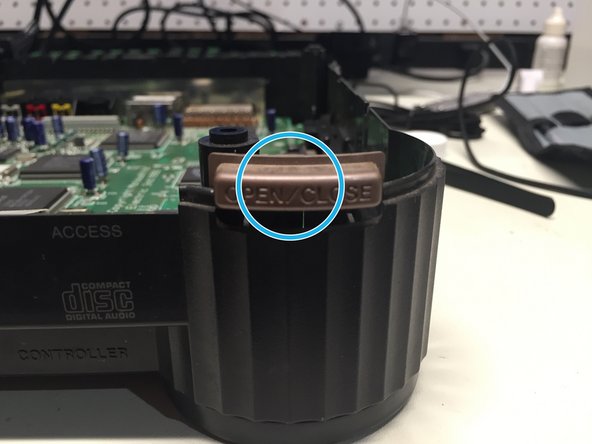
    • Remove the plastic cover, power and eject buttons found at the front end of the unit.

    댓글 쓰기

  9. 3DO FZ-1 Disassembly Guide: 9 단계, 이미지 2개 중 1개 3DO FZ-1 Disassembly Guide: 9 단계, 이미지 2개 중 2개
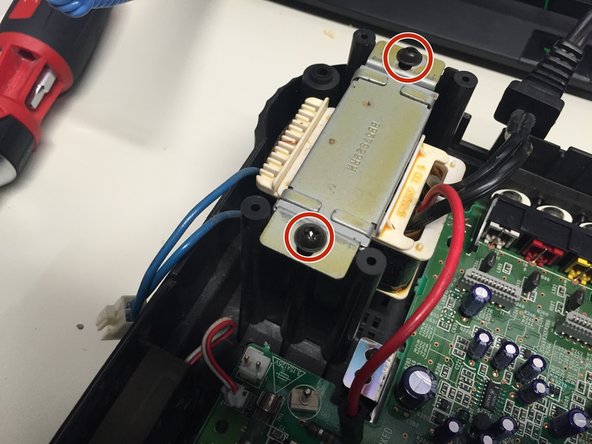
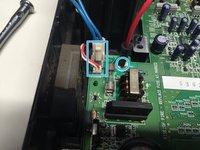
    • Unplug the power and fan cables from the motherboard.

    • Remove the 2 #2 Phillips Screws holding the power supply to the case.

    • The electric screwdriver comes in handy loosening the PSU screws on the FZ-1.

    • Remove the power supply and fan from the case.

    댓글 쓰기

  10. 3DO FZ-1 Disassembly Guide: 10 단계, 이미지 1개 중 1개
    • Unplug the ribbon cable connecting the motherboard to the controller port board.

    • Remove the controller board and motherboard.

    댓글 쓰기

    • Remove the metal shield at the bottom of the case. Mission complete!

    댓글 쓰기

결론

To reassemble your device, follow these instructions in reverse order.

취소: 해당 안내서를 완성하지 않았습니다.

다른 8명이 해당 안내서를 완성하였습니다.

작성자

1다른 기여자 명과 함께

Ben Eccles

회원 가입일: 02/06/16

933 평판

안내서 1개를 작성함

2가이드 댓글

Can you tell me what size the screws are? I need to order a replacement set for my FZ-1

Richard Poll - 답글 공유

I thought I couldn't fix this old appliance in my house. Until I came across this site! Thank you. :)

Jellyna Studio - 답글 공유

댓글 쓰기

조회 통계:

지난 24시간: 7

지난 7일: 29

지난 30일: 120

전체 시간: 9,189