주요 콘텐츠로 건너뛰기
수리 커뮤니티 가입 - 계정 만들기

ASUS X44H-BBR4 Battery Replacement

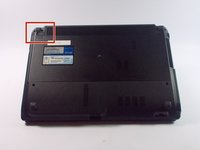
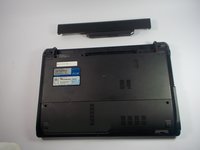
  1. ASUS X44H-BBR4 Battery Replacement, Battery: 1 단계, 이미지 2개 중 1개 ASUS X44H-BBR4 Battery Replacement, Battery: 1 단계, 이미지 2개 중 2개
    • Flip the device over.

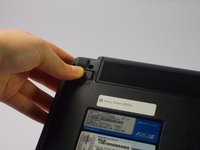
  2. ASUS X44H-BBR4 Battery Replacement: 2 단계, 이미지 3개 중 1개 ASUS X44H-BBR4 Battery Replacement: 2 단계, 이미지 3개 중 2개 ASUS X44H-BBR4 Battery Replacement: 2 단계, 이미지 3개 중 3개
    • Slide the right lock button to the unlock position.

    • After it is unlocked, a red line will be visible.

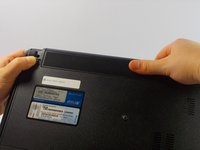
  3. ASUS X44H-BBR4 Battery Replacement: 3 단계, 이미지 2개 중 1개 ASUS X44H-BBR4 Battery Replacement: 3 단계, 이미지 2개 중 2개
    • Slide the left lock button into the unlock position and hold.

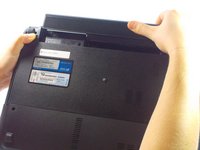
  4. ASUS X44H-BBR4 Battery Replacement: 4 단계, 이미지 3개 중 1개 ASUS X44H-BBR4 Battery Replacement: 4 단계, 이미지 3개 중 2개 ASUS X44H-BBR4 Battery Replacement: 4 단계, 이미지 3개 중 3개
    • While holding the left lock button in the unlock position, push the battery from the center away from you.

결론

To reassemble your device, follow these instructions in reverse order.

다른 2명이 해당 안내서를 완성하였습니다.

작성자

2다른 기여자 명과 함께

Kelly Merlo

회원 가입일: 10/14/15

500 평판

안내서 2개를 작성함

UMass Dartmouth, Team 4-3, Catania Fall 2015 UMass Dartmouth, Team 4-3, Catania Fall 2015 회원

UMASSD-CATANIA-F15S4G3

4 회원들

안내서 8개를 작성함

0가이드 댓글

댓글 쓰기

조회 통계:

지난 24시간: 0

지난 7일: 5

지난 30일: 19

전체 시간: 1,088