주요 콘텐츠로 건너뛰기
수리 커뮤니티 가입 - 계정 만들기

ATT CL2940 Batteries Replacement

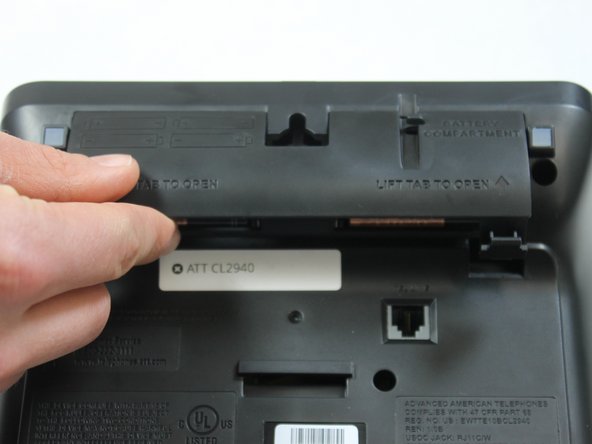
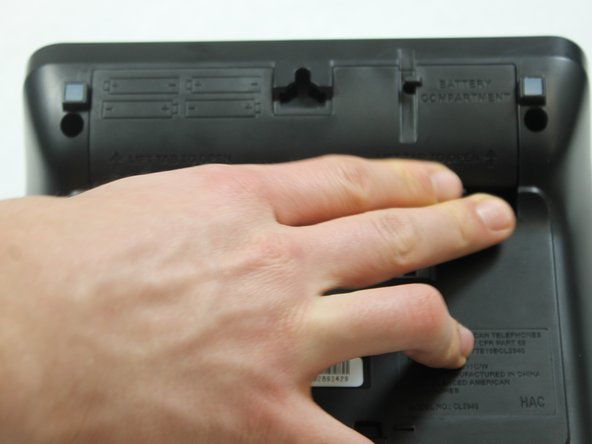
  1. ATT CL2940 Batteries Replacement, Batteries: 1 단계, 이미지 3개 중 1개 ATT CL2940 Batteries Replacement, Batteries: 1 단계, 이미지 3개 중 2개 ATT CL2940 Batteries Replacement, Batteries: 1 단계, 이미지 3개 중 3개
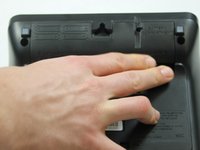
    • Flip the phone over and push the tabs upward to release the battery cover.

  2. ATT CL2940 Batteries Replacement: 2 단계, 이미지 3개 중 1개 ATT CL2940 Batteries Replacement: 2 단계, 이미지 3개 중 2개 ATT CL2940 Batteries Replacement: 2 단계, 이미지 3개 중 3개
    • Place four AA batteries in the battery compartment. Position the negative end (-) at the side with the spring as shown.

  3. ATT CL2940 Batteries Replacement: 3 단계, 이미지 3개 중 1개 ATT CL2940 Batteries Replacement: 3 단계, 이미지 3개 중 2개 ATT CL2940 Batteries Replacement: 3 단계, 이미지 3개 중 3개
    • Replace the battery cover.

    • You should hear a "click" sound when the battery cover is fixed in place.

결승점

다른 한 분이 해당 안내서를 완성하였습니다.

작성자

5다른 기여자 명과 함께

Charles Messmore

회원 가입일: 02/15/16

577 평판

안내서 5개를 작성함

IUPUI, Team 1-1, Harley Spring 2016 IUPUI, Team 1-1, Harley Spring 2016 회원

IUPUI-HARLEY-S16S1G1

4 회원들

안내서 13개를 작성함

0가이드 댓글

댓글 쓰기

조회 통계:

지난 24시간: 0

지난 7일: 3

지난 30일: 19

전체 시간: 1,649