주요 콘텐츠로 건너뛰기
수리 커뮤니티 가입 - 계정 만들기

Alcatel Pop 4 Plus Motherboard Replacement

필요한 것

    1. Alcatel Pop 4 Plus Motherboard Replacement, Battery: 1 단계, 이미지 2개 중 1개 Alcatel Pop 4 Plus Motherboard Replacement, Battery: 1 단계, 이미지 2개 중 2개
      • Remove the back cover by sliding your fingernail in the grove around the edge of the phone and prying it off.

      댓글 쓰기

    2. Alcatel Pop 4 Plus Motherboard Replacement: 2 단계, 이미지 2개 중 1개 Alcatel Pop 4 Plus Motherboard Replacement: 2 단계, 이미지 2개 중 2개
      • Remove seventeen 3mm Phillips #000 screws from the mid-frame.

      댓글 쓰기

    3. Alcatel Pop 4 Plus Motherboard Replacement: 3 단계, 이미지 1개 중 1개
      • Use the flat end of the spudger, or your fingernail, to pry off the mid-frame.

      댓글 쓰기

    4. Alcatel Pop 4 Plus Motherboard Replacement: 4 단계, 이미지 2개 중 1개 Alcatel Pop 4 Plus Motherboard Replacement: 4 단계, 이미지 2개 중 2개
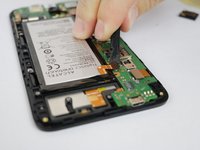
      • Use the flat end of the spudger disconnect the battery from the motherboard.

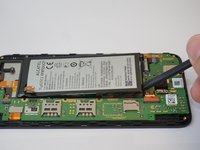
      • Use the flat end of the spudger tool to pry out the battery.

      댓글 쓰기

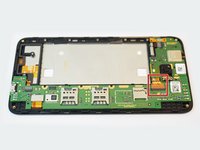
    1. Alcatel Pop 4 Plus Motherboard Replacement, Motherboard: 5 단계, 이미지 2개 중 1개 Alcatel Pop 4 Plus Motherboard Replacement, Motherboard: 5 단계, 이미지 2개 중 2개
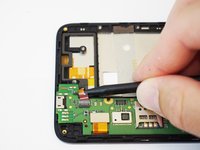
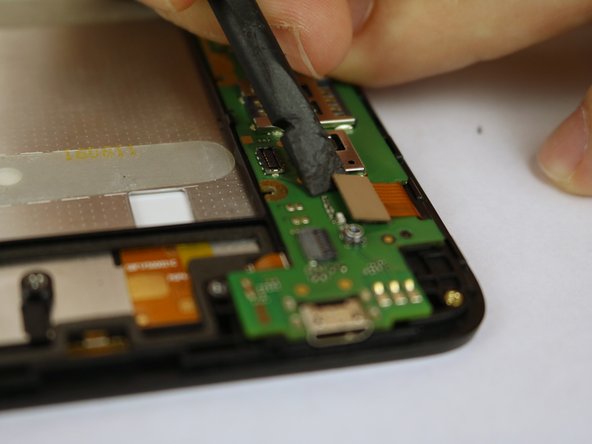
      • Use a spudger to flip up the retaining flap on the USB ribbon cable ZIF socket.

      • Slide the ribbon cable out of the socket.

      댓글 쓰기

    2. Alcatel Pop 4 Plus Motherboard Replacement: 6 단계, 이미지 2개 중 1개 Alcatel Pop 4 Plus Motherboard Replacement: 6 단계, 이미지 2개 중 2개
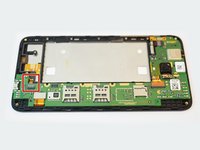
      • Use the flat end of a spudger to disconnect the ribbon cable.

      댓글 쓰기

    3. Alcatel Pop 4 Plus Motherboard Replacement: 7 단계, 이미지 2개 중 1개 Alcatel Pop 4 Plus Motherboard Replacement: 7 단계, 이미지 2개 중 2개
      • Using the flat end of the spudger to disconnect the ribbon cable.

      댓글 쓰기

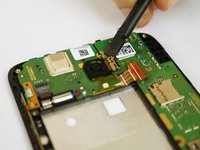
    4. Alcatel Pop 4 Plus Motherboard Replacement: 8 단계, 이미지 2개 중 1개 Alcatel Pop 4 Plus Motherboard Replacement: 8 단계, 이미지 2개 중 2개
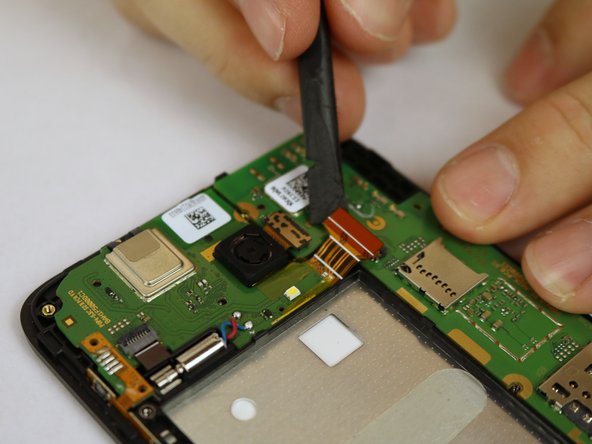
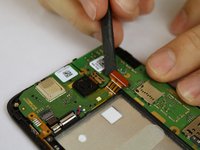
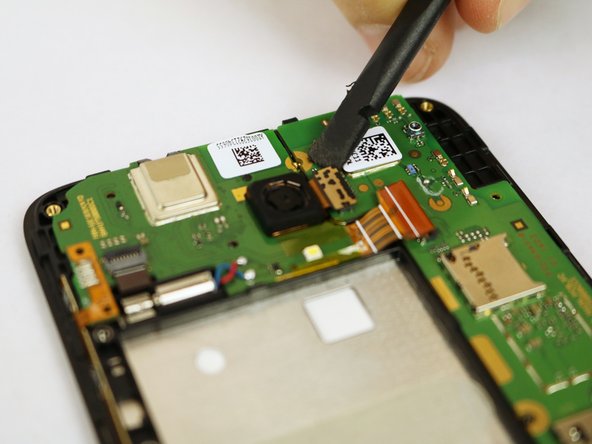
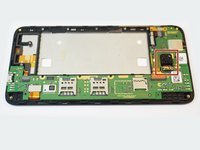
      • Using the flat end of the spudger, disconnect the camera from the motherboard.

      댓글 쓰기

    5. Alcatel Pop 4 Plus Motherboard Replacement: 9 단계, 이미지 1개 중 1개
      • Use the flat end of the spudger to pry off the motherboard.

      댓글 쓰기

결론

To reassemble your device, follow these instructions in reverse order.

취소: 해당 안내서를 완성하지 않았습니다.

다른 2명이 해당 안내서를 완성하였습니다.

작성자

2다른 기여자 명과 함께

Pieter Molenaar

회원 가입일: 01/25/18

253 평판

안내서 1개를 작성함

USF Tampa, Team S20-G6, Passmore Spring 2018 USF Tampa, Team S20-G6, Passmore Spring 2018 회원

USFT-PASSMORE-S18S20G6

4 회원들

안내서 42개를 작성함

1가이드 댓글

Hi

I got my Alcatel Pop 4+ checked and it's Power IC was faulty. How can I replace it

I'm looking for the specific IC used in it if I can get any help regarding it.

NINJA WARRIORS - 답글 공유

댓글 쓰기

조회 통계:

지난 24시간: 1

지난 7일: 10

지난 30일: 31

전체 시간: 1,400