소개
This guide will show you how to safely remove the optical drive from the laptop. In order to remove the optical drive you first need to remove the battery.
필요한 것
-
-
Turn the computer off.
-
Disconnect the charging cable from the computer.
-
Flip the computer upside down.
 FixBot에 문의하기
-
-
-
Loosen the two 6.35 mm size 1 Phillips screws on the back cover.
-
Slide the back cover towards you and then lift upwards to remove.
-
-
-
-
Loosen the two 6.35 mm size 1 Philips screws attaching the battery to the laptop.
-
-
-
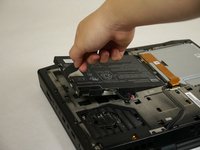
Pull up on the black tab on the battery to reveal the connection between the battery and laptop.
-
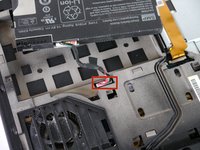
Pull up on the white connector to disconnect it from the laptop.
-
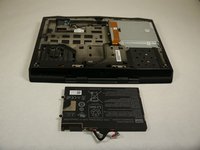
The battery is now free to remove from the laptop and can be set aside.
-
-
-
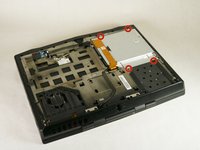
Unscrew the four 6.35 mm size 1 screws.
-
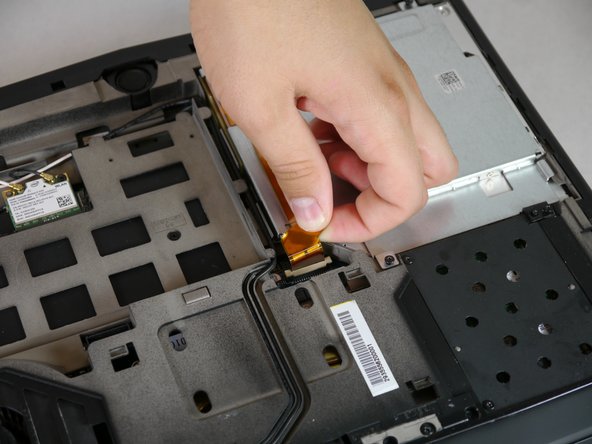
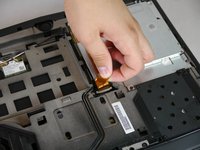
Pull up on the end of the orange tab to detach it from the white connector.
-
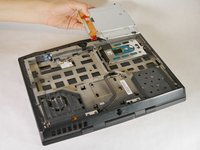
Lift the optical drive up and out of the laptop and set it aside.
-




To reassemble your device, follow these instructions in reverse order.
다른 한 분이 해당 안내서를 완성하였습니다.

팀

Cal Poly, Team 13-4, Forte Fall 2013 Cal Poly, Team 13-4, Forte Fall 2013 회원
CPSU-FORTE-F13S13G4
5 회원들
안내서 6개를 작성함
