주요 콘텐츠로 건너뛰기
수리 커뮤니티 가입 - 계정 만들기

AlphaSmart Pro Front Panel Replacement

필요한 것

  1. AlphaSmart Pro Front Panel Replacement, Separating Panels: 1 단계, 이미지 3개 중 1개 AlphaSmart Pro Front Panel Replacement, Separating Panels: 1 단계, 이미지 3개 중 2개 AlphaSmart Pro Front Panel Replacement, Separating Panels: 1 단계, 이미지 3개 중 3개
    • Power off your AlphaSmart Pro device and remove the batteries before beginning disassembly.

    • Remove all eight 1 cm Phillips head screws from the back panel of the AlphaSmart Pro with the Phillips #00 Screwdriver.

    • Carefully separate the front panel from the back panel.

    • Notice that the front and back panels are still connected by a ribbon cable.

    댓글 쓰기

  2. AlphaSmart Pro Front Panel Replacement, Detaching Ribbon Cable: 2 단계, 이미지 2개 중 1개 AlphaSmart Pro Front Panel Replacement, Detaching Ribbon Cable: 2 단계, 이미지 2개 중 2개
    • To remove the ribbon cable, use the spudger to lift each side of the connector from the socket.

    • Gently pull up on the connector to completely remove the connector from the socket.

    • You are now able to separate the front panel from the back panel.

    댓글 쓰기

  3. AlphaSmart Pro Front Panel Replacement, Removing Display Screen: 3 단계, 이미지 3개 중 1개 AlphaSmart Pro Front Panel Replacement, Removing Display Screen: 3 단계, 이미지 3개 중 2개 AlphaSmart Pro Front Panel Replacement, Removing Display Screen: 3 단계, 이미지 3개 중 3개
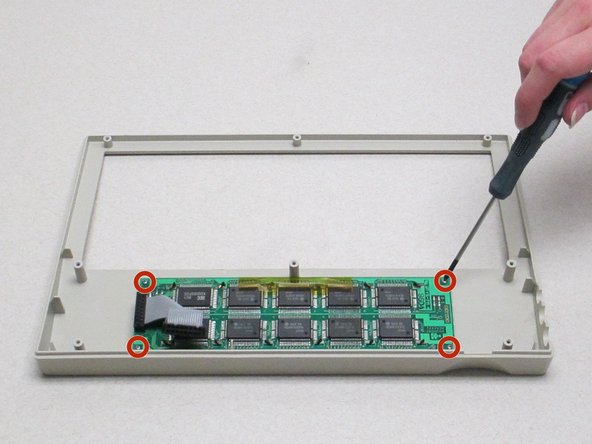
    • Looking at the front panel, use the Phillips #00 screwdriver to remove the four Phillips head 0.8 cm screws from each corner of the display motherboard.

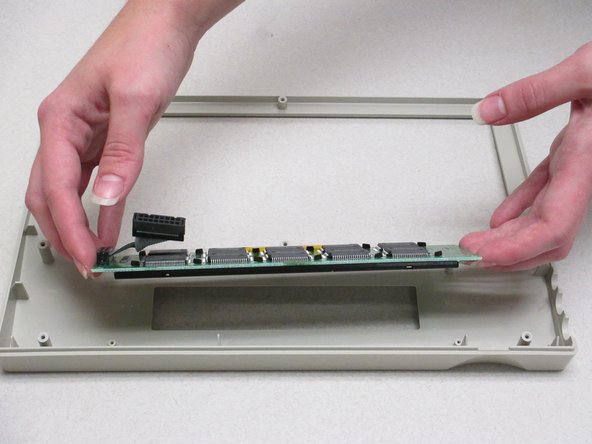
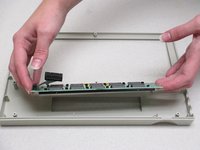
    • Lift the display screen and motherboard from the plastic front panel to separate the two pieces.

    댓글 쓰기

결론

To reassemble your device, follow these instructions in reverse order.

취소: 해당 안내서를 완성하지 않았습니다.

작성자

2다른 기여자 명과 함께

Nathan Smith

회원 가입일: 10/13/14

22 평판

안내서 2개를 작성함

Clemson, Team 1-1, Benson Fall 2014 Clemson, Team 1-1, Benson Fall 2014 회원

CLEM-BENSON-F14S1G1

4 회원들

안내서 16개를 작성함

0가이드 댓글

댓글 쓰기

조회 통계:

지난 24시간: 0

지난 7일: 7

지난 30일: 32

전체 시간: 559