주요 콘텐츠로 건너뛰기
수리 커뮤니티 가입 - 계정 만들기

Amazon Echo Studio Motherboard Replacement

필요한 것

  1. Amazon Echo Studio Motherboard Replacement, Power Supply Board: 1 단계, 이미지 3개 중 1개 Amazon Echo Studio Motherboard Replacement, Power Supply Board: 1 단계, 이미지 3개 중 2개 Amazon Echo Studio Motherboard Replacement, Power Supply Board: 1 단계, 이미지 3개 중 3개
    • Flip the device upside down.

    • Pry up the edge of the rubber base panel with a spudger, then pull the rest of it off by hand.

    댓글 쓰기

  2. Amazon Echo Studio Motherboard Replacement: 2 단계, 이미지 3개 중 1개 Amazon Echo Studio Motherboard Replacement: 2 단계, 이미지 3개 중 2개 Amazon Echo Studio Motherboard Replacement: 2 단계, 이미지 3개 중 3개
    • Use a T15 Torx screwdriver to remove the nine 3.2 mm screws.

    • Use a Torx T10 screwdriver to remove the six 2.7 mm screws.

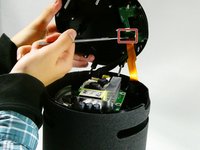
    • After removing the screws, gently lift the base off, with care not to damage any of the connected cables.

    댓글 쓰기

  3. Amazon Echo Studio Motherboard Replacement: 3 단계, 이미지 3개 중 1개 Amazon Echo Studio Motherboard Replacement: 3 단계, 이미지 3개 중 2개 Amazon Echo Studio Motherboard Replacement: 3 단계, 이미지 3개 중 3개
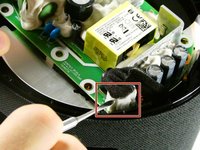
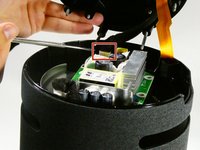
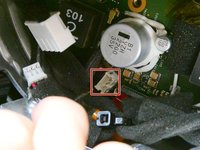
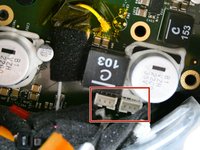
    • Before fully removing the base, remove the three attached connectors.

    댓글 쓰기

  4. Amazon Echo Studio Motherboard Replacement: 4 단계, 이미지 2개 중 1개 Amazon Echo Studio Motherboard Replacement: 4 단계, 이미지 2개 중 2개
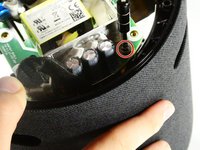
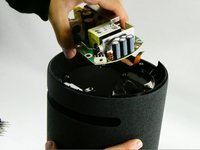
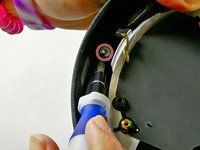
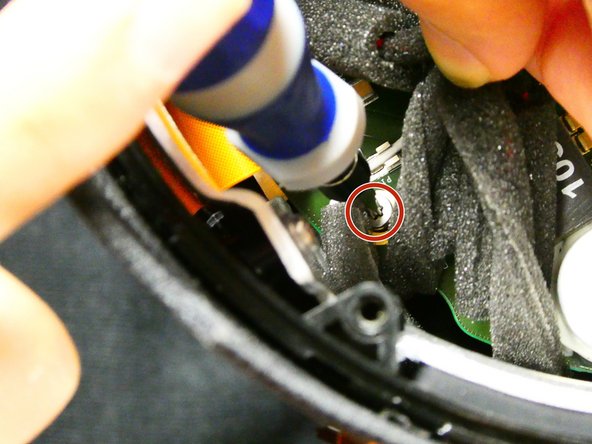
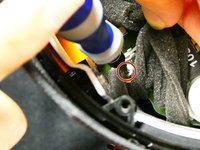
    • Now unscrew the the single 10 mm Phillips screw.

    • Remove the power supply board.

    댓글 쓰기

  5. Amazon Echo Studio Motherboard Replacement, Subwoofer: 5 단계, 이미지 1개 중 1개
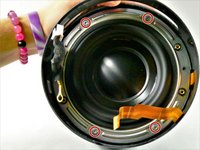
    • Remove the two screws located across from each other on the outside of the plastic ring shown.

    • Remove the plastic outer ring that hugs the inside of the edges of the device.

    • This may require you to use a soft prying tool to separate it from the outer shell.

    댓글 쓰기

  6. Amazon Echo Studio Motherboard Replacement: 6 단계, 이미지 3개 중 1개 Amazon Echo Studio Motherboard Replacement: 6 단계, 이미지 3개 중 2개 Amazon Echo Studio Motherboard Replacement: 6 단계, 이미지 3개 중 3개
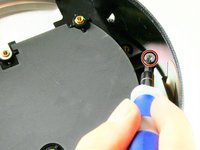
    • Remove the two 2.7 mm screws with a T10 Torx screwdriver.

    • Once the screws are removed, take the power supply's baseplate out of the unit.

    • You may need to gently pry the subwoofer's air ports from the round slots In the side of the unit.

    댓글 쓰기

  7. Amazon Echo Studio Motherboard Replacement: 7 단계, 이미지 2개 중 1개 Amazon Echo Studio Motherboard Replacement: 7 단계, 이미지 2개 중 2개
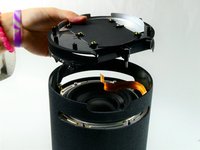
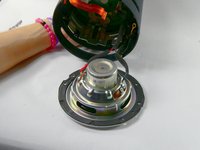
    • On the silver ring located on the outer edge of the plastic portion of the subwoofer, you will see four 2.7 mm screws. Use a Torx T10 screwdriver to remove them, in order to remove of the subwoofer.

    • Once the four screws have been removed, gently pull the subwoofer out as to not damage the wiring connecting the subwoofer to the main board inside the unit.

    • Follow the wires from the subwoofer to the main board and disconnect the connector attaching them.

    • Your subwoofer is now disconnected and ready to be replaced.

    댓글 쓰기

  8. Amazon Echo Studio Motherboard Replacement, Motherboard: 8 단계, 이미지 2개 중 1개 Amazon Echo Studio Motherboard Replacement, Motherboard: 8 단계, 이미지 2개 중 2개
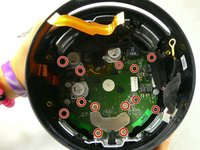
    • Remove the thirteen 9 mm Phillips #00 screws.

    • Some screws may be hidden by other components; simply hold them out of your way during screw removal.

    댓글 쓰기

  9. Amazon Echo Studio Motherboard Replacement: 9 단계, 이미지 1개 중 1개
    • Unfasten the Phillips 9mm screws, using the Phillips #00 Screwdriver.

    • There may be obstruction against some screws, which can be avoided by using a spudger or your hand.

    댓글 쓰기

  10. Amazon Echo Studio Motherboard Replacement: 10 단계, 이미지 3개 중 1개 Amazon Echo Studio Motherboard Replacement: 10 단계, 이미지 3개 중 2개 Amazon Echo Studio Motherboard Replacement: 10 단계, 이미지 3개 중 3개
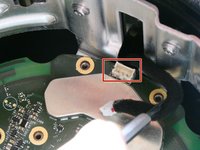
    • After removing the screws, locate the four power connectors on the motherboard and detach them from the motherboard.

    댓글 쓰기

  11. Amazon Echo Studio Motherboard Replacement: 11 단계, 이미지 1개 중 1개
    • Remove the motherboard from the device by pulling it out.

    • Be careful to not damage any of the loose wires inside the case while removing the motherboard.

    댓글 쓰기

결론

To reassemble your device, follow these instructions in reverse order.

취소: 해당 안내서를 완성하지 않았습니다.

작성자

2다른 기여자 명과 함께

Colin Nicoll

회원 가입일: 10/26/22

109 평판

안내서 1개를 작성함

UMass Dartmouth, Team 2-6, Petersen Fall 2022 UMass Dartmouth, Team 2-6, Petersen Fall 2022 회원

UMASSD-PETERSEN-F22S2G6

4 회원들

안내서 7개를 작성함

6가이드 댓글

where can I buy a motherboard replacement ?

Juan Daniel Hernandez R - 답글 공유

I also would like to know where to get a motherboard... my studio is stuck at the green ring.

Ed Wilcox - 답글 공유

i also would like to know. mine stuck with cyan circle

Алексей - 답글 공유

Is there any place to buy the Amazon Echo Studio Motherboard?

DOCA - 답글 공유

hi is there a place to buy this motherboard?

Bede Bede - 답글 공유

댓글 쓰기

조회 통계:

지난 24시간: 1

지난 7일: 19

지난 30일: 69

전체 시간: 2,273