소개
Use this guide to replace the front-facing camera in the Aoson R103 tablet. The front camera is responsible for capturing images and enabling video calls and facial viewing applications. If the camera produces blurry images, fails to activate, or does not display video, the camera module may need replacement.
This guide walks through opening the device and safely removing the front camera assembly. Before beginning, power off the tablet and disconnect it from any external power source to prevent damage to internal components.
Take care when working near ribbon cable connectors during removal to avoid damaging nearby hardware.
필요한 것
-
-
Turn your tablet on its side and get the iFixit opening tool.
-
Put the iFixit opening tool inside the edge of the tablet and lightly start prying along the back panel.
-
Open your tablet completely and lay it down on its screen.
 FixBot에 문의하기
-
-
-
이 단계에 사용된 도구:Tweezers$4.99
-
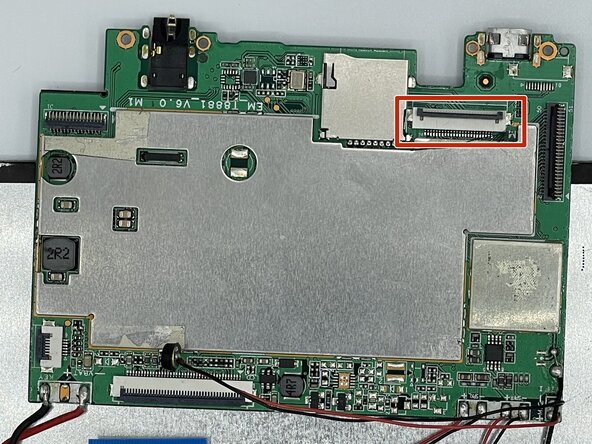
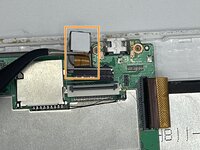
Flip up the black locking flap with your fingernail or spudger.
-
Use tweezers to remove the ribbon cable connected to the motherboard.
-
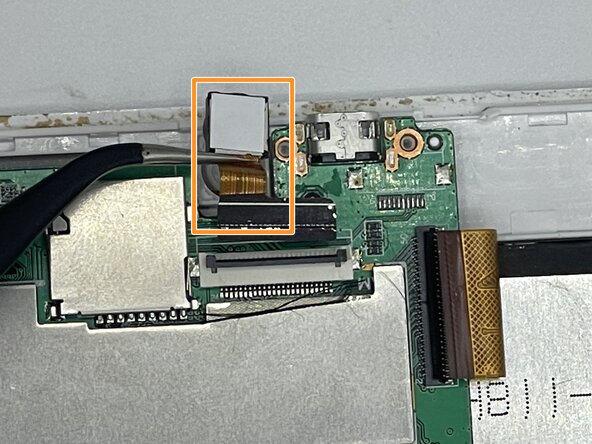
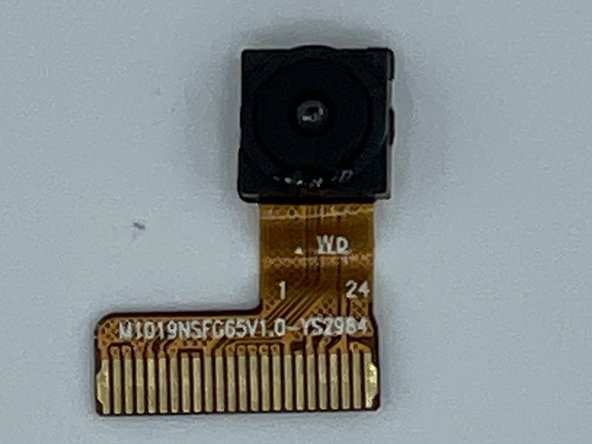
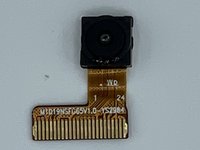
Remove the front camera from the device with the tweezers.
-



To reassemble your device, follow these instructions in reverse order. Take your e-waste to an R2 or e-Stewards certified recycler.
다른 한 분이 해당 안내서를 완성하였습니다.

팀

University of North Texas, Team 3-7, Saru Jimmy Spring 2023 University of North Texas, Team 3-7, Saru Jimmy Spring 2023 회원
UNT-SARU JIMMY-S23S3G7
4 회원들
안내서 4개를 작성함
