주요 콘텐츠로 건너뛰기

Astro Mixamp Control Button Replacement

필요한 것

  1. Astro Mixamp Control Button Replacement, Panel Dial: 1 단계, 이미지 2개 중 1개 Astro Mixamp Control Button Replacement, Panel Dial: 1 단계, 이미지 2개 중 2개
    • Grip the dial tightly and pull straight off the device.

    • Repeat for the second dial

  2. Astro Mixamp Control Button Replacement: 2 단계, 이미지 2개 중 1개 Astro Mixamp Control Button Replacement: 2 단계, 이미지 2개 중 2개
    이 단계에 사용된 도구:
    Tweezers
    $4.99
    • Using tweezers, remove the spacer nuts and washers from each dial post.

  3. Astro Mixamp Control Button Replacement, Outer Casing: 3 단계, 이미지 2개 중 1개 Astro Mixamp Control Button Replacement, Outer Casing: 3 단계, 이미지 2개 중 2개
    • Before opening your device, ensure the device is not on or connected to the charging cable.

    • Insert a plastic opening tool into the seam between the rubber foot and plastic casing.

    • Pull the rubber foot free of the plastic casing.

  4. Astro Mixamp Control Button Replacement: 4 단계, 이미지 1개 중 1개
    • Use a screwdriver to remove the screw from the rear casing.

  5. Astro Mixamp Control Button Replacement: 5 단계, 이미지 1개 중 1개
    • Gently lift the rear casing from the device.

  6. Astro Mixamp Control Button Replacement, Motherboard: 6 단계, 이미지 3개 중 1개 Astro Mixamp Control Button Replacement, Motherboard: 6 단계, 이미지 3개 중 2개 Astro Mixamp Control Button Replacement, Motherboard: 6 단계, 이미지 3개 중 3개
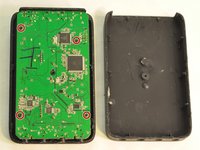
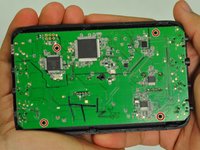
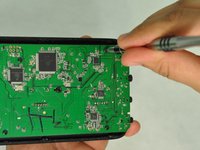
    • Remove the four screws that hold the motherboard in place.

    • Only touch the edges of the motherboard. Touching the surface can damage the motherboard.

  7. Astro Mixamp Control Button Replacement: 7 단계, 이미지 1개 중 1개
    • Gently pull the motherboard from the front cover.

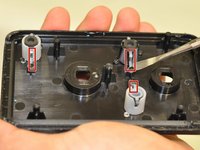
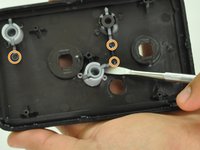
  8. Astro Mixamp Control Button Replacement, Control Button: 8 단계, 이미지 2개 중 1개 Astro Mixamp Control Button Replacement, Control Button: 8 단계, 이미지 2개 중 2개
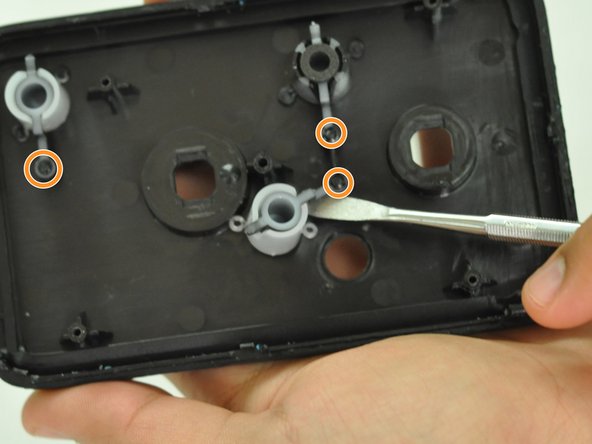
    • Gently insert a metal spudger under a control button housing.

    • Do not pry the button housing from the front panel, this can cause damage to the button.

    • Rotate the control button around the marked pin.

결론

To reassemble your device, follow these instructions in reverse order.

다른 2명이 해당 안내서를 완성하였습니다.

작성자

1다른 기여자 명과 함께

Hope Burns

회원 가입일: 10/29/16

741 평판

안내서 5개를 작성함

0가이드 댓글

댓글 쓰기

조회 통계:

지난 24시간: 0

지난 7일: 2

지난 30일: 9

전체 시간: 1,845