주요 콘텐츠로 건너뛰기
수리 커뮤니티 가입 - 계정 만들기

Asus A52F Cooling System Replacement

필요한 것

  1. Asus A52F Cooling System Replacement, Battery: 1 단계, 이미지 2개 중 1개 Asus A52F Cooling System Replacement, Battery: 1 단계, 이미지 2개 중 2개
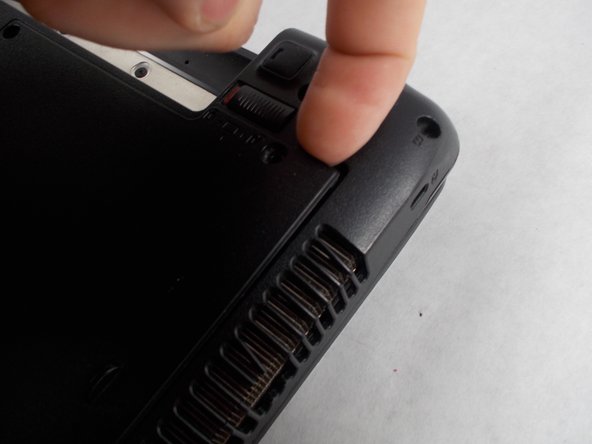
    • Place the laptop face down with the battery facing away from you.

    • Locate the two buttons next to the battery.

    • Slide the right slider to the unlocked (red) position.

  2. Asus A52F Cooling System Replacement: 2 단계, 이미지 2개 중 1개 Asus A52F Cooling System Replacement: 2 단계, 이미지 2개 중 2개
    • Hold the left button to the left.

    • Slide the battery with your other hand away from you and it should disconnect.

  3. Asus A52F Cooling System Replacement, Lower Case: 3 단계, 이미지 3개 중 1개 Asus A52F Cooling System Replacement, Lower Case: 3 단계, 이미지 3개 중 2개 Asus A52F Cooling System Replacement, Lower Case: 3 단계, 이미지 3개 중 3개
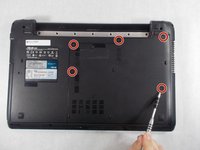
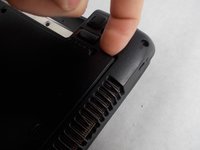
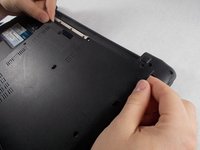
    • Remove the five Phillips # 0 screws from the back panel.

    • Using your finger or a plastic spudger start to carefully pry up the back planel.

  4. Asus A52F Cooling System Replacement: 4 단계, 이미지 2개 중 1개 Asus A52F Cooling System Replacement: 4 단계, 이미지 2개 중 2개
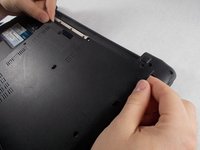
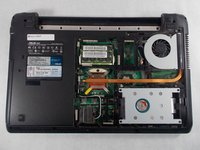
    • Slide the back panel away and remove the panel.

  5. Asus A52F Cooling System Replacement, Cooling System: 5 단계, 이미지 2개 중 1개 Asus A52F Cooling System Replacement, Cooling System: 5 단계, 이미지 2개 중 2개
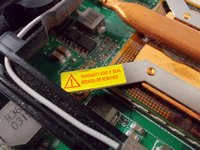
    • Removal of cooling system will void your warranty. Proceed with caution.

  6. Asus A52F Cooling System Replacement: 6 단계, 이미지 2개 중 1개 Asus A52F Cooling System Replacement: 6 단계, 이미지 2개 중 2개
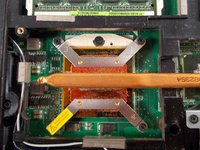
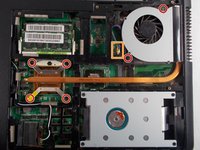
    • Using a Phillips #0 screwdriver, remove all six screws from the cooling system.

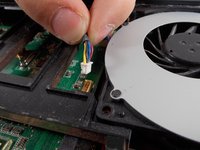
    • Unplug the fan power connector.

  7. Asus A52F Cooling System Replacement: 7 단계, 이미지 2개 중 1개 Asus A52F Cooling System Replacement: 7 단계, 이미지 2개 중 2개
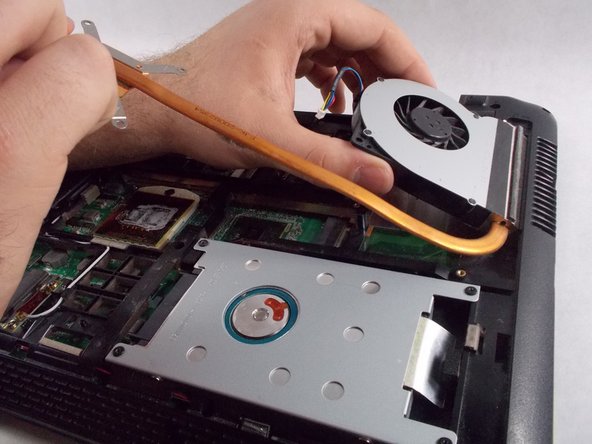
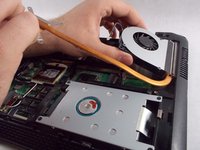
    • Carefully grab the copper pipe and start to lift upward.

    • Lift to the angle shown and then start to slide it out.

  8. Asus A52F Cooling System Replacement: 8 단계, 이미지 1개 중 1개
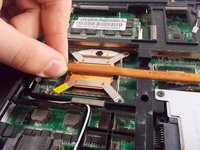
    • Clean the designated area with isopropyl alcohol on a microfiber cloth

    • Replace with new thermal paste if needed

결론

To reassemble your device, follow these instructions in reverse order.

다른 2명이 해당 안내서를 완성하였습니다.

작성자

2다른 기여자 명과 함께

Bradley Varnum

회원 가입일: 03/09/17

297 평판

안내서 2개를 작성함

UMass Dartmouth, Team S5-G1, Botvin Spring 2017 UMass Dartmouth, Team S5-G1, Botvin Spring 2017 회원

UMASSD-BOTVIN-S17S5G1

4 회원들

안내서 7개를 작성함

0가이드 댓글

댓글 쓰기

조회 통계:

지난 24시간: 1

지난 7일: 4

지난 30일: 14

전체 시간: 1,128