주요 콘텐츠로 건너뛰기
수리 커뮤니티 가입 - 계정 만들기

Asus Padfone X Mini Docking Port Replacement

필요한 것

  1. Asus Padfone X Mini Docking Port Replacement, Docking Port: 1 단계, 이미지 1개 중 1개
    • With the phone facing down, look at the bottom right side corner and there should be a groove. Use a plastic opening tool and lift up to remove outside cover.

  2. Asus Padfone X Mini Docking Port Replacement: 2 단계, 이미지 1개 중 1개
    • Take the battery out of the phone.

  3. Asus Padfone X Mini Docking Port Replacement: 3 단계, 이미지 2개 중 1개 Asus Padfone X Mini Docking Port Replacement: 3 단계, 이미지 2개 중 2개
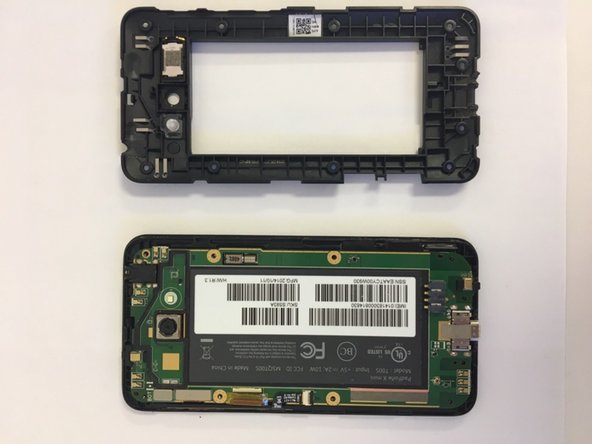
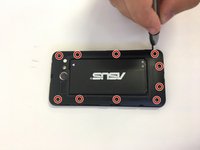
    • Remove the 10 screws around the perimeter of the phone.

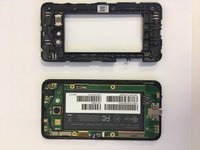
    • Remove the cover.

  4. Asus Padfone X Mini Docking Port Replacement: 4 단계, 이미지 1개 중 1개
    이 단계에 사용된 도구:
    Tweezers
    $4.99
    • Use tweezers to remove the black strip on the left side of the motherboard.

    • The motherboard is the green board on the side with the screen.

    • Be careful not to rip this black strip out of the phone since you will need to reconnect it later. You only need to disconnect it from the mother board.

  5. Asus Padfone X Mini Docking Port Replacement: 5 단계, 이미지 1개 중 1개
    • Remove the gold flap on the left side of the motherboard.

  6. Asus Padfone X Mini Docking Port Replacement: 6 단계, 이미지 1개 중 1개
    • Remove the motherboard and replace it.

    • The docking port is connected to your motherboard so you have to get the whole thing replaced if it isn't working.

결론

To reassemble your device, follow these instructions in reverse order.

다른 한 분이 해당 안내서를 완성하였습니다.

작성자

3다른 기여자 명과 함께

Nicolette Carr

회원 가입일: 09/18/18

425 평판

안내서 2개를 작성함

0가이드 댓글

댓글 쓰기

조회 통계:

지난 24시간: 3

지난 7일: 20

지난 30일: 68

전체 시간: 438