주요 콘텐츠로 건너뛰기
수리 커뮤니티 가입 - 계정 만들기

Asus Q325U Keyboard Replacement

필요한 것

  1. Asus Q325U Keyboard Replacement, Back Panel: 1 단계, 이미지 3개 중 1개 Asus Q325U Keyboard Replacement, Back Panel: 1 단계, 이미지 3개 중 2개 Asus Q325U Keyboard Replacement, Back Panel: 1 단계, 이미지 3개 중 3개
    • Remove the ten 5mm screws using a T5 Torx screwdriver.

  2. Asus Q325U Keyboard Replacement: 2 단계, 이미지 3개 중 1개 Asus Q325U Keyboard Replacement: 2 단계, 이미지 3개 중 2개 Asus Q325U Keyboard Replacement: 2 단계, 이미지 3개 중 3개
    • Lift the back panel upward using the suction tool.

  3. Asus Q325U Keyboard Replacement, SSD: 3 단계, 이미지 2개 중 1개 Asus Q325U Keyboard Replacement, SSD: 3 단계, 이미지 2개 중 2개
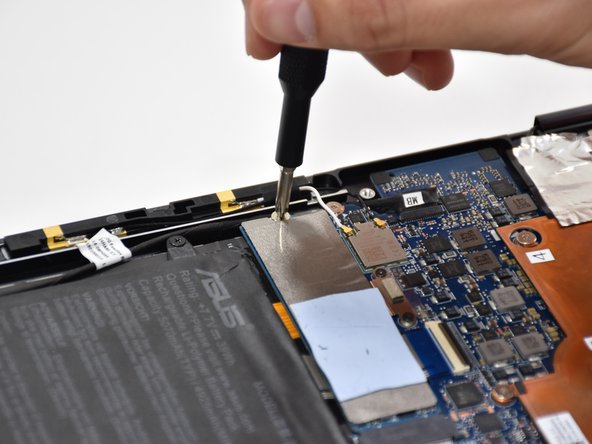
    • Remove one 2mm screw on top of the SSD using a Phillips #1 screwdriver.

  4. Asus Q325U Keyboard Replacement: 4 단계, 이미지 2개 중 1개 Asus Q325U Keyboard Replacement: 4 단계, 이미지 2개 중 2개
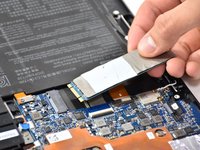
    • Carefully slide and lift the SSD to remove it.

  5. Asus Q325U Keyboard Replacement, Battery: 5 단계, 이미지 2개 중 1개 Asus Q325U Keyboard Replacement, Battery: 5 단계, 이미지 2개 중 2개
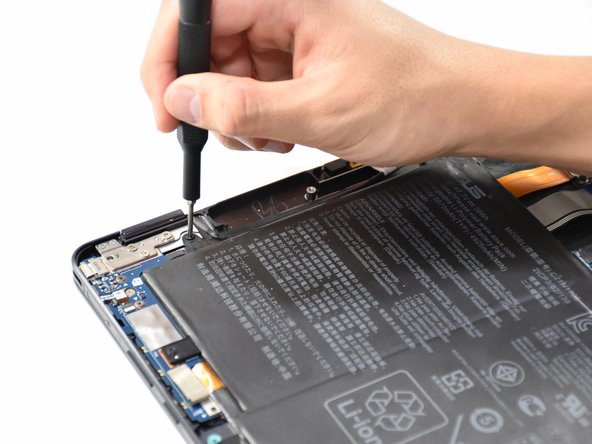
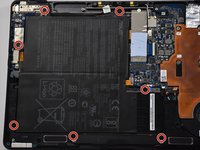
    • Remove the seven 5mm screws around the battery using a Phillips #00 screwdriver.

  6. Asus Q325U Keyboard Replacement: 6 단계, 이미지 2개 중 1개 Asus Q325U Keyboard Replacement: 6 단계, 이미지 2개 중 2개
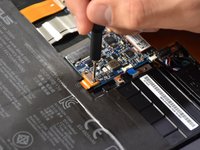
    • Using a Phillips #000 screwdriver, remove the two 3mm screws on top of the orange battery connector.

  7. Asus Q325U Keyboard Replacement: 7 단계, 이미지 2개 중 1개 Asus Q325U Keyboard Replacement: 7 단계, 이미지 2개 중 2개
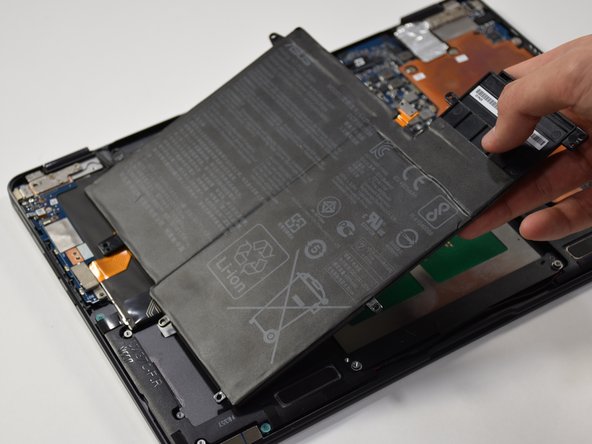
    • Lift the battery out from the laptop.

  8. Asus Q325U Keyboard Replacement, Copper Plate: 8 단계, 이미지 2개 중 1개 Asus Q325U Keyboard Replacement, Copper Plate: 8 단계, 이미지 2개 중 2개
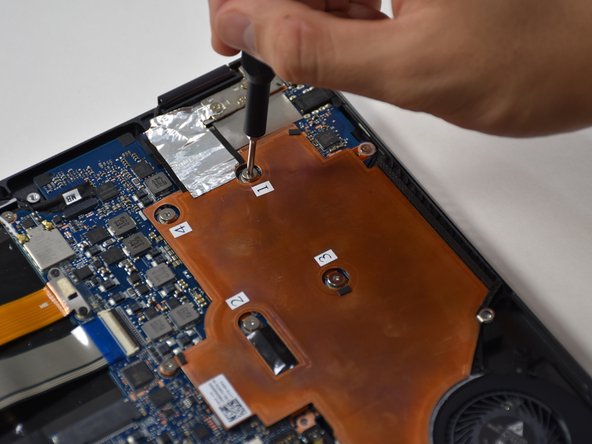
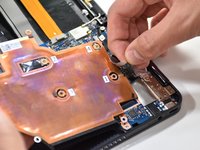
    • Remove the six 3mm screws using a Phillips #00.

  9. Asus Q325U Keyboard Replacement: 9 단계, 이미지 2개 중 1개 Asus Q325U Keyboard Replacement: 9 단계, 이미지 2개 중 2개
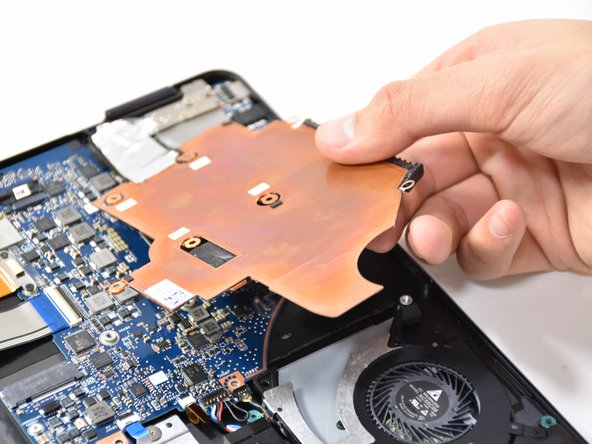
    • Use the plastic opening tool to lift up the edge. Pull upward on the edge.

  10. Asus Q325U Keyboard Replacement: 10 단계, 이미지 2개 중 1개 Asus Q325U Keyboard Replacement: 10 단계, 이미지 2개 중 2개
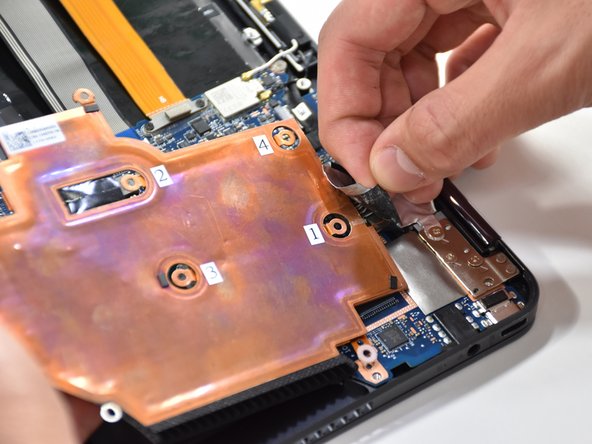
    • On the other side of the plate, remove the tape.

  11. Asus Q325U Keyboard Replacement, CPU Fan: 11 단계, 이미지 2개 중 1개 Asus Q325U Keyboard Replacement, CPU Fan: 11 단계, 이미지 2개 중 2개
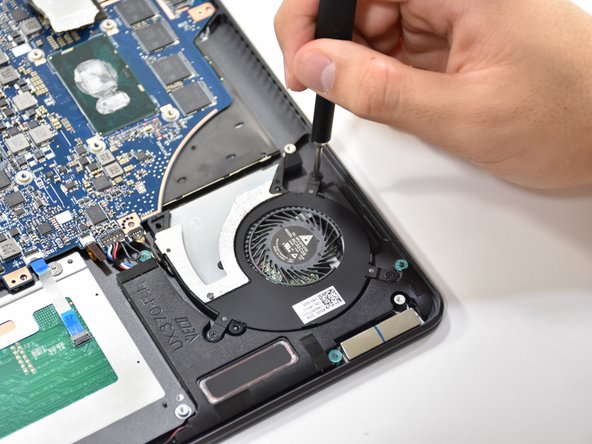
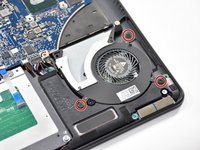
    • Remove the three 3.7 mm screws using a Phillips #00 screwdriver.

  12. Asus Q325U Keyboard Replacement: 12 단계, 이미지 1개 중 1개
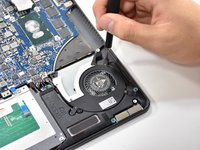
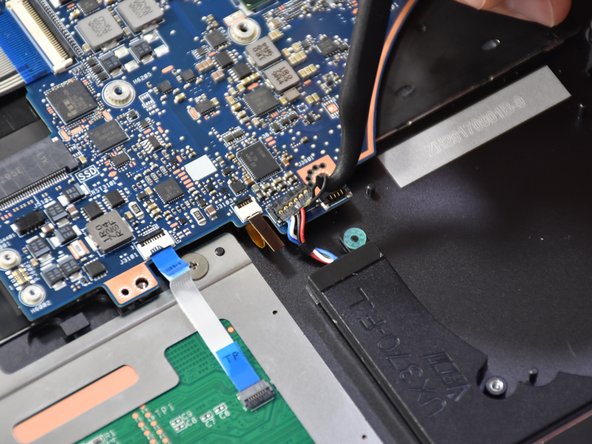
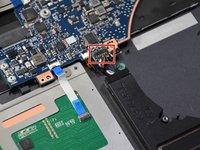
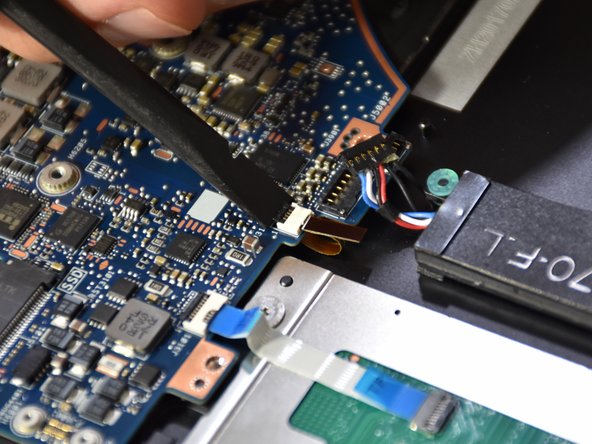
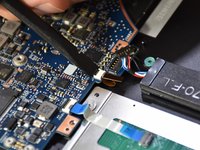
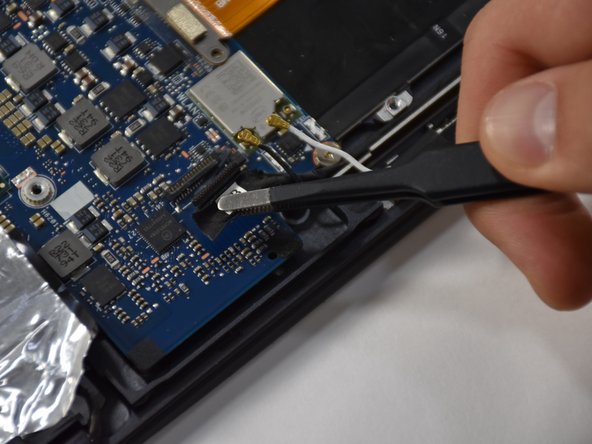
    • Detach the black wire and plug shown using a tweezer.

  13. Asus Q325U Keyboard Replacement: 13 단계, 이미지 1개 중 1개
    • Grab CPU fan by its edge and gently pull upwards to remove.

  14. Asus Q325U Keyboard Replacement, Motherboard: 14 단계, 이미지 2개 중 1개 Asus Q325U Keyboard Replacement, Motherboard: 14 단계, 이미지 2개 중 2개
    이 단계에 사용된 도구:
    Halberd Spudger
    $2.99
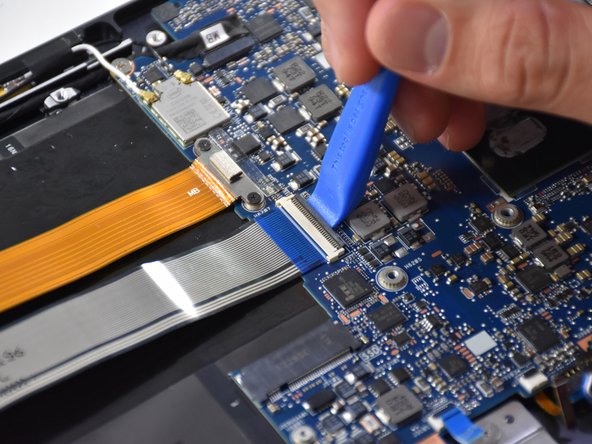
    • Remove the first connection wire by pulling the small back loop with the Halberd Spudger.

  15. Asus Q325U Keyboard Replacement: 15 단계, 이미지 3개 중 1개 Asus Q325U Keyboard Replacement: 15 단계, 이미지 3개 중 2개 Asus Q325U Keyboard Replacement: 15 단계, 이미지 3개 중 3개
    이 단계에 사용된 도구:
    Tweezers
    $4.99
    • Lift the small black tab of the orange connector with your fingers or a plastic opening tool.

    • Remove the orange connector by pulling with tweezers.

  16. Asus Q325U Keyboard Replacement: 16 단계, 이미지 3개 중 1개 Asus Q325U Keyboard Replacement: 16 단계, 이미지 3개 중 2개 Asus Q325U Keyboard Replacement: 16 단계, 이미지 3개 중 3개
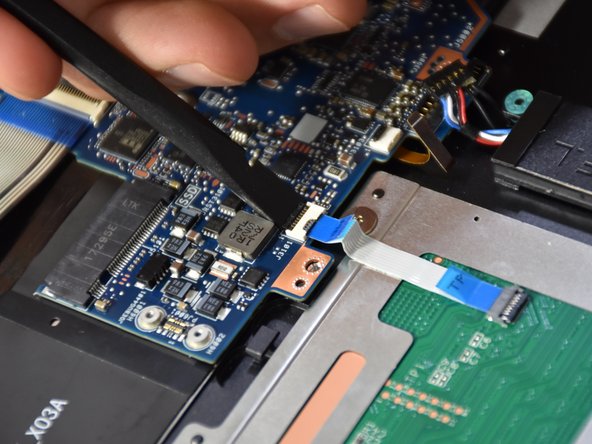
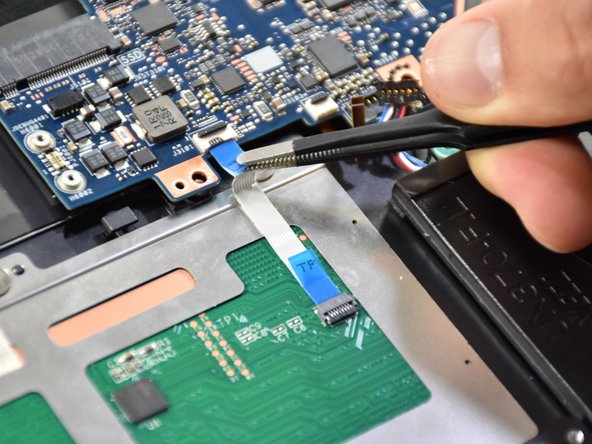
    • Lift the small black tab on the white plastic piece of the touch pad connector with a spudger.

    • Remove the touch pad connector by pulling with tweezers.

  17. Asus Q325U Keyboard Replacement: 17 단계, 이미지 3개 중 1개 Asus Q325U Keyboard Replacement: 17 단계, 이미지 3개 중 2개 Asus Q325U Keyboard Replacement: 17 단계, 이미지 3개 중 3개
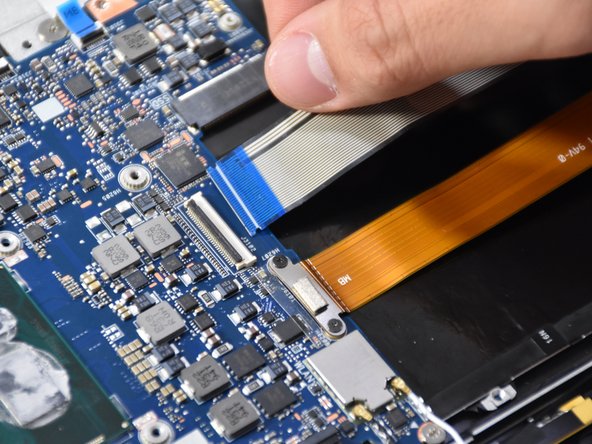
    • Lift the black tab on the long white plastic piece of the thick blue band.

    • Remove the thick blue band by pulling.

  18. Asus Q325U Keyboard Replacement: 18 단계, 이미지 3개 중 1개 Asus Q325U Keyboard Replacement: 18 단계, 이미지 3개 중 2개 Asus Q325U Keyboard Replacement: 18 단계, 이미지 3개 중 3개
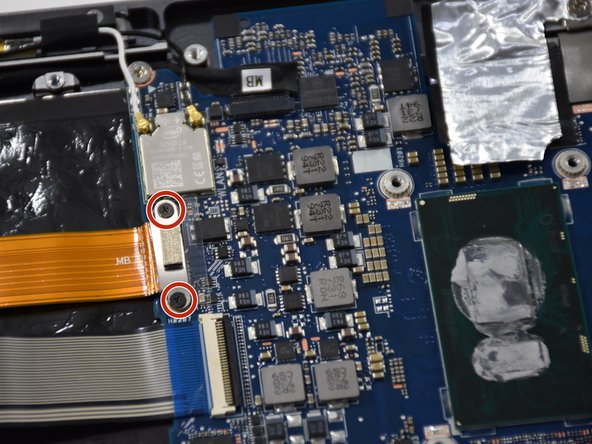
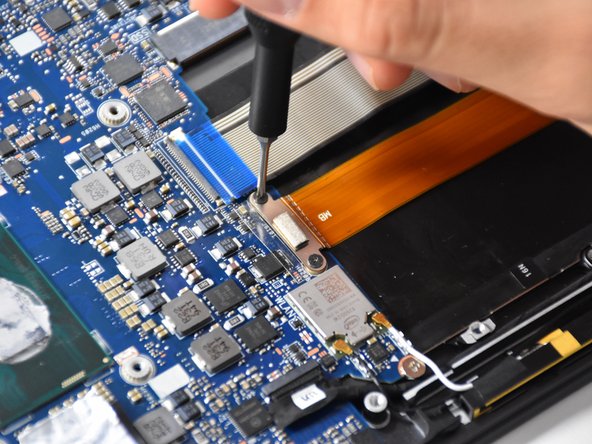
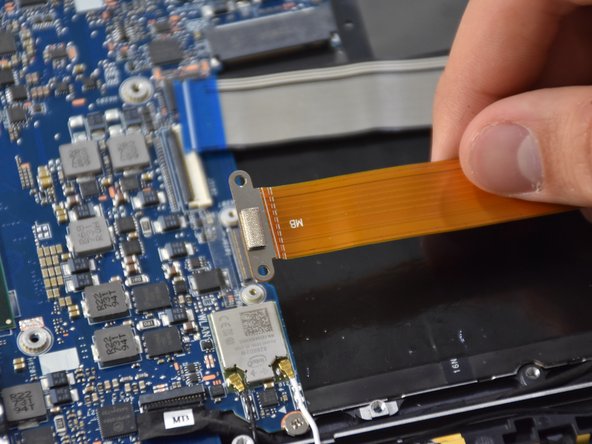
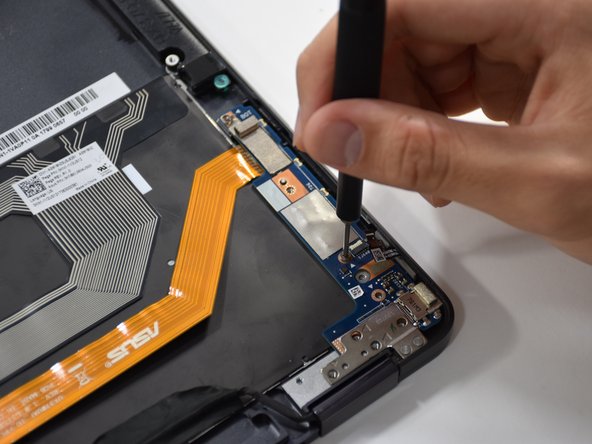
    • Remove the two Phillips #000 screws on the metal connector above the thick orange band.

    • Lift up the thick orange band.

  19. Asus Q325U Keyboard Replacement: 19 단계, 이미지 3개 중 1개 Asus Q325U Keyboard Replacement: 19 단계, 이미지 3개 중 2개 Asus Q325U Keyboard Replacement: 19 단계, 이미지 3개 중 3개
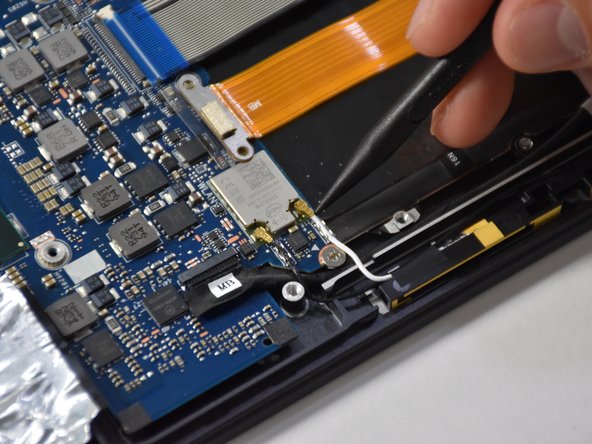
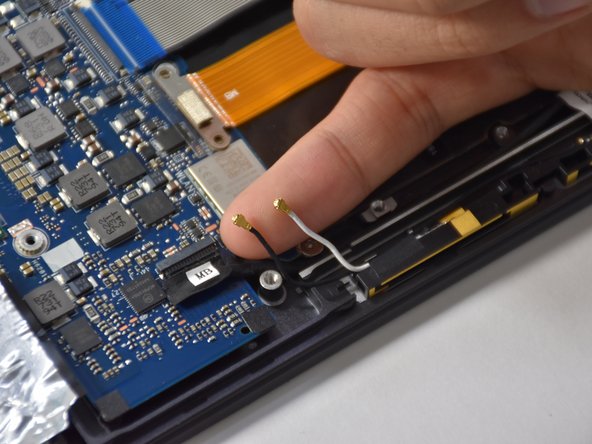
    • Gently lift up the two smallest connectors using your fingers or a plastic opening tool.

  20. Asus Q325U Keyboard Replacement: 20 단계, 이미지 2개 중 1개 Asus Q325U Keyboard Replacement: 20 단계, 이미지 2개 중 2개
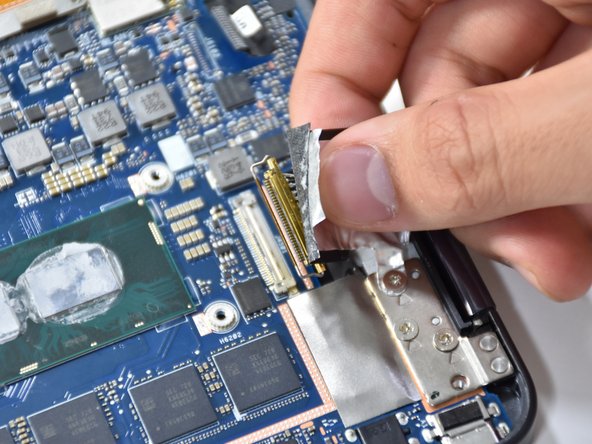
    • Lift up the black hinge of the connector using a plastic opening tool.

    • Remove the connector using a tweezer.

  21. Asus Q325U Keyboard Replacement: 21 단계, 이미지 3개 중 1개 Asus Q325U Keyboard Replacement: 21 단계, 이미지 3개 중 2개 Asus Q325U Keyboard Replacement: 21 단계, 이미지 3개 중 3개
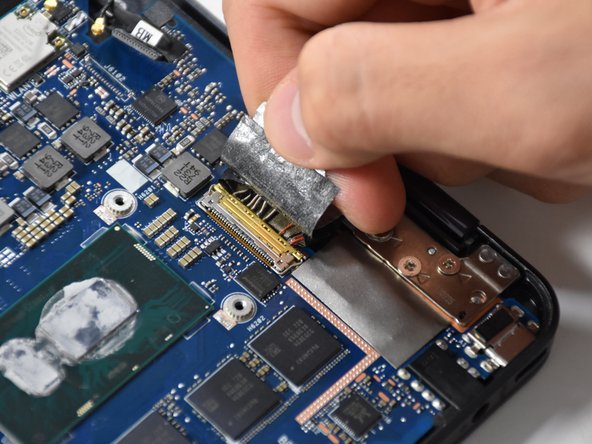
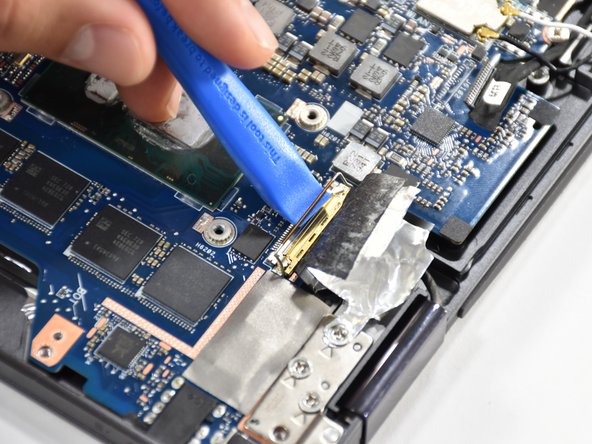
    • Pull up the tap of the biggest connector using your fingers.

    • Lift the gold hinge using a plastic opening tool.

    • Lift the connector up with your fingers to remove.

  22. Asus Q325U Keyboard Replacement: 22 단계, 이미지 2개 중 1개 Asus Q325U Keyboard Replacement: 22 단계, 이미지 2개 중 2개
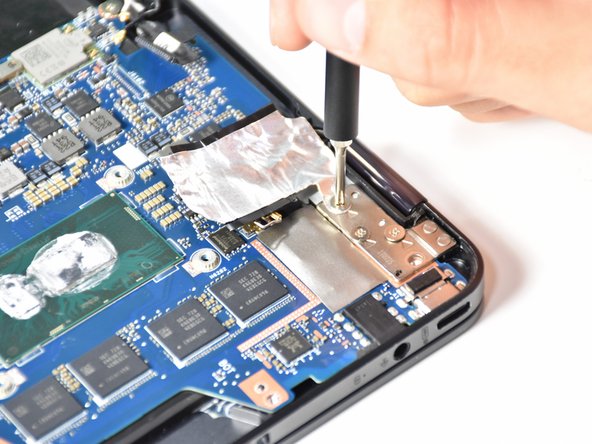
    • Remove the four 4.8 mm screws using a Phillips #00 screwdriver.

  23. Asus Q325U Keyboard Replacement: 23 단계, 이미지 2개 중 1개 Asus Q325U Keyboard Replacement: 23 단계, 이미지 2개 중 2개
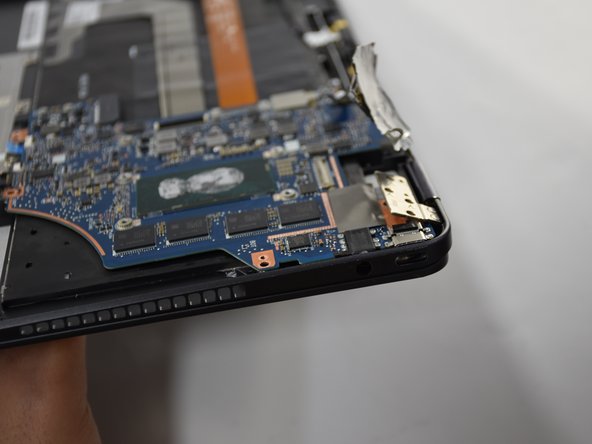
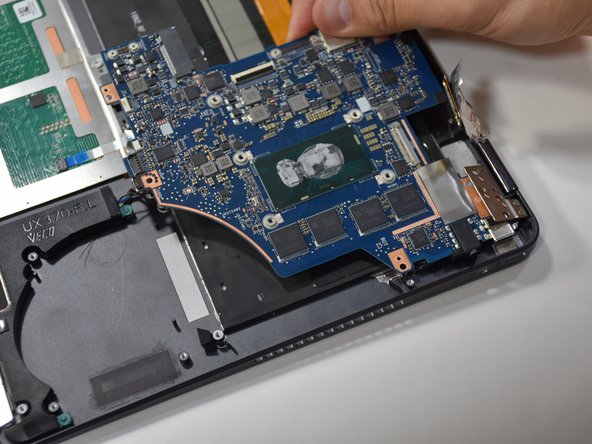
    • Slightly open up the laptop. This will lift up the hinge at the corner and free the motherboard.

  24. Asus Q325U Keyboard Replacement: 24 단계, 이미지 2개 중 1개 Asus Q325U Keyboard Replacement: 24 단계, 이미지 2개 중 2개
    • Pull the motherboard away from the corner to remove.

  25. Asus Q325U Keyboard Replacement, Keyboard: 25 단계, 이미지 3개 중 1개 Asus Q325U Keyboard Replacement, Keyboard: 25 단계, 이미지 3개 중 2개 Asus Q325U Keyboard Replacement, Keyboard: 25 단계, 이미지 3개 중 3개
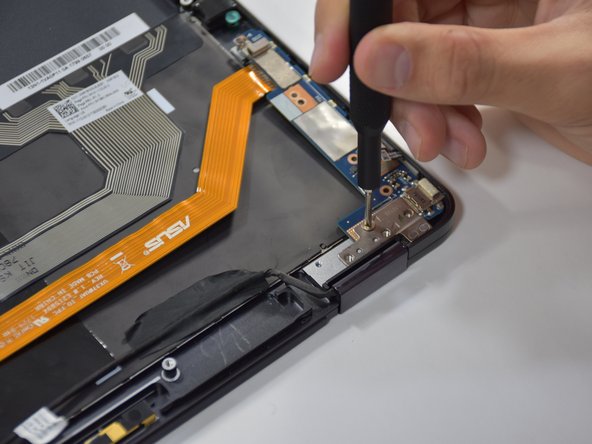
    • Remove the three 4 mm screws using a Phillips #00 screwdriver.

    • Remove the four 4.8 mm screws using a Phillips #000 screwdriver.

  26. Asus Q325U Keyboard Replacement: 26 단계, 이미지 1개 중 1개
    • Slide out the blue chip board connected to the long orange piece by gently grabbing the tab and lifting.

  27. Asus Q325U Keyboard Replacement: 27 단계, 이미지 1개 중 1개
    • Release the single MB wire by removing the black piece of tape.

  28. Asus Q325U Keyboard Replacement: 28 단계, 이미지 1개 중 1개
    • Untape the blue striped strip by pulling upwards and laying it flat.

  29. Asus Q325U Keyboard Replacement: 29 단계, 이미지 3개 중 1개 Asus Q325U Keyboard Replacement: 29 단계, 이미지 3개 중 2개 Asus Q325U Keyboard Replacement: 29 단계, 이미지 3개 중 3개
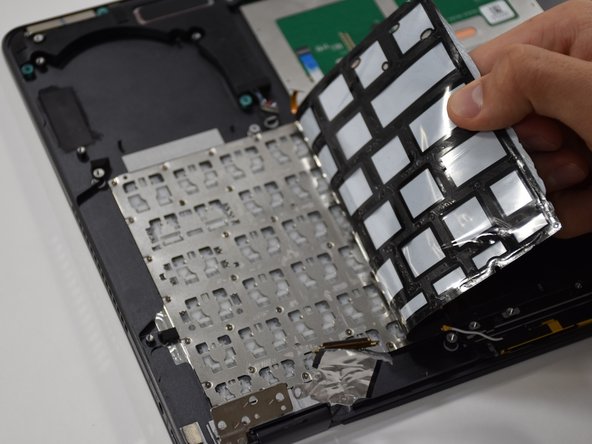
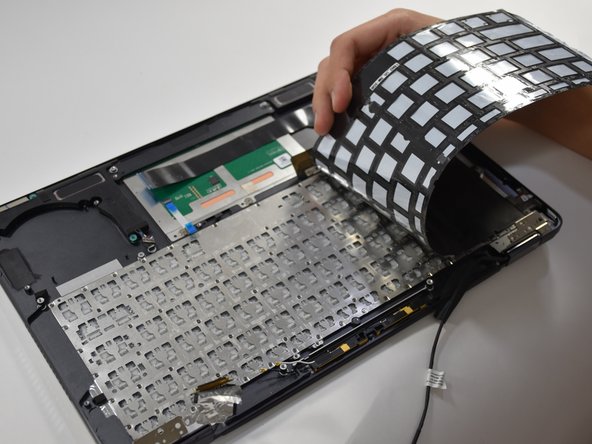
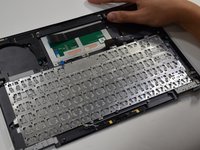
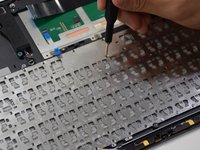
    • Starting at the upper left corner, remove the black adhesive from the keyboard.

  30. Asus Q325U Keyboard Replacement: 30 단계, 이미지 2개 중 1개 Asus Q325U Keyboard Replacement: 30 단계, 이미지 2개 중 2개
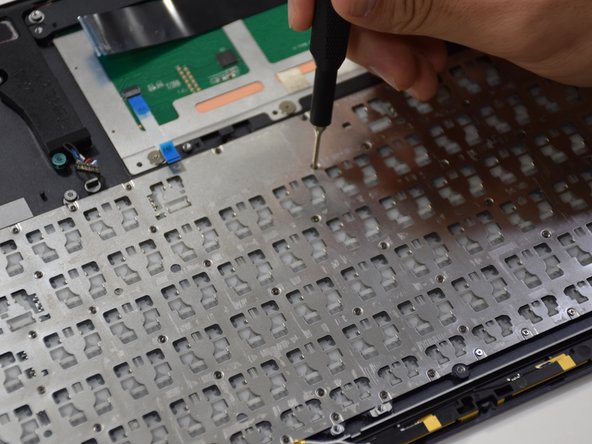
    • Remove eighty 1 mm screws located on the keyboard frame using a Phillips #000 screwdriver.

  31. Asus Q325U Keyboard Replacement: 31 단계, 이미지 1개 중 1개
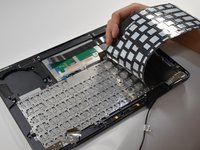
    • Grab the edge of the keyboard and lift upwards to remove.

결론

To reassemble your device, follow these instructions in reverse order.

작성자

3다른 기여자 명과 함께

Matthew Slawson

회원 가입일: 01/29/19

271 평판

안내서 2개를 작성함

Cal Poly, Team S19-G1, White Winter 2019 Cal Poly, Team S19-G1, White Winter 2019 회원

CPSU-WHITE-W19S19G1

3 회원들

안내서 6개를 작성함

0가이드 댓글

댓글 쓰기

조회 통계:

지난 24시간: 0

지난 7일: 6

지난 30일: 16

전체 시간: 904