소개
This guide will walk you through the process of replacing a broken or faulty battery on the Asus X751L.
필요한 것
-
-
With the screen closed, place your laptop upside-down with the front facing you.
-
Remove the six 14.6mm Phillips #00 screws.
-
Remove the four 6.6mm Phillips #00 screws.
 FixBot에 문의하기
-
-
-
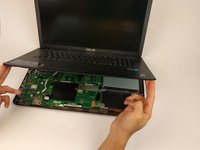
Flip the laptop over and open the lid.
-
Pry around the edges of the laptop base using the plastic opening tool.
-
-
-
-
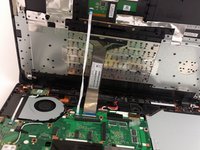
Carefully lift the keyboard up.
-
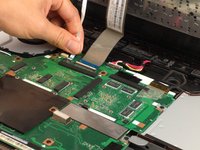
Disconnect the two ZIF connectors from the motherboard using your fingernail to lift the cream-colored tab.
-
-
-
Remove the two 6.6mm Phillips #00 screws holding the battery in place.
-
-
-
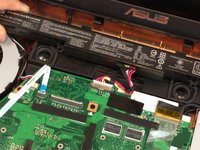
Lift the battery from the cable-side to maneuver it around the plastic clips.
-
-
-
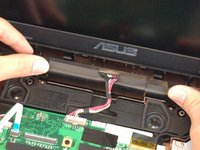
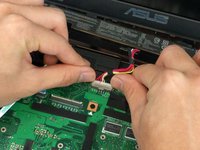
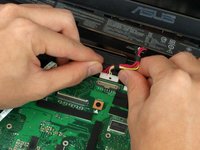
Using your finger nails, gently push the battery cable out of the connector on the motherboard.
-
Once the cable is disconnected, you can remove the battery.
-






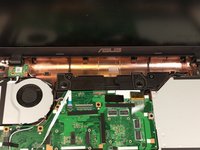
To reassemble your device, follow these instructions in reverse order.
다른 5명이 해당 안내서를 완성하였습니다.

팀

USF Tampa, Team 17-2, Blackwell Spring 2017 USF Tampa, Team 17-2, Blackwell Spring 2017 회원
USFT-BLACKWELL-S17S17G2
4 회원들
안내서 5개를 작성함
6가이드 댓글
Very nice, thank you !
barzamjavel - 답글 공유
very nice, thank you !
barzamjavel - 답글 공유
Took me awhile to figure out how to get the cables back. Other than that, good insturctions.
Your instructions were easy to follow. Thank you!!!
