소개
This guide covers removing the clear dome cover for the AvertX HD810 security camera. You need a T10 Torx security screwdriver and a replacement dome cover for the camera. It's advised to have the camera turned off for this procedure.
필요한 것
-
-
-
Lift off the paintable snap-on cover from the AvertX HD810 dome security camera.
 FixBot에 문의하기
-
-
-
-
Loosen both 10mm screws on either side of the clear dome cover housing using a T10 Torx security screwdriver.
-
-


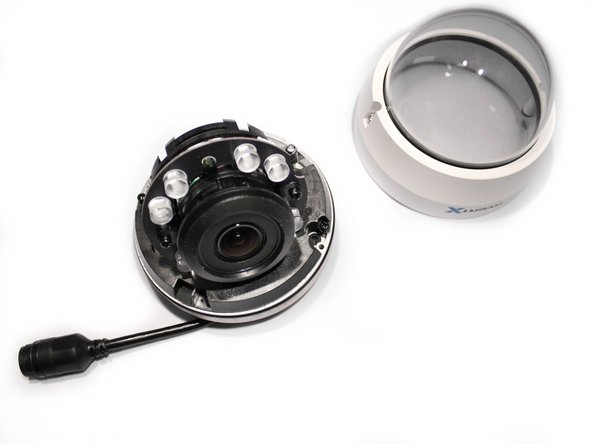
You've successfully replaced your AvertX HD810 clear dome cover when you've snapped back on your paintable snap-on cover. You can reassemble your device at any point by following the steps in reverse order.

팀

Eastern Washington University, Team 2-3, Crane Winter 2017 Eastern Washington University, Team 2-3, Crane Winter 2017 회원
EWU-CRANE-W17S2G3
3 회원들
안내서 10개를 작성함
