소개
The motherboard of the phone is the main circuit board that holds the memory and the CPU. Since replacing it is a difficult and sometimes necessary process, this guide will explain how to access, remove, and replace your BLU Life X8 motherboard.
필요한 것
-
-
Flip the phone over so that the screen is facing down.
-
Slide the opening tool between the micro-USB port and the back cover.
-
Use the opening tool to create a gap.
 FixBot에 문의하기
-
-
-
Once the back panel is off, locate the indent at the bottom of the battery.
-
Use your thumb to slip the battery out of the case.
-
-
-
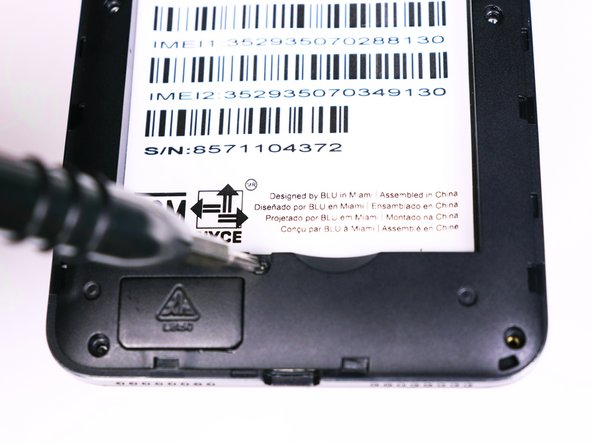
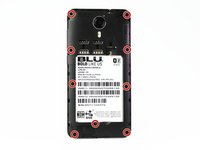
Use the Phillips #00 bit to undo the nine 1.5mm screws from the back of the device.
-
-
-
-
Wedge the opening tool into the seam of between the screen and the gray frame.
-
Run the opening tool along the seam to release the clips that hold the two pieces together.
-
-
-
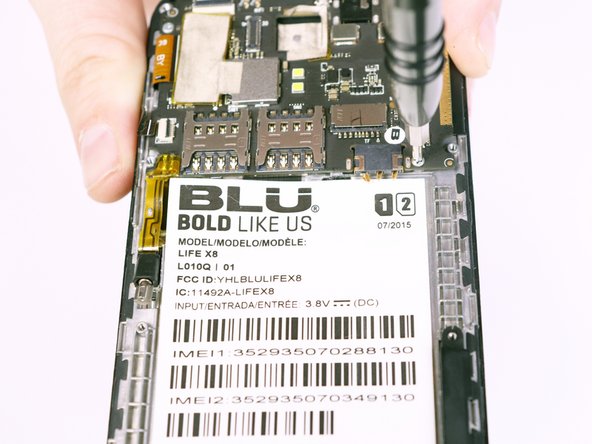
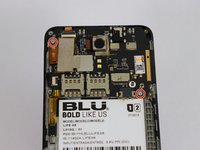
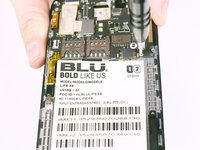
Use the Phillips #00 Phillips bit to undo the two 1.5mm screws from the motherboard.
-
-
이 단계에 사용된 도구:Tweezers$4.99
-
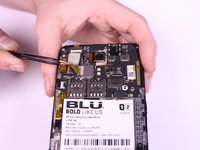
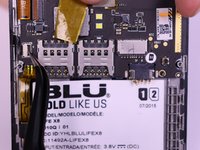
Use the tweezers to peel away the mesh tape and reveal the ribbon connectors.
-
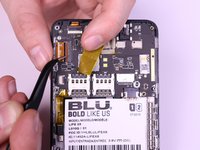
Use the tweezers to lift the brown and black tabs to release the ribbon cables and unlock them.
-
-
-
The ribbon cables should be free. Pull back on the ribbons to release them from their connectors.
-








To reassemble your device, follow these instructions in reverse order.
다른 2명이 해당 안내서를 완성하였습니다.

팀

USF Tampa, Team S1-G2, Nance Fall 2017 USF Tampa, Team S1-G2, Nance Fall 2017 회원
USFT-NANCE-F17S1G2
4 회원들
안내서 12개를 작성함
