주요 콘텐츠로 건너뛰기
수리 커뮤니티 가입 - 계정 만들기

Beats Studio 2 Wireless Headband Replacement

필요한 것

  1. Beats Studio 2 Wireless Headband Replacement, Headband: 1 단계, 이미지 2개 중 1개 Beats Studio 2 Wireless Headband Replacement, Headband: 1 단계, 이미지 2개 중 2개
    • Slide the headband down on one side to reveal the two screws under the silver "Studio" label.

    • Use a T5 screwdriver to remove the two screws securing the headband pieces.

    • Slide the headband down on the other side to reveal the two screws beneath the "Wireless" label.

    • Use a T5 screwdriver to remove the two screws securing the headband pieces.

  2. Beats Studio 2 Wireless Headband Replacement: 2 단계, 이미지 2개 중 1개 Beats Studio 2 Wireless Headband Replacement: 2 단계, 이미지 2개 중 2개
    • Slide the headband away from the silver "Studio" and "Wireless" silver bands.

    • Peel the rubber interior layer off of the headband to remove it.

    • Save the rubber layer of the headband for your replacement.

  3. Beats Studio 2 Wireless Headband Replacement: 3 단계, 이미지 1개 중 1개
    • Use a nylon spudger to undo the tabs connecting the foam interior of the headband to the outer shell.

    • Remove the foam interior part of the headphone.

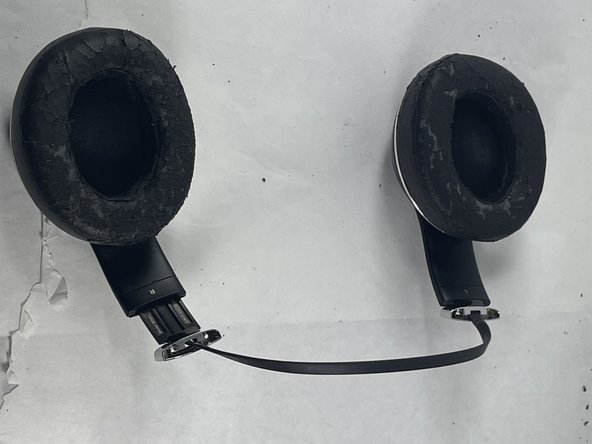
  4. Beats Studio 2 Wireless Headband Replacement: 4 단계, 이미지 2개 중 1개 Beats Studio 2 Wireless Headband Replacement: 4 단계, 이미지 2개 중 2개
    • The exterior shell of the headband should come off easily at this point or just detach automatically.

결론

To reassemble your device, follow these instructions in reverse order.

다른 3명이 해당 안내서를 완성하였습니다.

작성자

3다른 기여자 명과 함께

Mike Rosiello

회원 가입일: 03/20/23

325 평판

안내서 2개를 작성함

UMass Dartmouth, Team 5-3, Ramos Spring 2023 UMass Dartmouth, Team 5-3, Ramos Spring 2023 회원

UMASSD-RAMOS-S23S5G3

3 회원들

안내서 8개를 작성함

0가이드 댓글

댓글 쓰기

조회 통계:

지난 24시간: 4

지난 7일: 20

지난 30일: 70

전체 시간: 1,851