주요 콘텐츠로 건너뛰기
수리 커뮤니티 가입 - 계정 만들기

BlackBerry 7280 Battery Connector Replacement

필요한 것

  1. BlackBerry 7280 Battery Connector Replacement, Battery: 1 단계, 이미지 3개 중 1개 BlackBerry 7280 Battery Connector Replacement, Battery: 1 단계, 이미지 3개 중 2개 BlackBerry 7280 Battery Connector Replacement, Battery: 1 단계, 이미지 3개 중 3개
    • With your thumb press down on the locking- button on the back of the BlackBerry 7280.

    • Slide the battery cover off the device.

  2. BlackBerry 7280 Battery Connector Replacement: 2 단계, 이미지 2개 중 1개 BlackBerry 7280 Battery Connector Replacement: 2 단계, 이미지 2개 중 2개
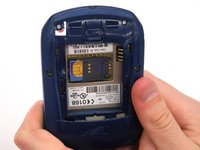
    • Remove the lithium-ion battery from the back of the device using your index finger.

  3. BlackBerry 7280 Battery Connector Replacement, SIM Card: 3 단계, 이미지 3개 중 1개 BlackBerry 7280 Battery Connector Replacement, SIM Card: 3 단계, 이미지 3개 중 2개 BlackBerry 7280 Battery Connector Replacement, SIM Card: 3 단계, 이미지 3개 중 3개
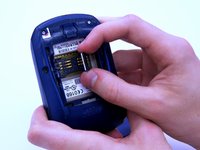
    • Hold the device with both hands.

    • Lift the SIM card holder using your thumb and index finger.

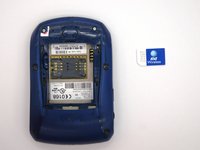
    • Remove the SIM card from the device.

  4. BlackBerry 7280 Battery Connector Replacement, Back Case: 4 단계, 이미지 2개 중 1개 BlackBerry 7280 Battery Connector Replacement, Back Case: 4 단계, 이미지 2개 중 2개
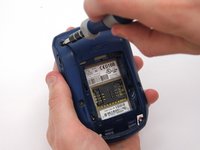
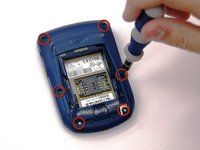
    • Using a Torx T6 screwdriver, remove all six 1/8 inch screws (marked in red) from the back case. Set screws aside.

    • The SIM card has been removed here to prevent damage to the card. This is recommended, but not not required.

  5. BlackBerry 7280 Battery Connector Replacement: 5 단계, 이미지 2개 중 1개 BlackBerry 7280 Battery Connector Replacement: 5 단계, 이미지 2개 중 2개
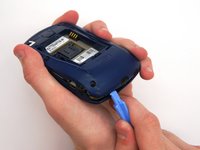
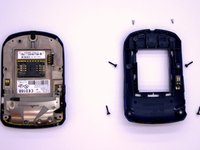
    • Use the plastic opening tool to pry the back case away from the front case.

  6. BlackBerry 7280 Battery Connector Replacement, Front Case: 6 단계, 이미지 2개 중 1개 BlackBerry 7280 Battery Connector Replacement, Front Case: 6 단계, 이미지 2개 중 2개
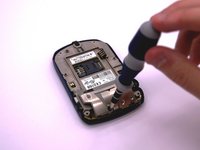
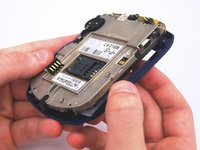
    • Using a Torx T6 screwdriver, remove the lone 1/8 inch screw that holds the upper metal bracket onto the larger metal bracket. Set aside the screw and the bracket.

  7. BlackBerry 7280 Battery Connector Replacement: 7 단계, 이미지 2개 중 1개 BlackBerry 7280 Battery Connector Replacement: 7 단계, 이미지 2개 중 2개
    • Remove the front plastic case from the metal bracket.

  8. BlackBerry 7280 Battery Connector Replacement, LCD Screen and Speaker: 8 단계, 이미지 2개 중 1개 BlackBerry 7280 Battery Connector Replacement, LCD Screen and Speaker: 8 단계, 이미지 2개 중 2개
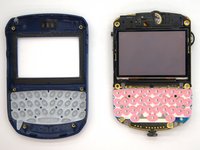
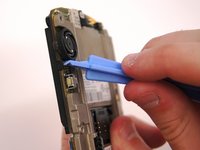
    • Use the plastic opening tool to pry at the edge of the screen near the track-wheel.

  9. BlackBerry 7280 Battery Connector Replacement, Logic Board: 9 단계, 이미지 1개 중 1개
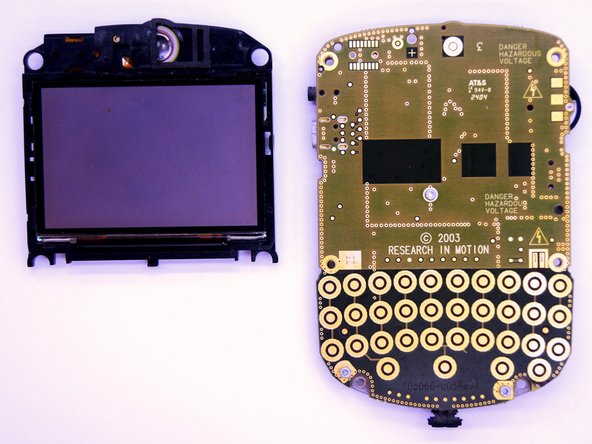
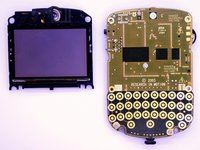
    • Use a Torx T6 screwdriver to remove the 3 1/8 inch screws shown.

  10. BlackBerry 7280 Battery Connector Replacement: 10 단계, 이미지 1개 중 1개
    • Remove the logic board with your hands.

  11. BlackBerry 7280 Battery Connector Replacement, Battery Connector: 11 단계, 이미지 2개 중 1개 BlackBerry 7280 Battery Connector Replacement, Battery Connector: 11 단계, 이미지 2개 중 2개
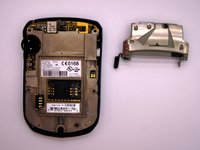
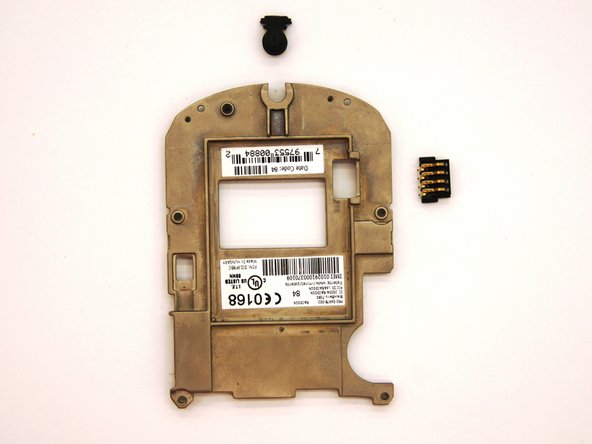
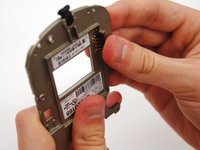
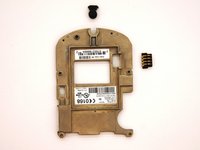
    • To remove the battery connector simply slide it out from the metal bracket using your hand.

결론

To reassemble your device, follow these instructions in reverse order.

작성자

5다른 기여자 명과 함께

Andrew Catlin

회원 가입일: 03/11/13

16 평판

안내서 3개를 작성함

Clemson, Team 12-2, Benson Spring 2013 Clemson, Team 12-2, Benson Spring 2013 회원

CLEM-BENSON-S13S12G2

4 회원들

안내서 11개를 작성함

0가이드 댓글

댓글 쓰기

조회 통계:

지난 24시간: 3

지난 7일: 12

지난 30일: 32

전체 시간: 413