주요 콘텐츠로 건너뛰기
수리 커뮤니티 가입 - 계정 만들기

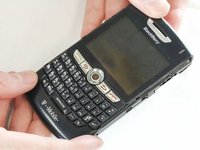
BlackBerry 8820 Trackball Replacement

필요한 것

  1. BlackBerry 8820 Trackball Replacement, Outer Casing: 1 단계, 이미지 1개 중 1개
    • Remove the battery cover by applying pressure and sliding the silver square on the back of the phone downwards.

  2. BlackBerry 8820 Trackball Replacement: 2 단계, 이미지 2개 중 1개 BlackBerry 8820 Trackball Replacement: 2 단계, 이미지 2개 중 2개
    • Remove the battery by prying under it with your finger or a plastic opening tool.

    • Remove the four small 3/8" long screws using a 1/16" diameter torx screwdriver.

  3. BlackBerry 8820 Trackball Replacement: 3 단계, 이미지 2개 중 1개 BlackBerry 8820 Trackball Replacement: 3 단계, 이미지 2개 중 2개
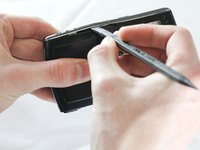
    • Carefully remove the two plastic side bars using a nylon spudger.

  4. BlackBerry 8820 Trackball Replacement: 4 단계, 이미지 1개 중 1개
    • Carefully pry the back casing off with a nylon spudger.

    • There are two small clamps on each edge that need to be unhooked before the casing can come off.

  5. BlackBerry 8820 Trackball Replacement: 5 단계, 이미지 1개 중 1개
    • Pry off the front casing.

    • Be cautious of sensors and other sensitive areas of the newly exposed electronics.

  6. BlackBerry 8820 Trackball Replacement, Track Ball: 6 단계, 이미지 1개 중 1개
    • After removing the front from the outer casing, the track ball will come off attached to the casing.

  7. BlackBerry 8820 Trackball Replacement: 7 단계, 이미지 1개 중 1개
    • Remove the track ball from the front case.

결론

To reassemble your device, follow these instructions in reverse order.

다른 3명이 해당 안내서를 완성하였습니다.

작성자

7다른 기여자 명과 함께

ryan

회원 가입일: 04/12/13

44 평판

안내서 5개를 작성함

Cal Poly, Team 13-64, Johann Spring 2013 Cal Poly, Team 13-64, Johann Spring 2013 회원

CPSU-JOHANN-S13S13G64

4 회원들

안내서 7개를 작성함

0가이드 댓글

댓글 쓰기

조회 통계:

지난 24시간: 3

지난 7일: 15

지난 30일: 57

전체 시간: 1,078