주요 콘텐츠로 건너뛰기
수리 커뮤니티 가입 - 계정 만들기

BlackBerry Curve 8310 Keyboard Replacement

필요한 것

  1. BlackBerry Curve 8310 Keyboard Replacement, Battery: 1 단계, 이미지 1개 중 1개
    • Press down on the battery release button and slide the back cover up with your thumb.

  2. BlackBerry Curve 8310 Keyboard Replacement: 2 단계, 이미지 1개 중 1개
    • Pry from the top of the battery to pull it out.

  3. BlackBerry Curve 8310 Keyboard Replacement, Lens: 3 단계, 이미지 1개 중 1개
    • Slide the metal sim card cover to the unlock position.

    • Remove the sim card.

    • The arrows on the sim card enclosure indicate the lock and unlock positions.

  4. BlackBerry Curve 8310 Keyboard Replacement: 4 단계, 이미지 1개 중 1개
    • Remove the two T5 Torx screws circled at the top of the phone.

    • The T5 Torx screws may be covered by a white sticker.

  5. BlackBerry Curve 8310 Keyboard Replacement: 5 단계, 이미지 1개 중 1개
    • Remove the red cover at the bottom of the phone.

    • You may have to work a spudger underneath to release the plastic clips.

  6. BlackBerry Curve 8310 Keyboard Replacement: 6 단계, 이미지 3개 중 1개 BlackBerry Curve 8310 Keyboard Replacement: 6 단계, 이미지 3개 중 2개 BlackBerry Curve 8310 Keyboard Replacement: 6 단계, 이미지 3개 중 3개
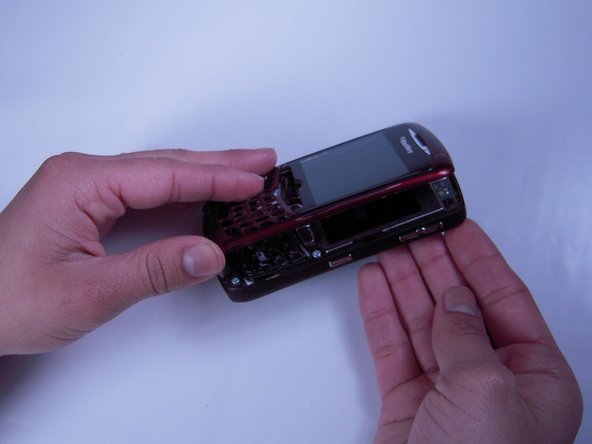
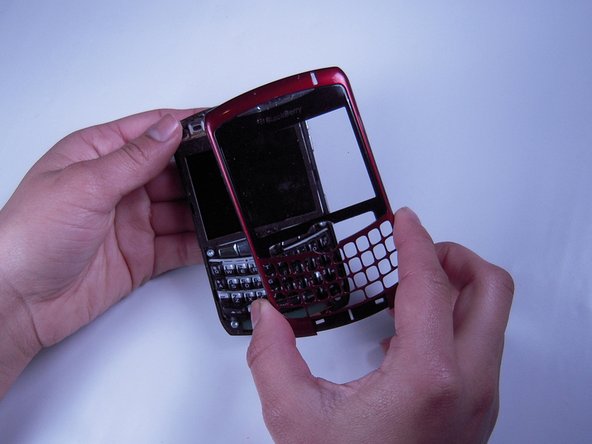
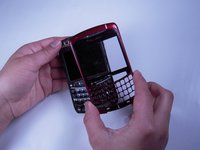
    • Be careful not to damage the front cover's plastic clips while trying to separate it from the phone.

    • Use a spudger to pry the front cover away from the side panels.

    • Work the spudger around the entire phone until the front cover is free.

  7. BlackBerry Curve 8310 Keyboard Replacement, Keyboard: 7 단계, 이미지 1개 중 1개
    • Remove the keyboard.

결론

To reassemble your device, follow these instructions in reverse order.

다른 2명이 해당 안내서를 완성하였습니다.

작성자

5다른 기여자 명과 함께

Mandy Chan

회원 가입일: 01/20/12

91 평판

안내서 2개를 작성함

Cal Poly, Team 10-32, Amido Winter 2012 Cal Poly, Team 10-32, Amido Winter 2012 회원

CPSU-AMIDO-W12S10G32

4 회원들

안내서 8개를 작성함

0가이드 댓글

댓글 쓰기

조회 통계:

지난 24시간: 1

지난 7일: 9

지난 30일: 30

전체 시간: 2,133