주요 콘텐츠로 건너뛰기
수리 커뮤니티 가입 - 계정 만들기

Blu Studio HD 6.0 Rear Case Replacement

필요한 것

  1. Blu Studio HD 6.0 Rear Case Replacement, Rear Case: 1 단계, 이미지 1개 중 1개
    • Begin by making sure your Blu Studio is turned off.

  2. Blu Studio HD 6.0 Rear Case Replacement, Back Panel.: 2 단계, 이미지 2개 중 1개 Blu Studio HD 6.0 Rear Case Replacement, Back Panel.: 2 단계, 이미지 2개 중 2개
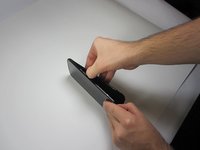
    • To begin the removal of your back panel, first locate the lift tab on the bottom-right corner.

  3. Blu Studio HD 6.0 Rear Case Replacement: 3 단계, 이미지 2개 중 1개 Blu Studio HD 6.0 Rear Case Replacement: 3 단계, 이미지 2개 중 2개
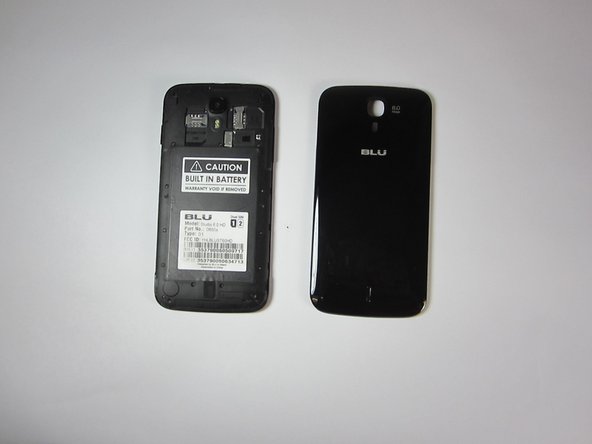
    • Next, gently slide your thumb (or plastic tool if you prefer) down the seem running the length of your Blu Studio until the rear panel is completely removed.

    • Your rear panel should be placed nearby and in a safe location until you are finished with your task.

결론

To reassemble your device, follow these instructions in reverse order.

다른 7명이 해당 안내서를 완성하였습니다.

작성자

5다른 기여자 명과 함께

Erik reinbolt

회원 가입일: 09/23/14

1,572 평판

안내서 3개를 작성함

USF Tampa, Team 9-1, Blackwell Fall 2014 USF Tampa, Team 9-1, Blackwell Fall 2014 회원

USFT-BLACKWELL-F14S9G1

3 회원들

안내서 8개를 작성함

0가이드 댓글

댓글 쓰기

조회 통계:

지난 24시간: 0

지난 7일: 4

지난 30일: 40

전체 시간: 2,449