소개
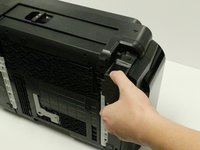
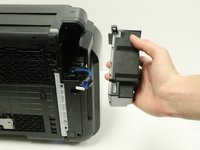
The AC adapter may need to be replaced if you are experiencing issues with the power connection to your printer. The removable power cord is plugged into the AC adapter.
-
-
-
-
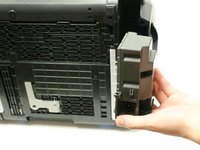
The AC adapter will now be loose, and able to come away from the printer.
-
Grasp the AC adapter and pull it toward you to remove it.
-
-
-
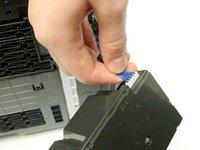
Rotate the AC adapter toward you so that the blue cord, with white connector head, is facing you.
-
-
-
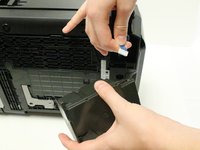
Grasp the white connector head that is attached to the end of the blue cord.
-
Disconnect the white connector head by gently pulling it away from the AC adapter.
-
You have successfully removed the AC adapter.
-


 FixBot에 문의하기




To reassemble your device, follow these instructions in reverse order.
다른 7명이 해당 안내서를 완성하였습니다.

팀

USF Tampa, Team 1-3, Leahy Fall 2014 USF Tampa, Team 1-3, Leahy Fall 2014 회원
USFT-LEAHY-F14S1G3
3 회원들
안내서 8개를 작성함
3가이드 댓글
Does anybody know the pin-out for these power supplies?
James Rudee - 답글 공유
WHERE CAN I BUY AC ADAPTER PIXMA GM 5220 PRINTER ? PLAESE !! my cell 678 899 1187, 770368 0409 w
vincent lieu - 답글 공유
Well I’ve just taken the AC Adapter out - I’ll let you know if a the replacement works once I’ve purchased it - Which I am hesitant to buy in case that’s not the problem.
The printer is barely 2 years old and barely used, I shouldn’t be experiencing this problem of the printer not turning on.
Canon you need to get your act together if you would like to stay in business, I’m seeing a lot of comments on this problem over a range of different printer models - Mine is a Pixma iX6860.
