주요 콘텐츠로 건너뛰기
수리 커뮤니티 가입 - 계정 만들기

Canon Pixma MP480 Scanner Cover Replacement

필요한 것

  1. Canon Pixma MP480 Scanner Cover Replacement, Scanner Cover: 1 단계, 이미지 1개 중 1개
    • Open the scanner cover, as if you are going to scan a document.

    댓글 쓰기

  2. Canon Pixma MP480 Scanner Cover Replacement: 2 단계, 이미지 1개 중 1개
    • Pull the scanner cover straight up and it will come off.

    • A quick and firm pull works best.

    댓글 쓰기

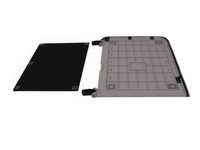
  3. Canon Pixma MP480 Scanner Cover Replacement: 3 단계, 이미지 2개 중 1개 Canon Pixma MP480 Scanner Cover Replacement: 3 단계, 이미지 2개 중 2개
    • Completely remove the scanner cover by peeling the thin white plastic sheet off.

    댓글 쓰기

결론

To reassemble your device, follow these instructions in reverse order.

취소: 해당 안내서를 완성하지 않았습니다.

작성자

3다른 기여자 명과 함께

Khutug Dorjsuren

회원 가입일: 01/14/13

114 평판

안내서 2개를 작성함

Cal Poly, Team 19-41, Regan Winter 2013 Cal Poly, Team 19-41, Regan Winter 2013 회원

CPSU-REGAN-W13S19G41

4 회원들

안내서 6개를 작성함

0가이드 댓글

댓글 쓰기

조회 통계:

지난 24시간: 5

지난 7일: 14

지난 30일: 51

전체 시간: 2,269