주요 콘텐츠로 건너뛰기

Canon PowerShot A460 Back Casing Replacement

필요한 것

  1. Canon PowerShot A460 Back Casing Replacement, Battery: 1 단계, 이미지 1개 중 1개
    • Slide the switch on the battery cover labeled "CARD/BATT. OPEN." to the right.

    • While still holding the switch, pull the cover down, allowing it to release and open.

  2. Canon PowerShot A460 Back Casing Replacement: 2 단계, 이미지 1개 중 1개
    • Tilt the camera slightly to allow the batteries to fall out.

  3. Canon PowerShot A460 Back Casing Replacement: 3 단계, 이미지 1개 중 1개
    • Press on and release the memory card to eject it.

  4. Canon PowerShot A460 Back Casing Replacement, Front Casing: 4 단계, 이미지 1개 중 1개
    • Unscrew the 5mm Phillips #00 screw from the bottom of the camera.

    • Make sure to keep the different size screws organized to make reassembling the camera simpler.

  5. Canon PowerShot A460 Back Casing Replacement: 5 단계, 이미지 1개 중 1개
    • Unscrew the three 2mm Phillips #00 screws that are located on the bottom of the camera.

  6. Canon PowerShot A460 Back Casing Replacement: 6 단계, 이미지 1개 중 1개
    • Remove the 4mm Phillips #00 screw that is located on the left side of the camera, if the display screen is facing you.

  7. Canon PowerShot A460 Back Casing Replacement: 7 단계, 이미지 1개 중 1개
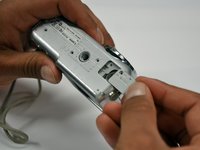
    • Take out the 4mm Phillips #00 screw under the rubber flap on the right end of the camera.

  8. Canon PowerShot A460 Back Casing Replacement: 8 단계, 이미지 2개 중 1개 Canon PowerShot A460 Back Casing Replacement: 8 단계, 이미지 2개 중 2개
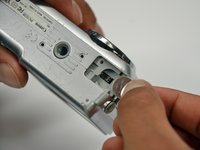
    • Remove the second battery cover on the bottom of camera.

    • Take the silver battery out of the camera.

  9. Canon PowerShot A460 Back Casing Replacement: 9 단계, 이미지 3개 중 1개 Canon PowerShot A460 Back Casing Replacement: 9 단계, 이미지 3개 중 2개 Canon PowerShot A460 Back Casing Replacement: 9 단계, 이미지 3개 중 3개
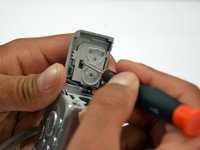
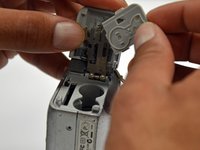
    • Remove the 4mm Phillips #00 screw on the inside of the flap that hides the battery and memory card slots.

    • Remove the light grey, plastic piece.

    • Remove the plastic portion of the battery flap cover. The metal piece will remain attached.

  10. Canon PowerShot A460 Back Casing Replacement: 10 단계, 이미지 3개 중 1개 Canon PowerShot A460 Back Casing Replacement: 10 단계, 이미지 3개 중 2개 Canon PowerShot A460 Back Casing Replacement: 10 단계, 이미지 3개 중 3개
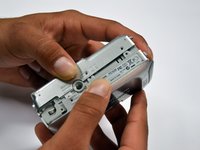
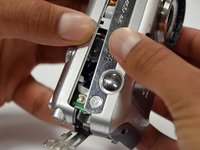
    • Slightly pull on each side of the camera. It should loosen up and come apart.

    • If it does not pull apart right away, use a little more force.

    • Do not give up!

  11. Canon PowerShot A460 Back Casing Replacement, Back Casing: 11 단계, 이미지 1개 중 1개
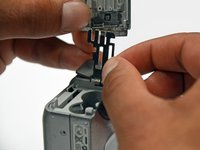
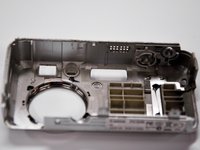
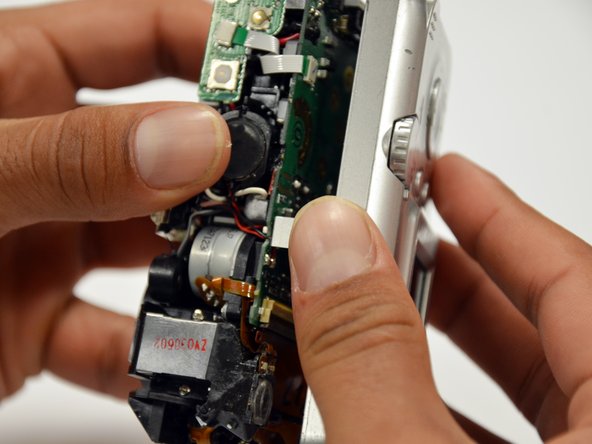
    • Remove the back case of the camera by pulling from the top.

    • Be careful when pulling off the case. There is a delicate gold ribbon connecting the bottom of the camera to the back case.

결론

To reassemble your device, follow these instructions in reverse order.

작성자

6다른 기여자 명과 함께

Stephanie Friend

회원 가입일: 01/18/13

132 평판

안내서 2개를 작성함

Cal Poly, Team 19-42, Regan Winter 2013 Cal Poly, Team 19-42, Regan Winter 2013 회원

CPSU-REGAN-W13S19G42

4 회원들

안내서 12개를 작성함

0가이드 댓글

댓글 쓰기

조회 통계:

지난 24시간: 0

지난 7일: 10

지난 30일: 29

전체 시간: 3,481