소개
The Canon PowerShot A550 features a 2.0 inch low-temperature polycrystalline silicon TFT color LCD screen with 86,000 megapixels. This component is necessary for photographing and viewing your pictures. This guide will teach you how to replace your LCD screen if it becomes broken or cracked.
필요한 것
-
-
-
Unscrew a total of 6 4.45 mm phillips head screws using a #00 phillips head screwdriver.
-
There are 2 screws on the left side (when looking at the front of the camera).
-
There are 3 screws on the bottom
-
There is 1 screw on the right side
 FixBot에 문의하기
-
-
-
Turn to the bottom of the camera.
-
Open the memory card cover by sliding the "CARD/BATT." button up, and then pulling the cover to the left.
-
-
-
This is what the SD card/battery compartment looks like when opened.
-
Remove one 4.45mm phillips head screw from the SD card/battery compartment using a #00 phillips head screwdriver.
-
-
-
이 단계에 사용된 도구:Tweezers$4.99
-
Start from the battery compartment and remove the back cover.
-
Remove the connecting ribbon from the body of the camera using a pair of tweezers.
-
-
-
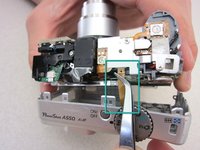
Once the ribbon connecting the back cover is removed, the back of the camera body should look like this.
-
-
-
-
-
Use a #00 phillips head screwdriver to remove 2 3.34mm phillips screws holding the LCD screen in place.
-
-
-
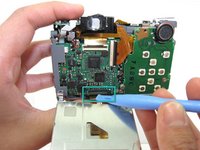
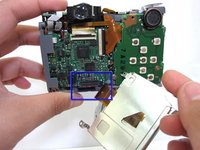
Use an iPod Opening Tool to lift the brown portion of the connector to unlock it.
-
Slide the data cable out of the connector.
-
-


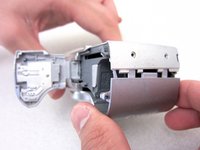
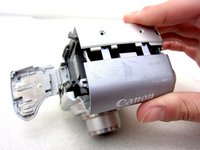


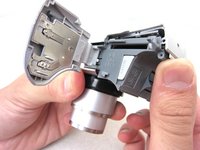
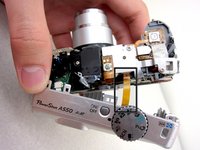



To reassemble your device, follow these instructions in reverse order.
다른 3명이 해당 안내서를 완성하였습니다.

팀

Cal Poly, Team 8-6, Regan Spring 2011 Cal Poly, Team 8-6, Regan Spring 2011 회원
CPSU-REGAN-S11S8G6
4 회원들
안내서 22개를 작성함
