주요 콘텐츠로 건너뛰기

Cen-Tech Seven Function Digital Multimeter Ball Bearings Replacement

필요한 것

  1. Cen-Tech Seven Function Digital Multimeter Ball Bearings Replacement, Position Device: 1 단계, 이미지 1개 중 1개
    • Place the meter face down, and the back panel and screws can be seen.

  2. Cen-Tech Seven Function Digital Multimeter Ball Bearings Replacement, Remove Back Panel Screws: 2 단계, 이미지 2개 중 1개 Cen-Tech Seven Function Digital Multimeter Ball Bearings Replacement, Remove Back Panel Screws: 2 단계, 이미지 2개 중 2개
    • Unscrew the two 9mm screws on the back panel using a #0 Phillips screwdriver.

  3. Cen-Tech Seven Function Digital Multimeter Ball Bearings Replacement, Remove Back Panel: 3 단계, 이미지 1개 중 1개
    • Remove the back panel of the device by lifting upward.

    • Remove the battery from the meter before continuing.

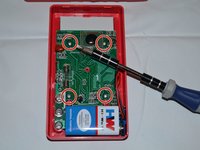
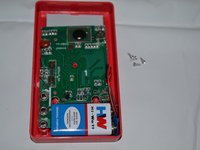
  4. Cen-Tech Seven Function Digital Multimeter Ball Bearings Replacement, Unscrew Motherboard: 4 단계, 이미지 2개 중 1개 Cen-Tech Seven Function Digital Multimeter Ball Bearings Replacement, Unscrew Motherboard: 4 단계, 이미지 2개 중 2개
    • Remove the four 7mm Phillips screws holding the circuit board in place.

  5. Cen-Tech Seven Function Digital Multimeter Ball Bearings Replacement, Remove Motherboard: 5 단계, 이미지 1개 중 1개
    • Gently lift the circuit board away from the device casing.

    • Remove the battery after removing the back cover to reduce the chances of short-circuiting the circuit board.

  6. Cen-Tech Seven Function Digital Multimeter Ball Bearings Replacement, Locate Dial: 6 단계, 이미지 1개 중 1개
    • The dial is located in the central part of the device.

  7. Cen-Tech Seven Function Digital Multimeter Ball Bearings Replacement, Remove Dial: 7 단계, 이미지 1개 중 1개
    • Carefully remove dial from device by lifting upward.

    • Clean existing dial or replace if necessary.

    • Take care not to lose the small ball bearings.

  8. Cen-Tech Seven Function Digital Multimeter Ball Bearings Replacement, Locate and Remove Ball Bearings: 8 단계, 이미지 1개 중 1개
    • Locate ball bearings. Carefully remove.

    • If both ball bearings are still present, try lubricating ball bearings with multi-use lubricant.

    • If one or both ball bearings are missing, simply replace.

결론

To reassemble your device, follow these instructions in reverse order.

다른 4명이 해당 안내서를 완성하였습니다.

작성자

4다른 기여자 명과 함께

Anna Kihm

회원 가입일: 10/13/14

956 평판

안내서 5개를 작성함

Clemson, Team 2-4, Benson Fall 2014 Clemson, Team 2-4, Benson Fall 2014 회원

CLEM-BENSON-F14S2G4

4 회원들

안내서 6개를 작성함

0가이드 댓글

댓글 쓰기

조회 통계:

지난 24시간: 1

지난 7일: 1

지난 30일: 15

전체 시간: 2,148