주요 콘텐츠로 건너뛰기

ClickN Kids Tablet Camera Replacement

필요한 것

  1. ClickN Kids Tablet Camera Replacement, Camera: 1 단계, 이미지 1개 중 1개
    • Start on the side with the camera

    • Insert a plastic opening tool into the space between the screen and the back side.

    • The screen side is black, the back side is colored

  2. ClickN Kids Tablet Camera Replacement: 2 단계, 이미지 1개 중 1개
    • Press the plastic opening tool in until you hear a “click” and that part of the tablet opens.

    • Press and slide the plastic opening tool around all sides of the tablet until all sides pop off.

    • The corners can be tricky. Make sure to separate the pieces all the way around the tablet before attempting to open it.

  3. ClickN Kids Tablet Camera Replacement: 3 단계, 이미지 1개 중 1개
    • Lift the detached screen from the camera side until you can see the inside of the tablet.

    • Don't open too fast, or you might damage the ribbons cables.

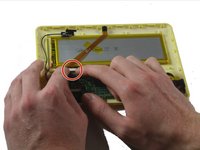
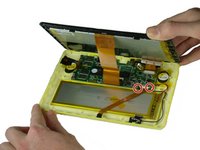
  4. ClickN Kids Tablet Camera Replacement: 4 단계, 이미지 2개 중 1개 ClickN Kids Tablet Camera Replacement: 4 단계, 이미지 2개 중 2개
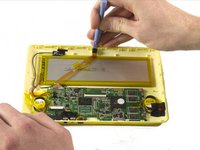
    • Be careful not to damage any wires or ribbon cables during this step.

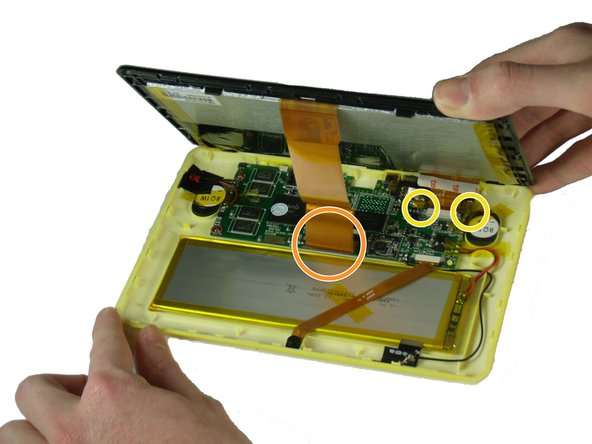
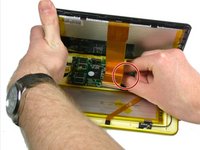
    • There are two ribbon cables to remove during this step. Each is connected to a base on the motherboard.

    • There is a black tab behind the long ribbon cable. Lift up the black tab.

    • For the ribbon cable in the back, pull the black tabs on the side out.

    • Detach the ribbon cables connecting the screen to the motherboard.

    • Remove any tape that is holding down the ribbon cables. Set it aside.

  5. ClickN Kids Tablet Camera Replacement: 5 단계, 이미지 1개 중 1개
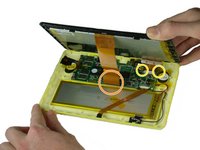
    • Pull off the tape that holds the ribbon cable to the battery.

  6. ClickN Kids Tablet Camera Replacement: 6 단계, 이미지 2개 중 1개 ClickN Kids Tablet Camera Replacement: 6 단계, 이미지 2개 중 2개
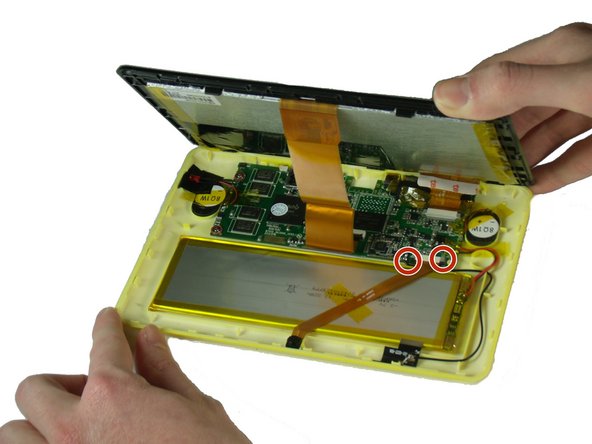
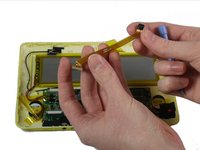
    • Be careful not to damage the wires or ribbon cables.

    • Pull out the two black ends of the base on the motherboard.

    • Slide out the camera’s ribbon cable once the ends are loosened.

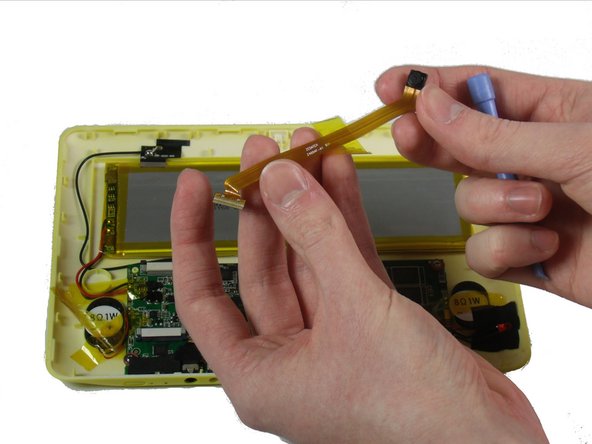
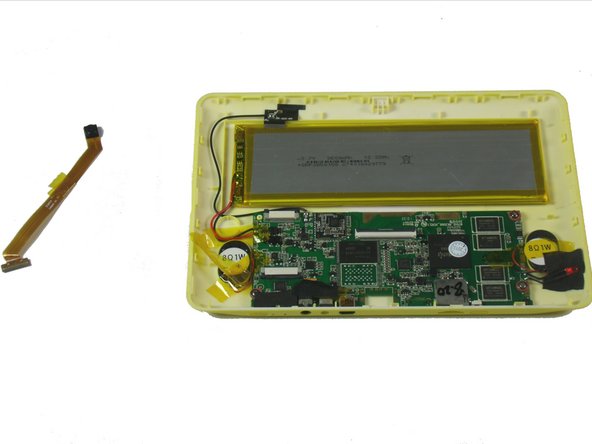
  7. ClickN Kids Tablet Camera Replacement: 7 단계, 이미지 3개 중 1개 ClickN Kids Tablet Camera Replacement: 7 단계, 이미지 3개 중 2개 ClickN Kids Tablet Camera Replacement: 7 단계, 이미지 3개 중 3개
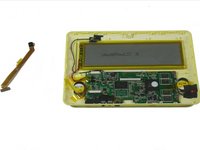
    • Use a plastic opening tool to pry the camera out of its place.

결론

To reassemble your device, follow these instructions in reverse order.

다른 한 분이 해당 안내서를 완성하였습니다.

작성자

3다른 기여자 명과 함께

Kevin Finney

회원 가입일: 03/22/15

562 평판

안내서 4개를 작성함

Baylor, Team 4-4, Williams Spring 2015 Baylor, Team 4-4, Williams Spring 2015 회원

BU-WILLIAMS-S15S4G4

3 회원들

안내서 8개를 작성함

0가이드 댓글

댓글 쓰기

조회 통계:

지난 24시간: 1

지난 7일: 2

지난 30일: 8

전체 시간: 908