주요 콘텐츠로 건너뛰기
수리 커뮤니티 가입 - 계정 만들기

Coby Kyros MID7012 Screen Replacement

필요한 것

  1. Coby Kyros MID7012 Screen Replacement, Screen: 1 단계, 이미지 3개 중 1개 Coby Kyros MID7012 Screen Replacement, Screen: 1 단계, 이미지 3개 중 2개 Coby Kyros MID7012 Screen Replacement, Screen: 1 단계, 이미지 3개 중 3개
    • Insert the metal spudger underneath the faceplate.

    • Carefully pry the faceplate away from the body of the tablet.

    댓글 쓰기

  2. Coby Kyros MID7012 Screen Replacement: 2 단계, 이미지 1개 중 1개
    • Carefully lift the screen and set it face down on a soft surface in order to not scratch it.

    댓글 쓰기

  3. Coby Kyros MID7012 Screen Replacement: 3 단계, 이미지 2개 중 1개 Coby Kyros MID7012 Screen Replacement: 3 단계, 이미지 2개 중 2개
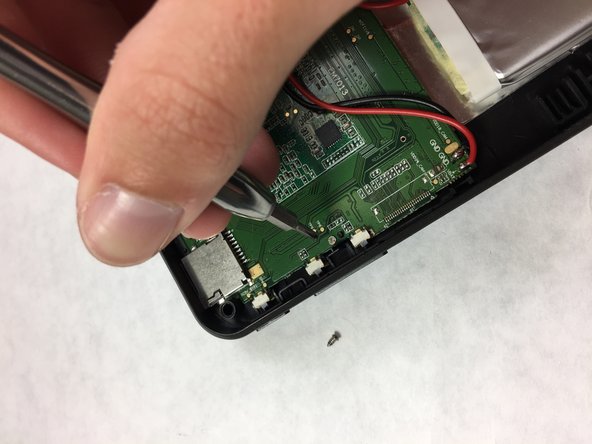
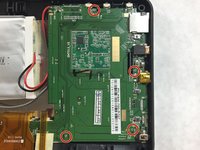
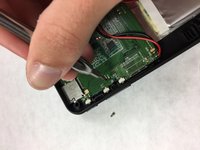
    • Remove the four 3.8 mm screws securing together the frame using the Phillips #000 Screwdriver.

    댓글 쓰기

  4. Coby Kyros MID7012 Screen Replacement: 4 단계, 이미지 1개 중 1개
    • Remove the two ribbon cable connectors from the motherboard by pulling the black connection out of the white connection on the motherboard.

    • To disconnect the connector, use the spudger or clean fingernail to lift the tab away from the connector.

    댓글 쓰기

결론

To reassemble your device, follow these instructions in reverse order.

취소: 해당 안내서를 완성하지 않았습니다.

다른 한 분이 해당 안내서를 완성하였습니다.

작성자

6다른 기여자 명과 함께

Daniel Ulrich

회원 가입일: 09/29/16

494 평판

안내서 3개를 작성함

IUPUI, Team 3-4, Harley Fall 2016 IUPUI, Team 3-4, Harley Fall 2016 회원

IUPUI-HARLEY-F16S3G4

4 회원들

안내서 6개를 작성함

0가이드 댓글

댓글 쓰기

조회 통계:

지난 24시간: 3

지난 7일: 9

지난 30일: 39

전체 시간: 926