주요 콘텐츠로 건너뛰기
수리 커뮤니티 가입 - 계정 만들기

Craig Electronics CMP773 Screen Replacement

필요한 것

  1. Craig Electronics CMP773 Screen Replacement, Screen: 1 단계, 이미지 2개 중 1개 Craig Electronics CMP773 Screen Replacement, Screen: 1 단계, 이미지 2개 중 2개
    • Remove two screws on the charging port side of the tablet using the Phillips #00 screwdriver.

  2. Craig Electronics CMP773 Screen Replacement: 2 단계, 이미지 3개 중 1개 Craig Electronics CMP773 Screen Replacement: 2 단계, 이미지 3개 중 2개 Craig Electronics CMP773 Screen Replacement: 2 단계, 이미지 3개 중 3개
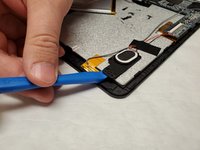
    • Insert a plastic opening tool between the screen and the back of the tablet.

    • Insert another opening tool along the same side of the tablet and pry them in opposite directions until the casing pops.

    • Once roughly half of the case has been unlatched, it can be removed by hand.

  3. Craig Electronics CMP773 Screen Replacement: 3 단계, 이미지 2개 중 1개 Craig Electronics CMP773 Screen Replacement: 3 단계, 이미지 2개 중 2개
    • Use the spudger to gently pry the camera from the casing.

  4. Craig Electronics CMP773 Screen Replacement: 4 단계, 이미지 2개 중 1개 Craig Electronics CMP773 Screen Replacement: 4 단계, 이미지 2개 중 2개
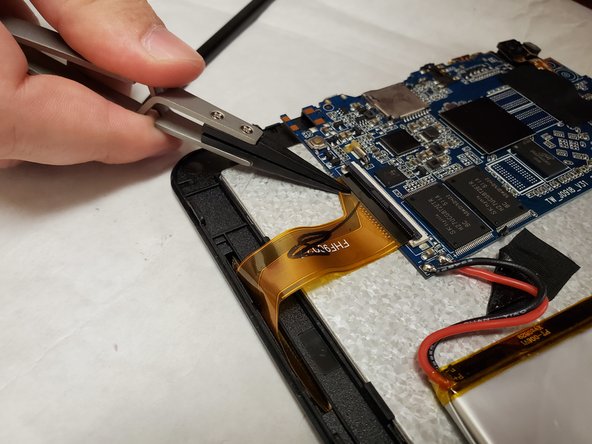
    • Using your finger, remove the clamp that connects the screen power rib to the motherboard.

    • Using needle nose pliers, remove the ribbon.

  5. Craig Electronics CMP773 Screen Replacement: 5 단계, 이미지 3개 중 1개 Craig Electronics CMP773 Screen Replacement: 5 단계, 이미지 3개 중 2개 Craig Electronics CMP773 Screen Replacement: 5 단계, 이미지 3개 중 3개
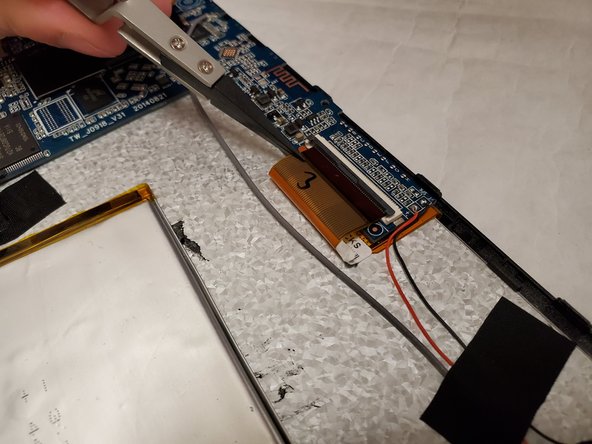
    • Remove the second screen power connection from the motherboard using the same procedure as step 4.

  6. Craig Electronics CMP773 Screen Replacement: 6 단계, 이미지 3개 중 1개 Craig Electronics CMP773 Screen Replacement: 6 단계, 이미지 3개 중 2개 Craig Electronics CMP773 Screen Replacement: 6 단계, 이미지 3개 중 3개
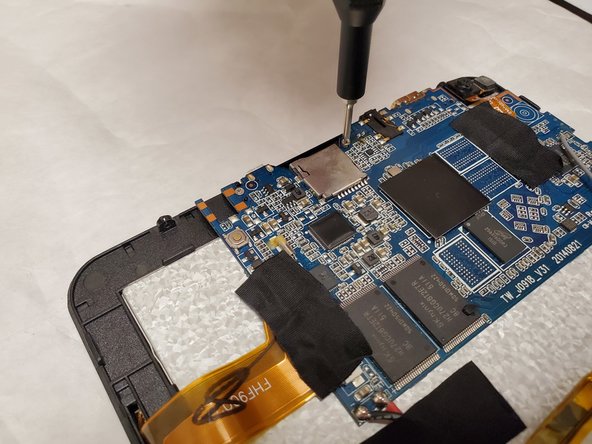
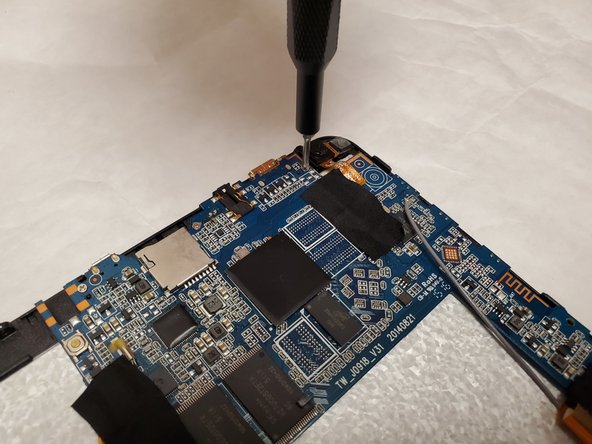
    • Remove four screws from the motherboard using the Phillips #00 screwdriver.

  7. Craig Electronics CMP773 Screen Replacement: 7 단계, 이미지 2개 중 1개 Craig Electronics CMP773 Screen Replacement: 7 단계, 이미지 2개 중 2개
    • Remove a single screw from the speaker using the Phillips #00 screwdriver.

    • Pry up on the locking tabs with the flat spudger.

  8. Craig Electronics CMP773 Screen Replacement: 8 단계, 이미지 1개 중 1개
    • Using needle nose pliers, remove the ground wire from the casing.

  9. Craig Electronics CMP773 Screen Replacement: 9 단계, 이미지 1개 중 1개
    • Using the plastic opening tool, remove the battery.

  10. Craig Electronics CMP773 Screen Replacement: 10 단계, 이미지 2개 중 1개 Craig Electronics CMP773 Screen Replacement: 10 단계, 이미지 2개 중 2개
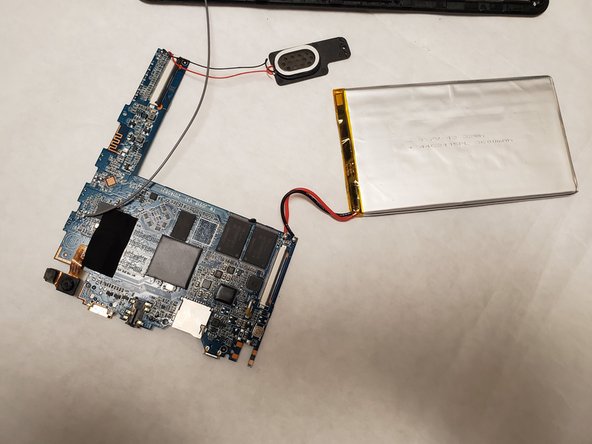
    • With all screws and components removed, gently remove the motherboard from the casing.

  11. Craig Electronics CMP773 Screen Replacement: 11 단계, 이미지 3개 중 1개 Craig Electronics CMP773 Screen Replacement: 11 단계, 이미지 3개 중 2개 Craig Electronics CMP773 Screen Replacement: 11 단계, 이미지 3개 중 3개
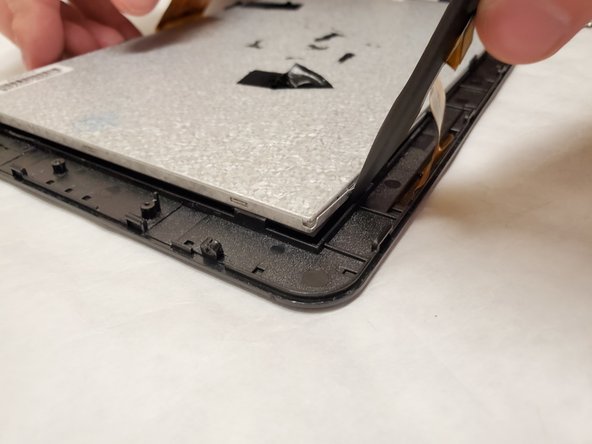
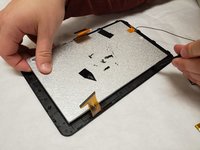
    • Insert the spudger in between the screen and case. Work your way around the outside of the screen.

  12. Craig Electronics CMP773 Screen Replacement: 12 단계, 이미지 3개 중 1개 Craig Electronics CMP773 Screen Replacement: 12 단계, 이미지 3개 중 2개 Craig Electronics CMP773 Screen Replacement: 12 단계, 이미지 3개 중 3개
    • Grasp the exposed screen corner and gently separate the screen from the housing.

결론

To reassemble your device, follow these instructions in reverse order.

작성자

4다른 기여자 명과 함께

Justin mersch

회원 가입일: 11/07/19

205 평판

안내서 1개를 작성함

IUPUI, Team S3-G4, Harley Fall 2019 IUPUI, Team S3-G4, Harley Fall 2019 회원

IUPUI-HARLEY-F19S3G4

4 회원들

안내서 3개를 작성함

1가이드 댓글

What kind of battery does this device specifically use

Kris Miller - 답글 공유
댓글 쓰기

조회 통계:

지난 24시간: 0

지난 7일: 4

지난 30일: 20

전체 시간: 360