소개
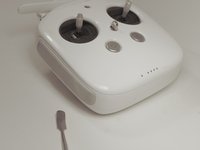
This guide explains how to replace the back buttons on a DJI Phantom 4 Advanced Remote Controller, which shares a similar design with other Phantom 4‑series controllers such as the Phantom 4 Pro and Phantom 4 Pro+. In this repair, you will remove the worn or unresponsive rear function buttons and install new ones to restore full control over customizable flight features. These back buttons allow pilots to trigger key functions—such as camera settings, gimbal adjustments, or custom shortcuts—making them essential for smooth and efficient drone operation.
If your controller’s back buttons feel loose, fail to click, respond intermittently, or no longer activate assigned functions, they may be damaged or experiencing internal wear. Before proceeding, review the relevant sections of your user manual under the troubleshooting section (e.g., “Unresponsive Controller Buttons”, “Intermittent Input or Sticking Buttons”, “Controller Custom Function Not Triggering”) to confirm that the issue is hardware‑related rather than a software or calibration problem.
Because this repair requires opening the controller shell, follow all recommended safety precautions. Power off the controller completely, disconnect it from any charging source, and work in a clean, static‑safe environment. Use ESD‑safe tools to avoid damaging sensitive internal circuitry, and take care when separating parts from the controller to prevent strain or damage on ribbon cables, antennas, or internal wiring. Inspect the device for any signs of battery swelling, cracked housing, or damaged ports, which may require additional attention. Dispose of any broken components responsibly according to local e‑waste guidelines.
For additional background on controller hardware, button mechanisms, or safe electronics handling, you may find it helpful to consult DJI’s official support documentation, iFixit repair guides, or general electronics‑repair resources.
필요한 것
-
-
-
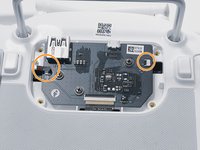
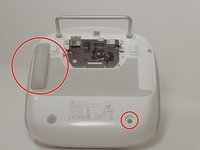
Remove the four screws with a Torx T8 screwdriver to access the back con board.
 FixBot에 문의하기
-
-
이 단계에 사용된 도구:Tweezers$4.99
-
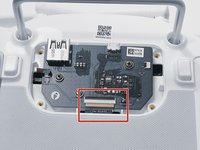
With tweezers, gently remove the large con board tab.
-
Use your hands to remove the two small clips. Pull out from the socket, in a horizontal direction.
-
-
-
-
Peel off the rubber grips to access the screw holes.
-
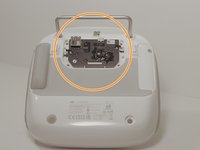
Remove the back board and set it aside.
-
-
-
Pull apart the back plastic panel.
-
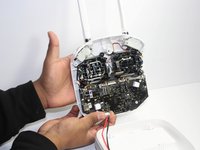
Once the back panel is off, you will have access to the motherboard.
-
-
-
-
-
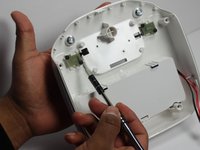
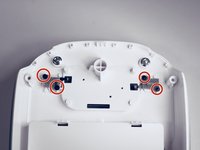
Using a Phillips #00 screwdriver, remove the four screws on the inside of the panel. That will allow you to remove the buttons by gently lifting them with your hands.
-
-









To reassemble your device, follow these instructions in reverse order.

팀

Linn Benton Community College, Team S1-G4, Johnson Fall 2018 Linn Benton Community College, Team S1-G4, Johnson Fall 2018 회원
LBCC-JOHNSON-F18S1G4
3 회원들
안내서 12개를 작성함
